LERIS PRC Online Philippines 2026: Complete Registration, Board Exam, License Renewal & Appointment Guide
The LERIS PRC system is the official online platform of the Professional Regulation Commission (PRC) for managing licensure examinations, registration, renewals, appointments, and other professional services in the Philippines. Through PRC LERIS, applicants can complete many PRC transactions online, making the process more convenient and organised. Before applying for an examination, renewing a license, or booking an appointment, users must create and maintain a PRC LERIS account with accurate personal information.
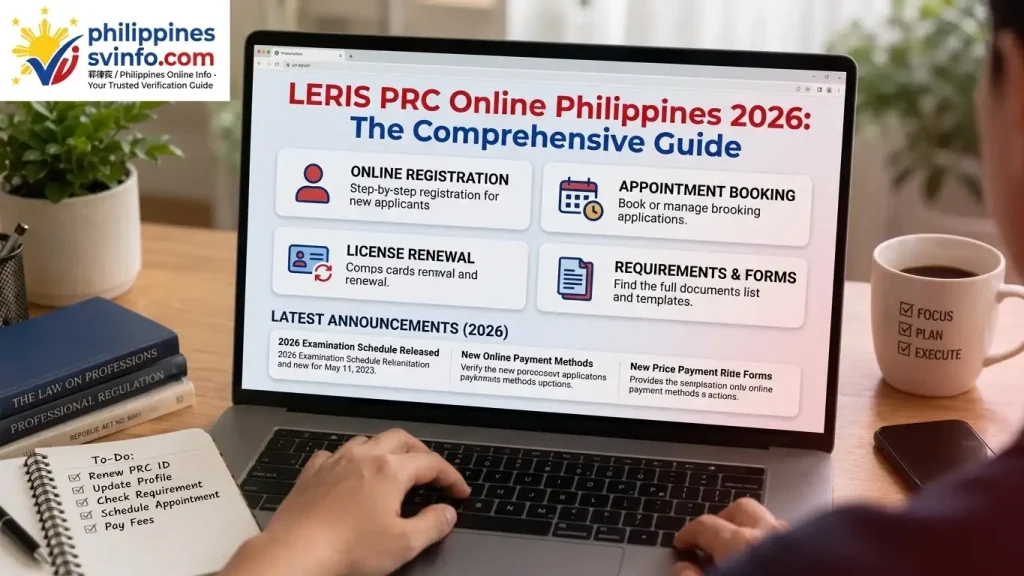
Whether you’re preparing for your first board examination, applying for a Professional Identification Card (PIC), or renewing an existing PRC licence, LERIS PRC Online Philippines serves as the official starting point for your transaction. Through LERIS PRC Online Philippines, you can create an account, submit your application, upload documentary requirements, pay the required fees, book appointments, and monitor the status of your transactions from one dashboard.
What Is the LERIS PRC Online System?
The Licensure Examination and Registration Information System (LERIS) is the official digital platform developed by the Professional Regulation Commission to streamline its services. Instead of completing manual paperwork, applicants can manage their PRC transactions online, making the application process faster, more organised, and easier to track.
Using a single LERIS PRC account, you can:
Before submitting any PRC transaction, make sure your LERIS PRC account is fully verified, your personal information is accurate, and all required documents are prepared in the correct format. Completing these requirements beforehand helps prevent processing delays and appointment issues.
LERIS PRC Online Registration Process
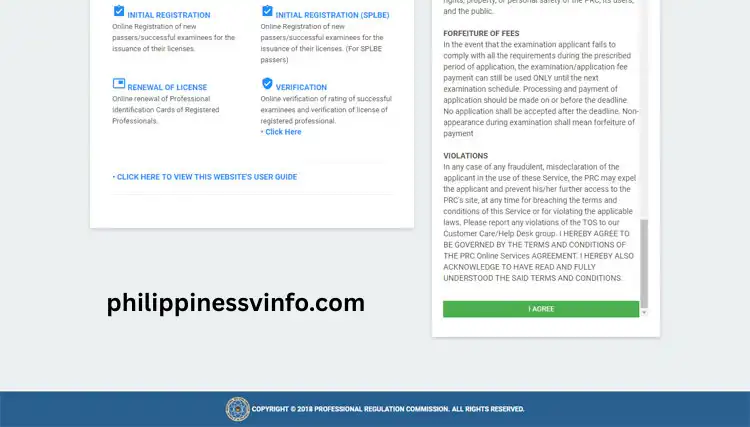
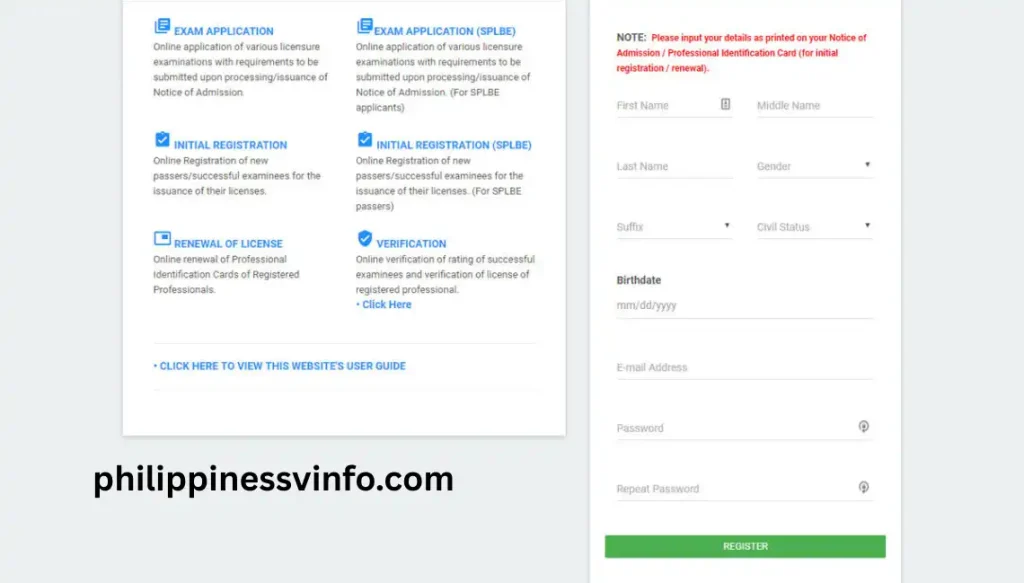
Creating a LERIS PRC account is the first step before you can apply for a licensure examination, renew your PRC ID, or use any online PRC service. The registration process only takes a few minutes, but you must enter accurate information and prepare the required documents in advance to avoid delays.
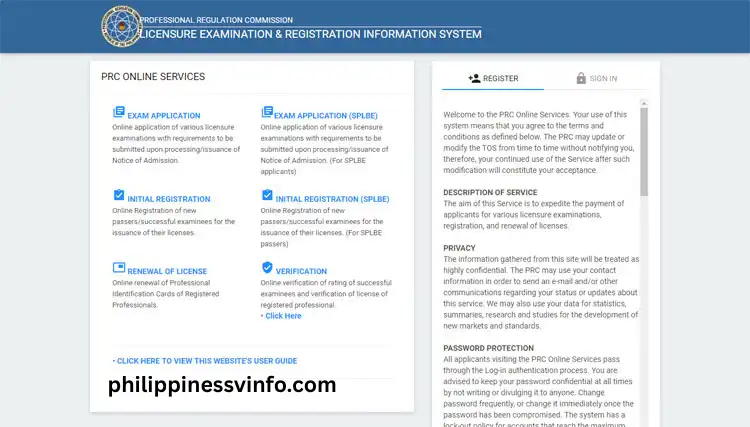
Your password must:
Your photo should meet these specifications:
Adjust the image within the preview frame before uploading it.
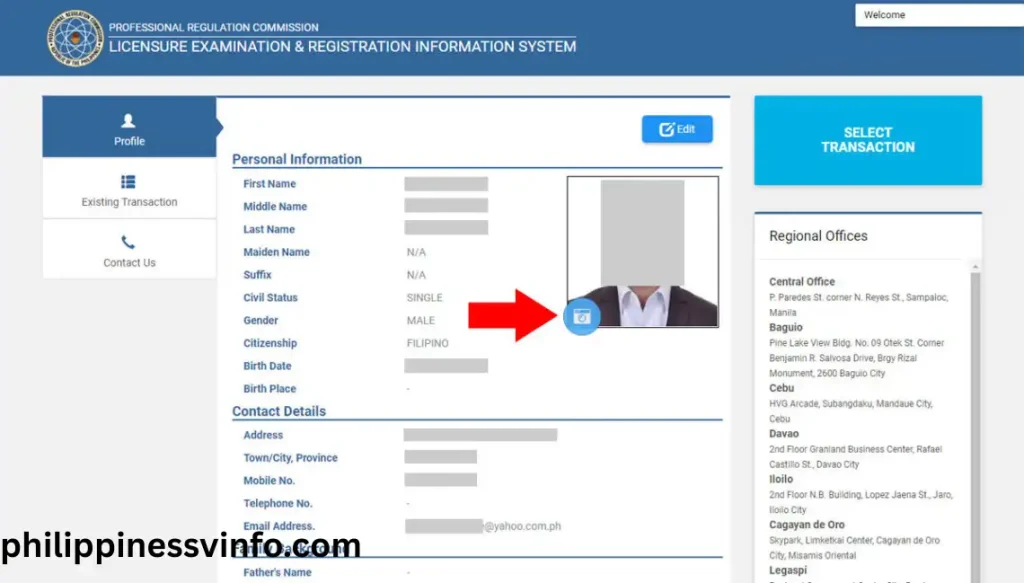
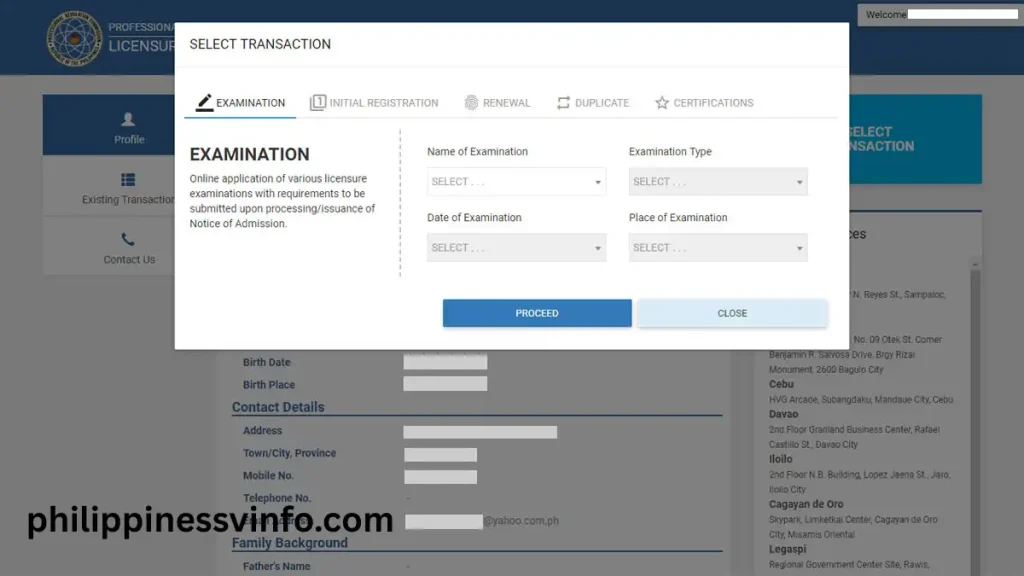
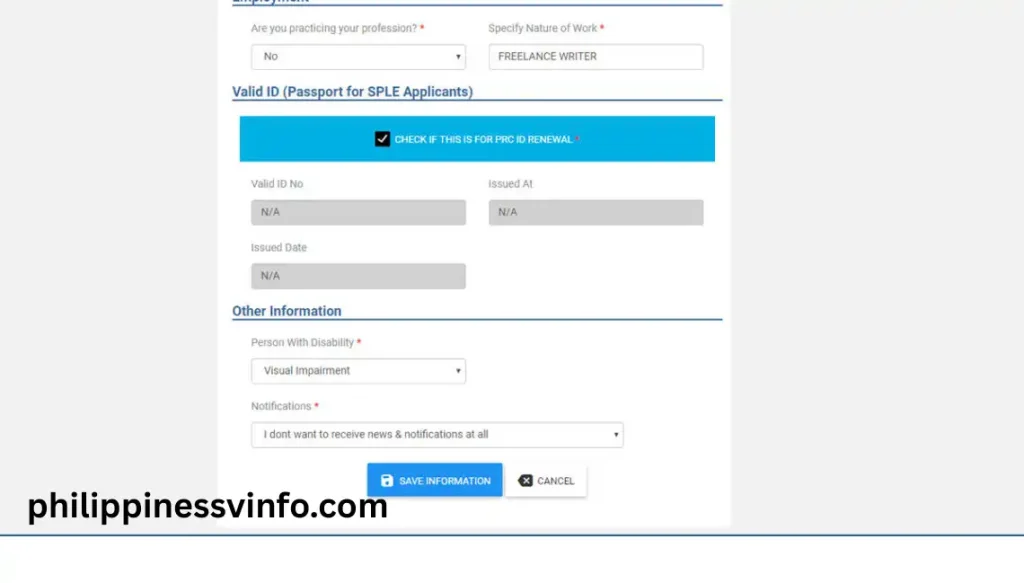
Once you’ve selected your transaction, you can proceed with appointment scheduling, payment, and document submission through your LERIS account.
How to Book a PRC Board Exam Appointment
Once your LERIS PRC account is complete and your profile has been verified, you can schedule your board examination appointment online. The process is straightforward, but choosing the correct examination, appointment date, and payment method is essential to avoid delays.
Step 1: Access the Transaction Menu
Sign in to your LERIS PRC account and navigate to the dashboard. From the left-hand menu, click “Select Transaction” to begin a new application.
Step 2: Select Examination Services
From the available transaction options, choose “Examination” to proceed with your board exam application.
Step 3: Choose Your Licensure Examination
Select the board examination you intend to take. Common examinations include:
Verify that you have selected the correct examination before moving to the next step.
Step 4: Schedule Your Appointment
Choose your preferred LERIS PRC Regional Office or Service Centre, then select an available appointment date and time. The system only displays schedules with open slots.
Appointment Tips:
Step 5: Save Your Reference Number
After confirming your appointment, LERIS will automatically generate a unique Reference Number. Keep this number safe because it is required when paying your application fee.
Step 6: Complete the Payment
Pay the required examination fee using one of the authorised PRC payment channels. After a successful payment, allow up to 24 hours for the transaction to be verified and reflected in your LERIS account.
Step 7: Download and Print Your Application Form
Once your payment has been confirmed, download and print your PRC Application Form. Bring the printed form together with your valid identification and all required supporting documents to your scheduled PRC appointment for document verification and processing.
How to Renew Your PRC License Online
Licensed professionals can conveniently renew their Professional Identification Card (PIC) through the PRC LERIS portal. The renewal process is completed online, while personal appearance is still required during the scheduled appointment.
Step 1: Sign In to Your LERIS Account
Log in using your registered email address and password.
Step 2: Start a New Transaction
From your dashboard, select “Select Transaction” and choose “Renewal” from the available PRC services.
Step 3: Review and Complete Your Information
Verify that your personal details are correct and update any information that has changed before proceeding with your renewal request.
Step 4: Schedule Your Appointment
Select your preferred PRC office, appointment date, and available time slot. An appointment is required before your renewed PRC ID can be processed.
Step 5: Pay the Renewal Fee
Complete your payment through any authorised PRC payment channel and wait for the transaction to be confirmed in your LERIS account.
Step 6: Print Your Renewal Form
After your payment has been verified, download and print your Renewal Application Form. Bring the printed form, valid identification, and any additional required documents to your scheduled PRC appointment.
Requirements to Prepare Before Creating a PRC LERIS Account
Before you begin your PRC LERIS registration, gather all the required personal information and documents in advance. Having everything ready will make the registration process faster and reduce the chances of delays or application errors.
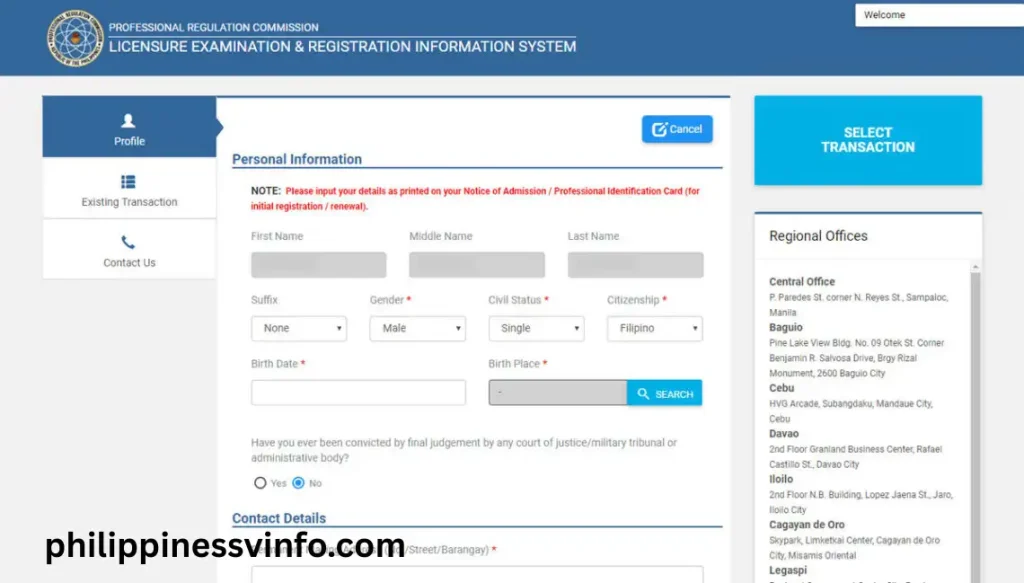
Personal Information You’ll Need
Prepare the following details exactly as they appear on your official records:
Accepted Government-Issued IDs
You will need at least one valid government-issued ID during registration. Commonly accepted IDs include:
Digital Documents to Prepare
Keep clear digital copies of your documents before starting your application. Most files should be easy to read and properly scanned.
Prepare the following:
Common PRC LERIS Problems and How to Fix Them
While using the LERIS PRC portal, applicants may occasionally encounter technical or account-related issues. Below are some of the most common problems along with practical solutions to help you complete your transaction without unnecessary delays.
1. Unable to Create a LERIS Account
If the system reports that your name or record already exists, it usually means your information is already stored in the PRC database. This often happens to previous board exam applicants or when your details closely match another record.
How to Fix It
2. Profile Photo Is Rejected
Your uploaded photo may be declined if it does not meet PRC’s image requirements, such as incorrect dimensions, poor quality, or an unsuitable background.
How to Fix It
3. Payment Status Is Not Updated
Sometimes your payment is successful, but LERIS continues to display the transaction as unpaid due to processing delays.
How to Fix It
4. No Appointment Slots Available
Popular PRC offices and licensure examinations often reach full capacity quickly, especially during peak application periods.
How to Fix It
PRC LERIS Accepted Payment Methods
After booking your appointment through the LERIS PRC portal, you must pay the required transaction fee before your application can be processed. PRC supports several secure payment channels, allowing applicants to choose the option that is most convenient.
| Payment Method | Description | Estimated Processing Time |
|---|---|---|
| GCash | Pay directly through your GCash mobile wallet using the authorised online payment gateway. | Usually within a few minutes |
| Maya (PayMaya) | Complete your payment using your Maya account or digital wallet. | Usually within a few minutes |
| LANDBANK | Available through LANDBANK online banking or participating branches for account holders. | Same day (subject to payment confirmation) |
| Online Banking | Use supported partner banks to pay securely through internet banking services. | A few minutes to several hours |
| Over-the-Counter Payment Centres | Make your payment at authorised payment partners such as Bayad Center and other accredited outlets. | Up to 24 hours |
| Credit or Debit Card | Pay online using supported Visa or Mastercard credit and debit cards. | Instant |
| Other E-Wallet Partners | Additional accredited digital wallets may be available depending on the selected payment gateway. | Usually within a few minutes |
Benefits of Using the LERIS PRC Online Portal
The Licensure Examination and Registration Information System (LERIS) is the official online portal of the Professional Regulation Commission (PRC) that allows professionals, board exam applicants, and licensed practitioners to manage PRC services digitally. Instead of making multiple visits to a PRC office, users can complete most transactions online—from examination applications to licence renewal and document requests—saving both time and effort.
Why Use the PRC LERIS Portal?
| Benefit | Description |
|---|---|
| 24/7 Online Access | Access your PRC account, submit applications, and monitor transactions anytime with an internet connection. |
| Convenient Digital Applications | Complete and submit PRC forms online, reducing paperwork and manual processing. |
| Online Appointment Booking | Schedule appointments at your preferred PRC office without waiting in long walk-in queues. |
| Centralised Account Management | Store your personal information, application records, and professional details securely in one account. |
| Faster Board Exam Applications | Apply for licensure examinations, upload documents, and track your application status online. |
| PRC ID Renewal | Renew your Professional Identification Card (PIC) through LERIS with a streamlined online process. |
| Multiple Payment Options | Pay PRC fees securely using authorised online and over-the-counter payment channels. |
| Online Document Requests | Request PRC-issued documents such as Board Certificates, Board Ratings, and Certificates of Good Standing. |
| Appointment Management | View, print, or review your scheduled appointments directly from your LERIS dashboard. |
| Transaction History | Access previous applications, payment records, and completed PRC transactions whenever needed. |
Security Tips for Protecting Your LERIS PRC Account
Keeping your LERIS account secure helps protect your personal information and prevents unauthorised access. Follow these best practices whenever you use the portal.
Frequently Asked Questions (FAQs)
Conclusion
The LERIS PRC Online Portal has transformed the way professionals and board exam applicants access PRC services in the Philippines. The PRC LERIS system makes account registration, examination applications, appointment scheduling, online payments, licence renewal, and document requests more organised and convenient. By preparing your documents in advance, entering accurate information, and using your PRC LERIS account correctly, you can minimise application errors and complete your transactions with greater confidence. Always access the official LERIS PRC portal, keep your account credentials secure, and review your information carefully before submitting any application to ensure a smooth and hassle-free PRC experience.