Smart SIM Registration Online 2026: Complete Registration, Verification, Requirements & Troubleshooting Guide

Smart SIM Registration Online is an important requirement for Smart, TNT, and Sun subscribers in the Philippines. Whether you have recently purchased a new SIM card or have been using an existing mobile number, completing the registration process helps ensure that your mobile services remain active and properly associated with your verified identity.
Under the Philippine SIM Registration Act, subscribers are required to provide accurate personal information and submit an accepted identification document during registration. An unregistered SIM may eventually lose access to telecommunications services, making it important for eligible subscribers to complete the process through the official Smart registration platform.
This guide explains everything you need to know about registering a Smart SIM online, including the requirements, OTP verification, ID submission, selfie verification, registration process, reference number, and solutions to common problems.
What Is Smart SIM Registration Online?
Smart SIM Registration Online is the official digital registration process provided by Smart Communications for eligible Smart, TNT, and Sun subscribers in the Philippines .Visit Homepage.
Through the online platform, subscribers can provide their personal information, verify their mobile number through an OTP, submit an accepted identification document, and complete identity verification. The process is designed to connect a SIM card with the verified information of its legitimate owner.
The registration system supports several important objectives, including:
- Protecting subscribers against scams, fraud, and unauthorized SIM use
- Helping reduce criminal activities associated with anonymous SIM cards
- Improving the security of mobile accounts
- Establishing verified SIM ownership
- Supporting compliance with Philippine telecommunications regulations
For subscribers who are required to register their SIM, completing the process is essential for maintaining access to supported mobile services.
Quick Facts About Smart SIM Registration Online
| Feature | Details |
|---|---|
| Portal Name | Smart SIM Registration Online |
| Official Website | https://simreg.smart.com.ph/ |
| Networks | Smart, TNT, and Sun |
| Registration Fee | Free |
| OTP Verification | Required |
| Valid ID | Required |
| Selfie Verification | Required |
| Internet Connection | Required |
| Reference Number | Provided after registration |
| Confirmation | SMS notification may be sent |
Requirements Before Starting Smart SIM Registration Online
Having your documents and device ready before beginning the registration process can make the application easier and help prevent unnecessary errors.
Valid IDs Accepted
You should prepare an accepted government-issued identification document before starting the application. Depending on the registration requirements applicable to your account, examples may include:
| Accepted ID Types |
|---|
| Philippine National ID (PhilID) |
| Passport |
| Driver’s License |
| SSS ID |
| GSIS e-Card |
| Voter’s ID |
| PRC ID |
| OWWA ID |
| Senior Citizen ID |
| PWD ID |
Always use a valid and readable identification document and make sure the details you enter correspond with the information shown on your ID.
Other Registration Requirements
In addition to your identification document, prepare the following:
- An active Smart, TNT, or Sun SIM card
- A mobile phone or compatible device with internet access
- A working camera for capturing your ID
- A valid government-issued ID
- The mobile number you want to register
- Access to SMS messages for OTP verification
- A stable internet or mobile data connection
- A device capable of completing the required selfie verification
A reliable internet connection is recommended because the process may require you to upload images and complete online identity verification.
Who Needs Smart SIM Registration Online?
The registration requirement can apply to different types of Smart-related subscribers and SIM users.
These may include:
- New Smart prepaid subscribers
- Existing Smart prepaid subscribers
- TNT subscribers
- Sun subscribers
- Eligible postpaid customers
- Subscribers completing SIM replacement or related verification
- Mobile broadband SIM users
If you are unsure about the registration status of your number, checking through Smart’s official channels is the safest way to determine whether further action is required.
Why SIM Registration Is Important
SIM registration is more than an administrative requirement. It establishes a verified connection between a subscriber and their mobile number and can provide additional protection against unauthorized use.
Enhanced Security
Linking a SIM with verified subscriber information can help reduce anonymous misuse and make fraudulent use of mobile numbers more difficult.
Better Account Protection
Having verified ownership information can be useful when dealing with account-related concerns, including situations involving a lost, stolen, or damaged device.
Compliance With Government Regulations
Completing the applicable registration requirements helps subscribers comply with the Philippines’ SIM registration regulations.
Continued Mobile Services
Subscribers who are required to register their SIM should complete the process within the applicable requirements to avoid potential service interruption or deactivation.
Before You Begin the Registration Process
Taking a few minutes to prepare your device, SIM card, identification document, and internet connection can make the registration process smoother.
Important Checklist
Before opening the registration portal, make sure:
✓ Your Smart, TNT, or Sun SIM is inserted correctly
✓ Your mobile device has a stable internet connection
✓ Your valid ID is available
✓ Your camera is working properly
✓ You have sufficient lighting for the selfie verification
✓ Your device has enough battery power
✓ You can receive SMS messages
✓ Your browser is updated
Poor-quality ID photographs, weak connectivity, incorrect personal information, and unsuccessful selfie verification are some of the issues that can interfere with an online registration process.
How to Complete Smart SIM Registration Online
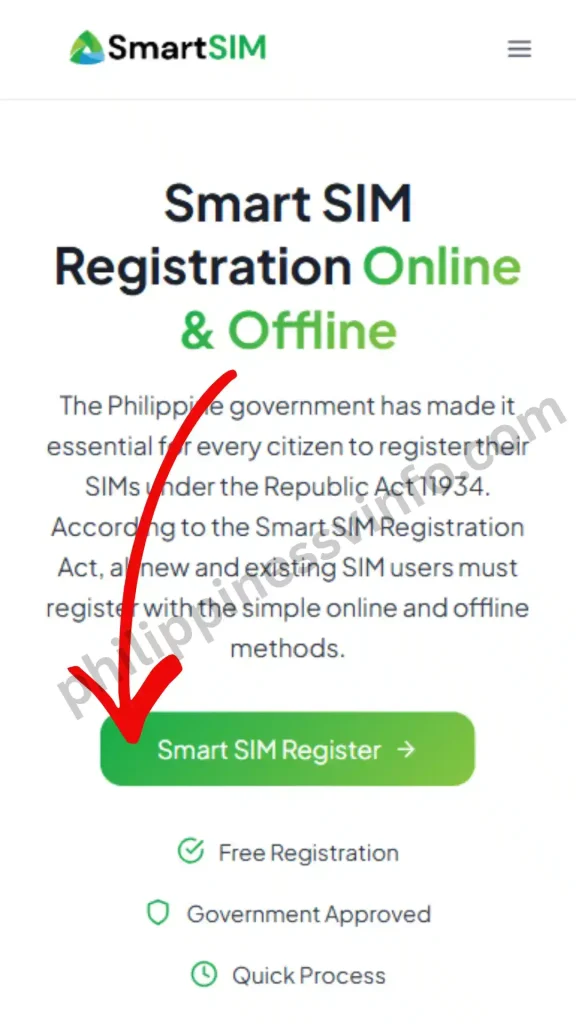
Smart Communications offers several convenient ways to complete sim registration smart 2026. Whether you prefer registering through the official website, the GigaLife App, or by scanning a QR code, each method is free and designed to make the verification process simple for all subscribers.
Method 1: Register Through the Official Smart SIM Registration Portal
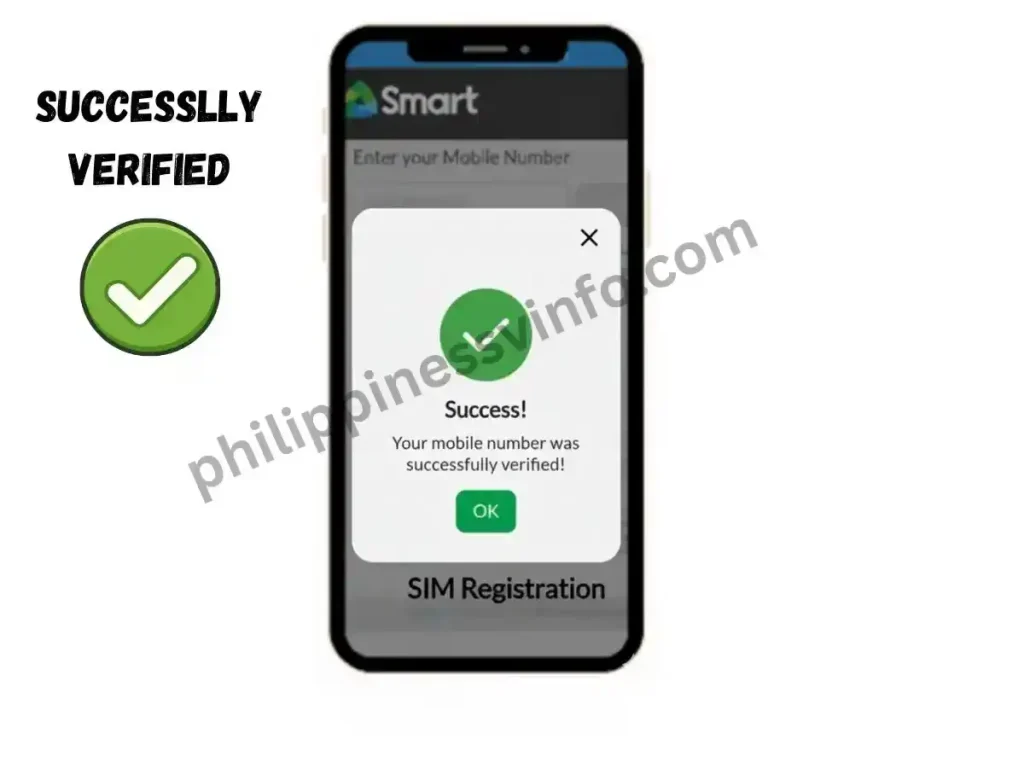
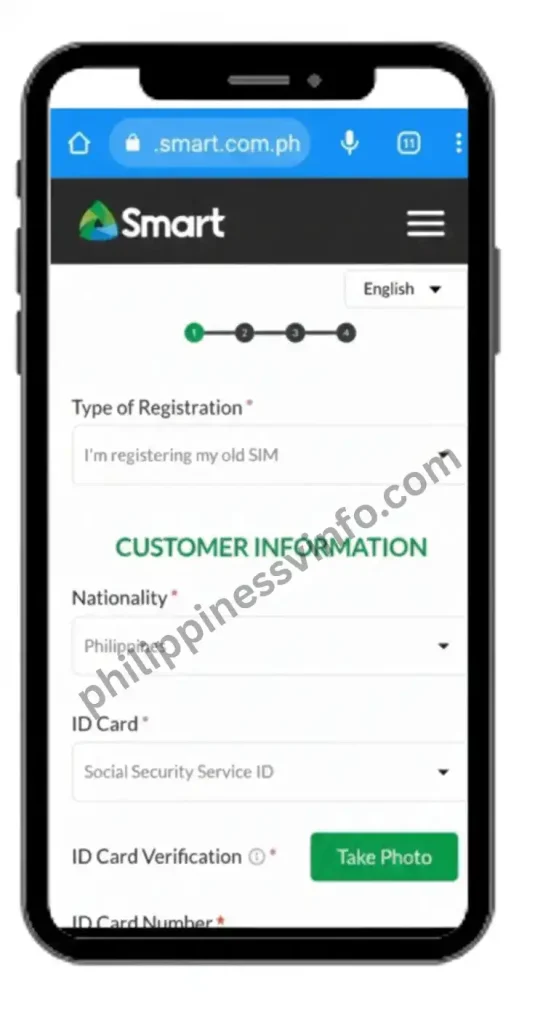
The quickest way to register your Smart or TNT SIM is through the official online registration portal. Follow these steps to complete your registration successfully:




Method 2: Register Using the GigaLife (Smart) App
If you prefer using your smartphone, you can complete the entire registration process through the GigaLife App, which offers the same verification procedure as the official web portal.
The registration process includes:
Once registration is complete, you can continue using the GigaLife App to manage your account, monitor your data usage, purchase promos, and access other Smart services.
Method 3: Smart SIM Registration via QR Code
Smart also provides an official QR code on SIM packaging and at authorised Smart Stores. This option allows users to access the registration portal without manually typing the website address.
To register using the QR code:
- Open your phone’s camera or QR code scanner.
- Scan the official sim registration smart QR code.
- You will be redirected automatically to the official sim registration smart page.
- Complete the registration by following the same verification and identity confirmation steps used on the online portal.
- Submit your information and wait for the SMS confirming successful registration.
Registration Status Indicators
| Status | Meaning |
|---|---|
| Submitted | Your registration request has been received. |
| Under Review | Your information and documents are being validated. |
| Approved | Your SIM registration has been successfully completed. |
| Failed | The verification process was unsuccessful. |
| Requires Correction | Additional information or corrections may be required. |
Keeping your reference number in a safe place can make it easier to address registration-related concerns later.
Smart SIM Registration Online Verification Process
Verification is an important part of the registration process because it helps establish that the SIM belongs to the person submitting the application.
The verification process generally includes several stages.
Mobile Number Verification
An OTP is sent to the mobile number being registered. Entering the correct OTP confirms that you have access to that number and allows you to continue with the application.
Identity Verification
The identification document you submit is checked as part of the registration process. Make sure the ID is valid, clearly visible, and consistent with the personal information entered in the form.
Facial Verification
The selfie verification stage helps confirm that the person completing the registration corresponds with the identity document submitted. Good lighting and a clear view of your face can help prevent verification problems.
Final System Validation
After the required information and verification steps have been completed, the registration system performs its final checks. If the application satisfies the applicable requirements, the registration can be approved and a confirmation may be provided.
How to Know If Your Smart SIM Registration Online Was Successful
After completing the application, users often want to know whether their SIM has been successfully registered.
Depending on the registration process and system response, you may receive confirmation through one or more of the following:
- A registration confirmation screen
- A reference or control number
- A confirmation SMS
- A successful verification notification
If the registration page confirms successful submission and you receive the relevant confirmation, keep those records for future reference.
Signs of Successful Registration
✔ OTP verification was completed successfully
✔ Your identification document was accepted
✔ Selfie verification was completed
✔ The registration submission was confirmed
✔ A reference number was generated
✔ A confirmation message was received
It is a good idea to take a screenshot of the final confirmation page before leaving the website.
Common Smart SIM Registration Online Errors and Solutions
Technical problems can occasionally occur while completing the registration process. Most common issues are related to OTP delivery, image quality, internet connectivity, or temporary website problems.
| Problem | Possible Cause | Recommended Solution |
|---|---|---|
| OTP Not Received | Weak signal or delayed SMS | Check your network connection, wait briefly, and request another OTP if available. |
| Invalid OTP | Code expired or entered incorrectly | Request a new OTP and enter the latest code carefully. |
| Blurry ID Upload | Poor image quality or lighting | Retake the ID photo in good lighting and make sure all details are readable. |
| Selfie Verification Failed | Face is unclear or obstructed | Move to a well-lit location and retake the selfie according to the instructions. |
| Website Not Loading | Connectivity or browser problem | Refresh the page, check your internet connection, or try another supported browser. |
| Registration Submission Error | Temporary technical issue | Wait a few minutes and try submitting the application again. |
| Incorrect Personal Details | Typographical mistake | Carefully review and correct the information before submitting. |
| Slow Processing | High system traffic or additional verification | Allow additional processing time and check for further instructions. |
If an issue continues after multiple attempts, use Smart’s official customer support channels rather than providing your personal information to an unofficial service.
Tips for Faster Smart SIM Registration Online Approval
Although processing times can vary, preparing your information correctly can help reduce avoidable verification problems.
Use High-Quality Photos
A clear identification document is easier for the verification system to process. Before taking your photo:
- Clean your camera lens
- Use sufficient lighting
- Avoid reflections and shadows
- Place the ID on a flat surface
- Make sure all important information is readable
Match Your ID Exactly
The personal information you provide should correspond with your identification document.
Pay particular attention to:
- Full name
- Date of birth
- Address
- Nationality
- Identification details
Avoid guessing or using information that differs from your official documents.
Avoid Repeated Submissions
If your application has already been submitted successfully, avoid creating multiple applications for the same SIM unless the system specifically instructs you to do so.
Repeated attempts can make it more difficult to determine which application is the correct one, particularly when an earlier application is still being processed.
Save Every Confirmation
Keep a record of important registration information, including:
- Reference number
- Confirmation page
- Confirmation SMS
- Other registration-related messages
These details can be useful when following up on a registration issue.
Smart SIM Registration Online for Existing Subscribers
Existing Smart, TNT, and Sun subscribers who have not completed the required registration may need to register their mobile numbers through the official Smart platform.
The process generally involves:
- Visiting the official registration portal
- Verifying the mobile number through OTP
- Entering the required personal information
- Submitting an accepted identification document
- Completing selfie verification
- Reviewing and submitting the application
Existing subscribers should make sure that the information they provide is accurate and consistent with their current identification documents.
If you are unsure whether your number is already registered, check through Smart’s official channels instead of submitting unnecessary registration applications.
Smart SIM Registration Online for New SIM Users
New Smart-related SIM users should complete the applicable registration requirements as part of the SIM activation process.
After purchasing a SIM, keep the packaging and any information provided with it until the activation and registration process has been completed.
Early registration can help you:
- Complete the required registration process sooner
- Reduce the possibility of service interruption
- Establish verified ownership
- Make future account-related assistance easier
Always follow the instructions provided by Smart for your specific SIM type because requirements and activation procedures can vary.
Important Security Reminders
The registration process involves sensitive personal information, including identification details and your mobile number. Protecting this information is therefore extremely important.
Best Practices
- Use only the official Smart registration website.
- Never share an OTP with another person.
- Do not provide your ID details to unofficial registration services.
- Avoid completing registration through suspicious links sent by unknown individuals.
- Keep screenshots and registration records stored securely.
- Check the website address carefully before entering personal information.
- Do not share your registration confirmation publicly on social media.
Most importantly, never give your OTP to anyone. An OTP is intended for your own verification and should be entered only on the legitimate registration platform when required.
If someone contacts you claiming to be a Smart representative and asks for your OTP, password, or other sensitive verification information through an unofficial channel, do not provide it
Smart SIM Registration Online for Foreign Nationals
Foreign nationals who are visiting, working, studying, or staying in the Philippines may also be required to register their Smart SIM. The applicable requirements can differ depending on the individual’s circumstances, type of SIM, and length or purpose of stay in the country.
The online process generally requires the subscriber to provide accurate personal information and supporting identification documents. Foreign subscribers should prepare their documents before starting the registration to avoid unnecessary delays.
Common Information and Documents
Depending on the applicable registration requirements, foreign nationals may need to provide:
- A valid passport
- Nationality information
- Philippine residential or local address
- Contact information
- Relevant travel or arrival details when requested
- Supporting immigration or stay-related documents, when applicable
All information entered into the registration form should be accurate and consistent with the documents submitted for verification.
If the registration portal requests additional information based on your status in the Philippines, follow the instructions shown on the official Smart website.
Smart SIM Registration Online for Minors
Parents and legal guardians may have questions about registering a SIM that is being used by a minor. Registration requirements for minors can involve additional information or documentation and should be completed according to the applicable Smart and Philippine regulations.
Before starting the registration process for a minor, make sure you have the required documents and understand who must be identified as the responsible parent or legal guardian.
Preparation Checklist for Minors
Before proceeding:
- Prepare the required identification documents
- Provide accurate information about the minor and responsible parent or guardian
- Follow the instructions displayed on the official registration portal
- Review every detail before submitting the application
- Save the registration confirmation and reference number
Parents and legal guardians should avoid entering inaccurate information or using another person’s documents unless specifically permitted by the applicable registration requirements.
Benefits of Completing Smart SIM Registration Online
Registering a SIM is not only about meeting a regulatory requirement. A properly registered mobile number can also make account ownership and verification easier in situations where subscriber information is needed.
Improved Account Recovery
Verified subscriber information can be helpful when dealing with certain account-related situations, including:
- Lost or stolen mobile devices
- Damaged SIM cards
- SIM replacement requests
- Mobile account verification issues
Keeping your registration and account information accurate can make future assistance more straightforward.
Better Protection Against Fraud
SIM registration establishes a connection between a mobile number and verified subscriber information. This can help strengthen accountability and reduce the potential for unauthorized or fraudulent use of SIM cards.
Subscribers should still remain cautious because SIM registration does not eliminate all forms of online fraud. Never share OTPs, passwords, or other confidential account information with unknown individuals.
Continued Access to Mobile Services
Completing the applicable registration requirements helps subscribers maintain access to their mobile services.
Depending on the subscriber’s account and plan, these services may include:
- Voice calls
- SMS or text messaging
- Mobile data
- Digital services
- Customer support
Keeping your SIM registration information accurate can also help when dealing with future account-related requests.
Easier Customer Support Verification
When you contact Smart for assistance, subscriber information may be used to verify account ownership. Having your registration details and reference number available can therefore make it easier to explain and resolve certain account concerns.
Common Mistakes to Avoid During Smart SIM Registration Online
| Common Mistake | Why It Causes Problems | How to Avoid It |
|---|---|---|
| Using a Blurry ID Photo | Important details on the ID may not be readable during verification. | Take a clear, well-lit photo with all ID details visible. |
| Cropping the ID | Missing corners or information can prevent the document from being properly verified. | Capture the complete ID without cutting off any part. |
| Entering Incorrect Personal Information | Differences between your form and ID may cause verification issues. | Enter your name, birth date, address, and other details exactly as shown on your documents. |
| Using an Expired or Unacceptable ID | The submitted document may not meet the registration requirements. | Use a valid identification document accepted by Smart. |
| Poor Selfie Quality | A dark, blurry, or obstructed face can interfere with facial verification. | Use good lighting, keep your face centered, and follow the on-screen instructions. |
| Entering the Wrong OTP | An incorrect or expired OTP can prevent mobile number verification. | Enter the latest OTP carefully and request a new code if necessary. |
| Using an Unstable Internet Connection | Uploads or verification steps may fail or time out. | Use a stable mobile data or Wi-Fi connection while completing registration. |
| Submitting Multiple Applications | Repeated submissions may create confusion or additional processing issues. | Submit the registration once and wait for the system to provide a result. |
| Not Checking Information Before Submission | Small errors may be difficult to correct after submission. | Review all personal details, ID information, and uploaded documents carefully. |
| Not Saving the Reference Number | You may have difficulty following up on your registration later. | Take a screenshot and securely save your reference or control number. |
| Using an Unofficial Website | Fake websites may attempt to collect personal or account information. | Use only the official Smart SIM registration portal. |
| Sharing Your OTP | Someone else could potentially use the code to access or verify a transaction. | Keep your OTP private and never give it to another person. |
Smart SIM Registration Online Safety Checklist
Before submitting your registration, use the following checklist to make sure the major requirements have been completed.
| Verification Item | Status |
|---|---|
| Mobile number entered correctly | ✓ |
| OTP successfully verified | ✓ |
| Personal information reviewed | ✓ |
| Valid ID uploaded clearly | ✓ |
| Selfie verification completed | ✓ |
| Information matches the submitted ID | ✓ |
| Reference number saved | ✓ |
| Confirmation received | ✓ |
Going through this checklist before submission can help identify simple mistakes and reduce avoidable registration problems.
What to Do If You Need Help
If you experience an error while registering your Smart SIM, there are several basic troubleshooting steps you can try before requesting additional assistance.
Refresh and Retry
A temporary browser, connection, or system issue may sometimes prevent the registration page from working correctly.
You can try:
- Refreshing the registration page
- Closing and reopening your browser
- Checking your internet connection
- Switching between available networks
- Trying again after some time
Avoid repeatedly submitting the same application if the system has already confirmed that your request was received.
Verify Your Documents
If the problem occurs during document or identity verification, review the information and images you submitted.
Check that:
- Your identification document is valid
- The entire ID is visible
- The text is clear and readable
- Your personal information matches the ID
- Your selfie is clear and properly captured
If necessary, retake the photographs under better lighting and follow the instructions displayed on the registration page.
Keep Your Registration Records
If you eventually need customer support, having your registration information available can make the process easier.
Keep records such as:
- Your mobile number
- Registration reference number
- Confirmation screenshot
- Confirmation SMS
- Relevant error messages or screenshots
Do not publicly post these details because they may contain personal or account-related information.
Smart SIM Registration Online Key Takeaways
Before starting or completing the registration process, keep these important points in mind:
- Smart, TNT, and applicable Sun subscribers must follow the SIM registration requirements that apply to their numbers.
- Use the official Smart registration portal: https://simreg.smart.com.ph/
- Prepare an accepted and valid identification document.
- Make sure your personal information is accurate.
- Complete OTP verification using the code sent to your mobile number.
- Complete selfie or facial verification when requested.
- Upload clear and complete ID photographs.
- Review your information carefully before submitting.
- Save your reference or control number after successful submission.
- Keep the confirmation SMS or registration record for future reference.
- Never share your OTP or other confidential verification information.
Frequently Asked Questions About Smart SIM Registration Online
1. Can I register my Smart SIM online?
Yes. You can register your Smart SIM online through the official Smart SIM Registration Portal. The process generally requires you to enter your mobile number, verify it using an OTP, provide your personal information, submit a valid ID, complete selfie verification, and submit the registration form.
2. How can I check if my Smart SIM is already registered?
You can check your Smart SIM registration status through the official Smart SIM Registration Portal. Enter your mobile number, request an OTP, and follow the verification process. If the number is already registered, the portal can display a confirmation indicating its registration status. You may also check the Smart app for a Registered indicator beside your mobile number.
3. Can I use a new Smart SIM without registering it?
No. A new Smart SIM must be registered before it can be fully activated for mobile services. The registration process requires subscriber information and an accepted identification document, followed by the applicable verification steps.
4. Why am I not receiving the OTP for Smart SIM registration?
An OTP may be delayed because of weak network reception, a full SMS inbox, incorrect mobile number formatting, or temporary traffic on the registration system. Check your signal, make sure your number is entered correctly, and wait a few minutes before requesting another OTP. Avoid making repeated requests too quickly.
5. How do I know if my Smart SIM registration was successful?
A successful registration may be indicated by a confirmation message or screen after you submit your application. You may also receive a registration confirmation through SMS. Save your reference or confirmation number because it can be useful if you need to follow up on your registration later.
6. Why is my Smart SIM not eligible for registration?
A Smart SIM may be shown as ineligible because it has already been registered, the registration system is temporarily unavailable, or there is an issue with the mobile number or information entered. Check your registration status first and make sure your number is entered in the correct format.
7. How can I check whether my Smart SIM is active?
Insert the SIM into a compatible phone and check whether the device detects the Smart network and displays signal bars. You can also test the connection by making a call, sending an SMS, or enabling mobile data. If the SIM does not connect to the network, additional troubleshooting may be required.
8. How do I check if a Smart SIM is registered in my name?
There is no public master list that allows anyone to search all SIM cards registered under a person’s name. Instead, you should verify an individual Smart or TNT number through Smart’s official registration portal or the Smart app. If you suspect that an unauthorized SIM has been registered using your identity, contact your telecommunications provider or the appropriate government agency for assistance.
9. What happens if I do not register my Smart SIM?
A SIM that is required to be registered but remains unregistered may be deactivated, preventing access to services such as calls, SMS, and mobile data. For this reason, subscribers should complete the applicable registration requirements and keep their confirmation details for future reference.
Conclusion
Smart SIM Registration Online provides Smart, TNT, and applicable Sun subscribers with a convenient way to complete the required SIM registration process digitally. By verifying the subscriber’s mobile number, personal information, identification document, and identity, the process helps establish legitimate SIM ownership while supporting compliance with Philippine telecommunications regulations.
Whether you are registering a new SIM, updating an existing subscriber record, or completing registration as a foreign national or through a parent or legal guardian for a minor, preparation is important. Keep your identification documents ready, provide accurate information, use clear images, complete OTP and identity verification carefully, and review everything before submitting the application.
For the safest experience, always access the registration service through the official Smart SIM registration portal and avoid unofficial websites or individuals requesting your personal information or OTP. After completing the application, save your reference number and confirmation details so you have a record available if you need assistance later.