DMW e-Registration 2026: Registration, Account Setup, Verification and OFW Profile Guide
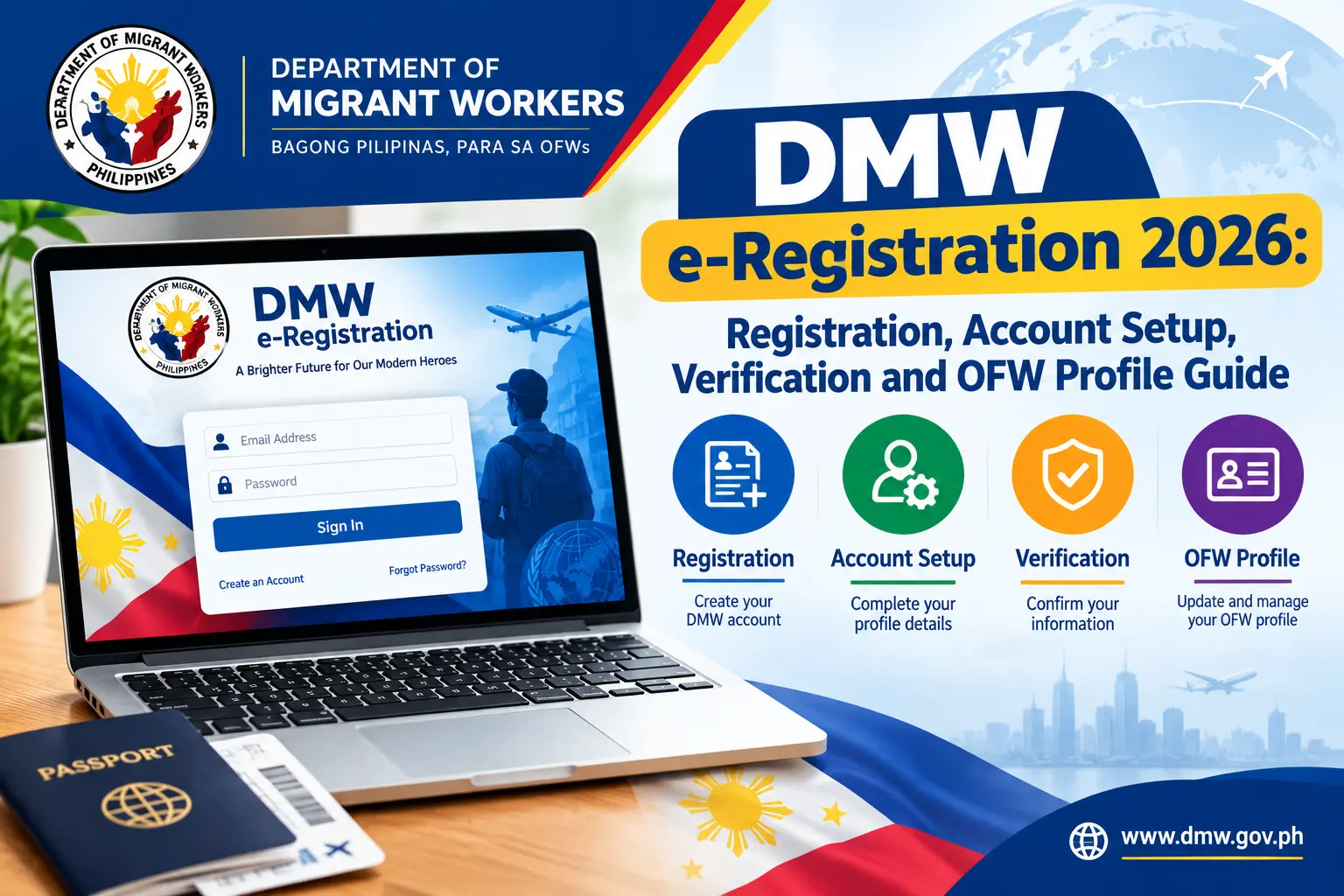
For Filipinos pursuing overseas employment opportunities, the DMW e-Registration portal is one of the most important platforms to access before beginning the deployment process. Managed by the Department of Migrant Workers (DMW), this online system allows aspiring OFWs, returning migrant workers, and overseas job seekers to create a verified digital profile that serves as their official record within the agency. Completing your registration early can help streamline future transactions and ensure that your information is readily available when needed.
A DMW e-Registration account is more than just an online profile—it acts as the foundation for many essential DMW services. Through the portal, users can maintain employment records, update personal details, upload required documents, and access services related to overseas employment. Whether you are preparing for your first job abroad or managing records as a returning OFW, keeping your DMW e-Registration profile complete and accurate can make future processes faster, smoother, and more efficient.
Understanding the DMW e-Registration System
The DMW e-Registration platform is an online account management system maintained by the Department of Migrant Workers. It provides a secure environment where workers can register their personal details, maintain employment information, and access various government services related to overseas employment.
Instead of repeatedly submitting the same information for different transactions, workers can keep a centralised digital profile that can be updated whenever necessary.
After successfully creating an account, users can:
Because many overseas employment processes depend on this profile, completing registration early can help prevent delays later.
Why Every Aspiring OFW Should Have a DMW e-Registration Account
A DMW e-Registration account does more than store personal information. It simplifies future transactions by keeping important worker records within a single government-managed platform.
Workers who maintain updated profiles often experience smoother processing when dealing with overseas employment requirements.
| Key Advantage | How It Helps |
|---|---|
| Digital Worker Record | Keeps official DMW information organised |
| Faster Transactions | Reduces repetitive data submission |
| Remote Access | Manage records online anytime |
| OEC-Related Services | Supports various OFW transactions |
| Employment Monitoring | Maintains overseas employment history |
| Secure Data Storage | Information is kept in a central database |
Keeping profile information accurate and current can help avoid verification issues and processing delays.
Who Needs to Complete DMW e-Registration?
The platform is intended for a wide range of Filipino workers preparing for or continuing overseas employment.
Registration is recommended for:
- First-time overseas job applicants
- Aspiring OFWs preparing for deployment
- Returning migrant workers
- Workers renewing overseas employment documents
- Individuals processing overseas contracts
- Filipinos seeking international employment opportunities
- Applicants preparing for OEC or OFW Pass transactions
- Workers planning future overseas careers
Even if deployment is still months away, creating an account ahead of time can make future applications more efficient.
Documents and Information to Prepare Before Registration
Gathering the required information before opening the portal can make the registration process faster and reduce the risk of errors.
Valid Email Address
An active email account is required throughout the registration process because the system uses it for account-related communication.
Your email may be used for:
- Account activation
- Temporary password notifications
- Security alerts
- Password recovery requests
- Important DMW updates
Choose an email address that you regularly monitor and can access at any time.
Philippine Passport Information
Your passport details play a critical role in profile creation and future verification.
Before registering, confirm that:
- Your passport is still valid
- Personal details are clearly readable
- Names match official records
- Birth information is accurate
- Passport numbers are entered correctly
One of the most common registration problems occurs when information entered in the portal does not exactly match passport records. Even minor spelling differences can create complications during verification.
PEOS Completion for First-Time Applicants
Many first-time overseas workers are encouraged or required to complete the Pre-Employment Orientation Seminar (PEOS).
The programme provides valuable guidance on:
- Overseas employment procedures
- Rights and responsibilities of workers
- Ethical recruitment practices
- Employment regulations
- Safety and protection measures abroad
Official DMW Website:
After finishing the seminar, keep your certificate or reference details available for future transactions.
How to Register a DMW eRegistration Account
Creating your DMW account is quick and straightforward if you have prepared all the required documents. Follow these simple steps to register successfully.
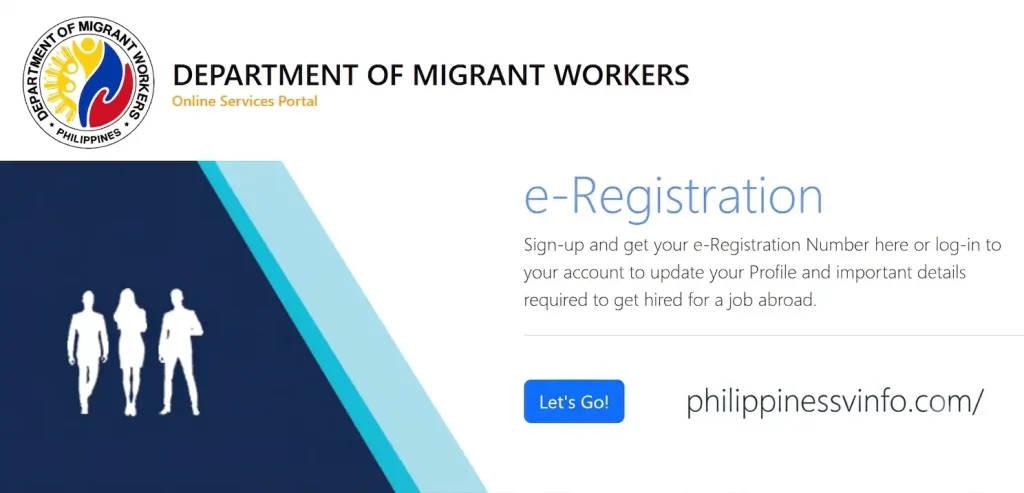
Step 1: Visit the DMW Online Services Portal
Open the official DMW Online Services Portal using your preferred web browser. Make sure you are using the official website to keep your personal information secure.
Step 2: Complete the Registration Form
Fill in the registration form using the same information shown on your passport or other official documents. Check every detail carefully before proceeding.

Step 3: Submit Your Registration
After completing the form, submit your application. The system will send a verification message to your registered email address.
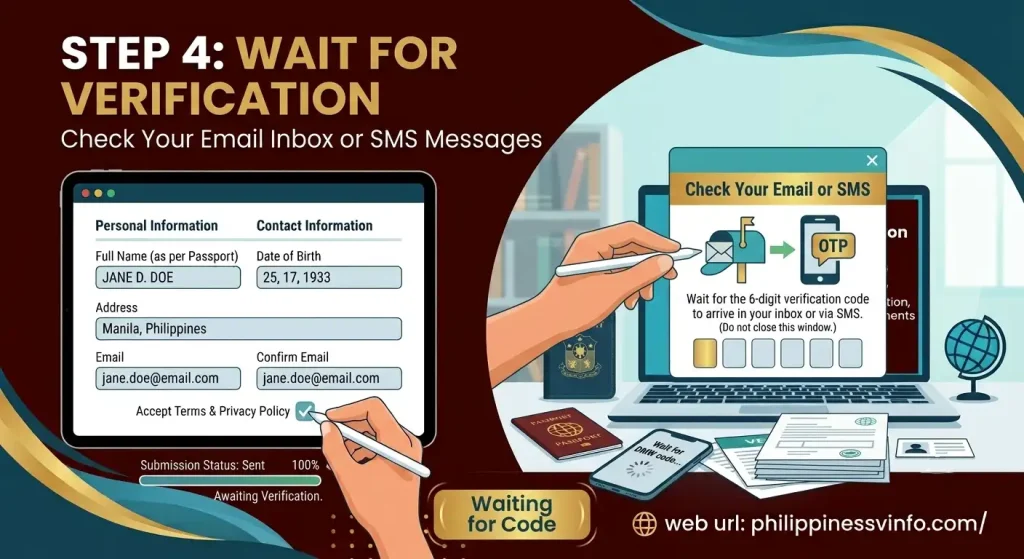
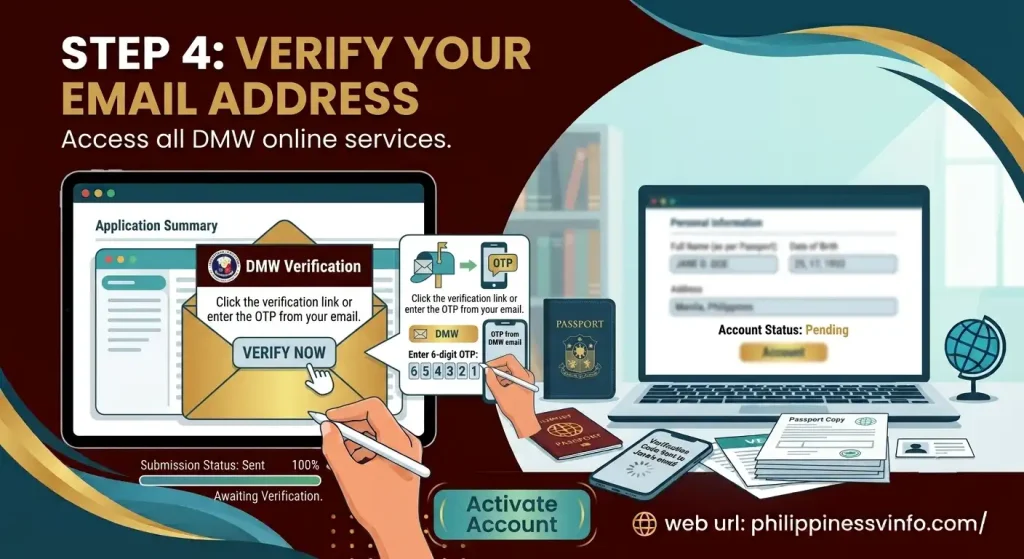
Step 4: Verify Your Email Address
Your account will only become active after email verification. Complete this step to access all DMW online services.
Important Reminders Before Creating Your Account
A few simple precautions can help prevent registration difficulties and save time later.
Ensure All Passport Details Match Exactly
Information entered into your DMW profile should mirror the details printed on your passport.
Pay close attention to:
- First name
- Middle name
- Last name
- Date of birth
- Passport number
Incorrect information can lead to verification concerns and profile restrictions.
Avoid Registering Multiple Accounts
Some workers mistakenly create duplicate accounts because they forget they previously registered.
If you have worked overseas before, your information may already exist within the DMW database. Before creating a new account, consider using the password recovery feature or seeking assistance from the appropriate DMW office.
Duplicate profiles can create unnecessary complications during future transactions.
Use a Reliable Internet Connection
Registration involves online form completion, verification activities, and account activation. An unstable connection can interrupt submissions and result in incomplete registrations.
Using a secure and stable internet connection helps ensure that information is submitted correctly.
Quick Checklist Before Opening the Portal
Review the following checklist before beginning your registration:
✔ Active email address
✔ Valid Philippine passport
✔ Accurate passport information
✔ Stable internet connection
✔ PEOS certificate or reference number (if applicable)
✔ Personal contact information
✔ Government-issued identification details (if available)
Preparing these items beforehand can make the registration process significantly smoother.
How the DMW e-Registration Process Works
Although the portal contains several sections, the registration journey generally follows four main stages:
- Account creation
- Email verification
- First-time login
- Profile completion
Once these stages are successfully completed, your DMW profile becomes ready for future online transactions and worker-related services.
The next section covers the full account registration procedure, including account activation, email verification, and first-login instructions.
How to Register for a DMW e-Registration Account in 2026
Once you have your passport details, active email address, and other required information ready, you can proceed with creating your DMW e-Registration account. The entire process is completed online through the official Department of Migrant Workers portal and usually takes only a few minutes when all information is prepared in advance.
Official DMW e-Registration Portal:
Follow the guide below to successfully create, verify, and activate your account.
Access the Official DMW e-Registration Portal
Begin by opening your preferred web browser on a desktop computer, tablet, or mobile device. Visit the official DMW online services website and locate the e-Registration section on the homepage.
Click the “Let’s Go!” button to start the registration process.
Using the official portal helps ensure that your information is submitted securely and recorded directly in the Department of Migrant Workers database.
Before Continuing, Make Sure That:
- Your internet connection is stable
- You are using the correct website address
- Your browser is updated
- You can access your email account
Taking a few moments to verify these items can help prevent registration issues later.
Begin Creating Your DMW Account
Once you reach the login screen, select the Register option to open the account creation page.
Before the registration form appears, the system will display the DMW Terms of Use and Privacy Policy. These documents explain how your personal information will be collected, processed, and protected.
Before moving forward:
- Read the terms and conditions carefully
- Review the privacy notice
- Confirm that you understand the guidelines
- Accept the agreement to continue
After acceptance, the registration form will become available.
Provide Your Personal Details
This stage requires you to enter information exactly as it appears on your passport. Accuracy is extremely important because the information will be used for future verification and overseas employment transactions.
The registration form typically asks for the following:
| Information Required | Details |
|---|---|
| First Name | Must match passport records |
| Middle Name | Use official passport spelling |
| Last Name | Enter exactly as shown on passport |
| Date of Birth | Must match passport information |
| Passport Number | Double-check for accuracy |
| Email Address | Must be active and accessible |
Many registration problems occur when applicants use nicknames, abbreviations, or incorrect personal details. Even a small spelling error may lead to verification delays.
Important Note
Always compare the information you enter with your passport before moving to the next step. Never rely on memory when entering official records.
Verify Your Information Before Submission
Before submitting the registration form, carefully review every field to ensure the information entered is correct.
Pay special attention to:
- Name spelling
- Date of birth
- Passport number
- Email address
- Missing information
- Typographical errors
A few extra minutes spent reviewing your details can help avoid future correction requests and verification issues.
Submit Your Registration Application
After confirming that all information is accurate, click the Register button.
A confirmation prompt may appear asking whether you want to proceed. Select Yes to finalise the registration request.
Once submitted, your information will be stored in the DMW e-Registration system and the account activation process will begin.
Keep in mind that registration is not fully completed until your account has been verified through email activation.
How to Activate Your DMW e-Registration Account
After completing your DMW e-Registration, you must activate your account before accessing the portal’s full features. Account activation allows you to log in, complete your OFW profile, upload required documents, update personal information, and use various DMW online services. During registration, the system sends a temporary password to your registered email address, which is required for your first login.
Step 1: Check Your Registered Email
Once your registration is successfully submitted, open the email account you used during the sign-up process. Look for a message from the Department of Migrant Workers containing your temporary password and account details.
If the email does not appear in your inbox, check your Spam, Junk, or Promotions folders. It may take a few minutes for the message to arrive.
Step 2: Open the DMW e-Registration Portal
Visit the official DMW Online Services Portal and select “Let’s Go!” under the e-Registration section. This will take you to the login page where you can begin the activation process.
Step 3: Sign In Using Your Temporary Password
Enter the email address you used during registration and click Next. Input the temporary password sent to your email, then select Login. The system will verify your credentials and proceed with account activation.
Step 4: Create a New Password
For security reasons, first-time users are required to replace the temporary password with a permanent one. Choose a strong password that meets the DMW security requirements.
Password Guidelines:
- Must contain letters and numbers
- Minimum of 8 characters
- Easy for you to remember
- Should remain private and secure
- Do not share your password with anyone
Step 5: Access Your DMW Dashboard
After successfully creating your new password, your account will be activated automatically. You can now access the DMW dashboard and complete your profile by providing personal information, beneficiary details, educational background, work history, identification records, and other required information.
Important Reminder
Keep your registered email address active and store your password in a secure location. You will need these credentials whenever you log in to your account, update your profile, recover your password, or access future DMW online services.
Check Your Registered Email Address
Open the email account you used during registration and look for a message from the Department of Migrant Workers.
The email typically contains:
- Temporary password
- Account activation instructions
- Login information
- Security reminders
If you cannot find the email immediately, check the following folders:
- Spam
- Junk
- Promotions
- Social
Depending on email traffic and network conditions, delivery may take several minutes.
Sign In Using Your Temporary Credentials
After receiving the activation email, return to the DMW e-Registration login page.
Enter:
- Your registered email address
- The temporary password provided by DMW
The system will validate your login information and grant access to your newly created account.
For security reasons, never share your temporary password with anyone.
Set a Permanent Password
During your first login, the system will require you to replace the temporary password with a new permanent password.
Choose a strong password that satisfies the platform’s security requirements and is difficult for others to guess.
Password Security Tips
A strong password should include:
- At least eight characters
- Letters and numbers
- Uppercase and lowercase characters
- Unique combinations of characters
Avoid using:
- Birth dates
- Family names
- Mobile numbers
- Common password patterns
A secure password helps protect your personal information and prevents unauthorised access to your DMW account.
DMW e-Registration Password Guidelines
| Requirement | Recommendation |
|---|---|
| Minimum Length | 8 characters |
| Alphanumeric Characters | Required |
| Password Strength | Strongly recommended |
| Easy to Remember | Yes |
| Sharing Passwords | Never recommended |
For additional protection, consider storing your password in a trusted password manager rather than writing it in an unsecured location.
Common Problems During Registration and How to Avoid Them
Most registration issues are caused by simple mistakes that can easily be prevented.
Passport Information Does Not Match
Your passport is the primary reference document used during account verification. Any discrepancy between your passport and the information entered into the system may cause delays or account restrictions.
Creating a Duplicate Account
Workers who previously registered or worked overseas may already have records in the DMW database. Creating another account can result in duplicate profile issues. If you believe you already have an account, use the password recovery feature before attempting a new registration.
Using an Unavailable Email Address
An email address that cannot be accessed will prevent you from receiving activation instructions, password reset emails, and important account notifications.Always use an email account that you regularly monitor.
Missing the Verification Email
Many users complete registration successfully but fail to activate their accounts because they overlook the verification email. If the email is not visible in your inbox, remember to check your spam, junk, promotions, and social folders before requesting additional assistance.
Add Beneficiary Information
Beneficiary information is another important part of the DMW e-Registration profile.
This section may include details about:
- Parents
- Spouse
- Children
- Legal beneficiaries
- Emergency contacts
Make sure names and contact information are entered correctly.
Accurate beneficiary records can help facilitate future administrative and employment-related processes.
Educational Background Section
The Department of Migrant Workers may request educational information as part of your profile.
Prepare details such as:
- Highest educational attainment
- School name
- Course completed
- Technical certifications
- Vocational training records
Providing complete educational information helps maintain an accurate employment profile.
Employment and Professional Information
Your work history is an important component of your DMW e-Registration account.
Include relevant information regarding:
- Previous employers
- Job positions
- Industry experience
- Skills and qualifications
- Overseas employment history
Accurate employment records can support future applications and verification requests.
Government Identification Numbers
The profile dashboard may allow you to enter government-issued identification details.
Examples include:
- SSS Number
- PhilHealth Number
- Pag-IBIG Number
- Other applicable government records
Providing these details helps ensure your profile contains complete and accurate information.
Uploading Documents to DMW e-Registration
Certain transactions may require supporting documents to be uploaded through the portal.
Common documents include:
- Passport data page
- Employment contracts
- Supporting certificates
- Government-issued documents
When uploading files, follow the system requirements carefully.
Document Upload Tips
For best results:
- Use clear scans
- Ensure text is readable
- Save files in JPG or PDF format
- Keep file sizes within system limits
- Review documents before uploading
Blurry or incomplete files may result in delays during verification.
DMW e-Registration Troubleshooting Guide
Even when users follow the registration process correctly, occasional issues can occur.
Here are some common problems and solutions.
Forgot Your Password
If you cannot access your account because you forgot your password:
- Visit the login page.
- Select Forgot Password.
- Enter your registered email address.
- Follow the password reset instructions sent by email.
- Create a new password.
Always use the email address associated with your DMW e-Registration account.
Duplicate Account Issues
Creating multiple accounts is one of the most common problems encountered by OFWs.
If you previously worked overseas, you may already have an existing record in the DMW database.
Instead of creating another account:
- Use password recovery tools
- Contact DMW support
- Visit a Migrant Workers Office (MWO) if necessary
Duplicate profiles can complicate future transactions.
Locked Profile Due to Incorrect Information
Users who enter incorrect names or birth dates during DMW e-Registration may encounter profile restrictions.
Because these details are linked to official records, some corrections cannot be performed directly by users.
In such cases, assistance from a DMW office may be required.
Always double-check information before submitting your registration.
Verification Email Not Received
If your activation email does not arrive:
- Check spam folders
- Check junk folders
- Verify email spelling
- Wait a few minutes
- Try again later
Incorrect email addresses are a common cause of verification issues.
Best Practices for Managing Your DMW e-Registration Account
To keep your account secure and functional:
Keep Information Updated
Review your profile regularly and update:
- Contact information
- Passport details
- Employment records
- Beneficiary information
Current records help ensure smooth processing of future requests.
Protect Your Login Credentials
Never share:
- Passwords
- Verification codes
- Login information
Use strong passwords and change them periodically if needed.
Save Important References
Keep records of:
- Registration confirmations
- Password reset emails
- Uploaded documents
- Transaction references
These records can be helpful when troubleshooting account issues.
FAQs
Conclusion
Creating a DMW e-Registration account is one of the most important steps for Filipinos planning to work overseas. The portal serves as your official digital profile with the Department of Migrant Workers, allowing you to manage personal records, update employment information, process requirements, and access essential OFW services. By preparing the correct documents, entering information exactly as it appears on your passport, and completing your profile after registration, you can avoid common account issues and future processing delays.
To keep your account active and useful, regularly review your profile, update any changes to your personal information, and ensure that uploaded documents remain accurate and readable. Whether you are a first-time applicant, an aspiring OFW, or a returning worker, maintaining a complete and verified DMW e-Registration profile will help make future transactions with the Department of Migrant Workers faster, smoother, and more convenient. For the latest updates and official services, always use the DMW e-Registration Portal and follow the guidelines provided by the Department of Migrant Workers.