TM SIM Registration Online Philippines 2026: Registration Requirements, Official Link & Step-by-Step Guide
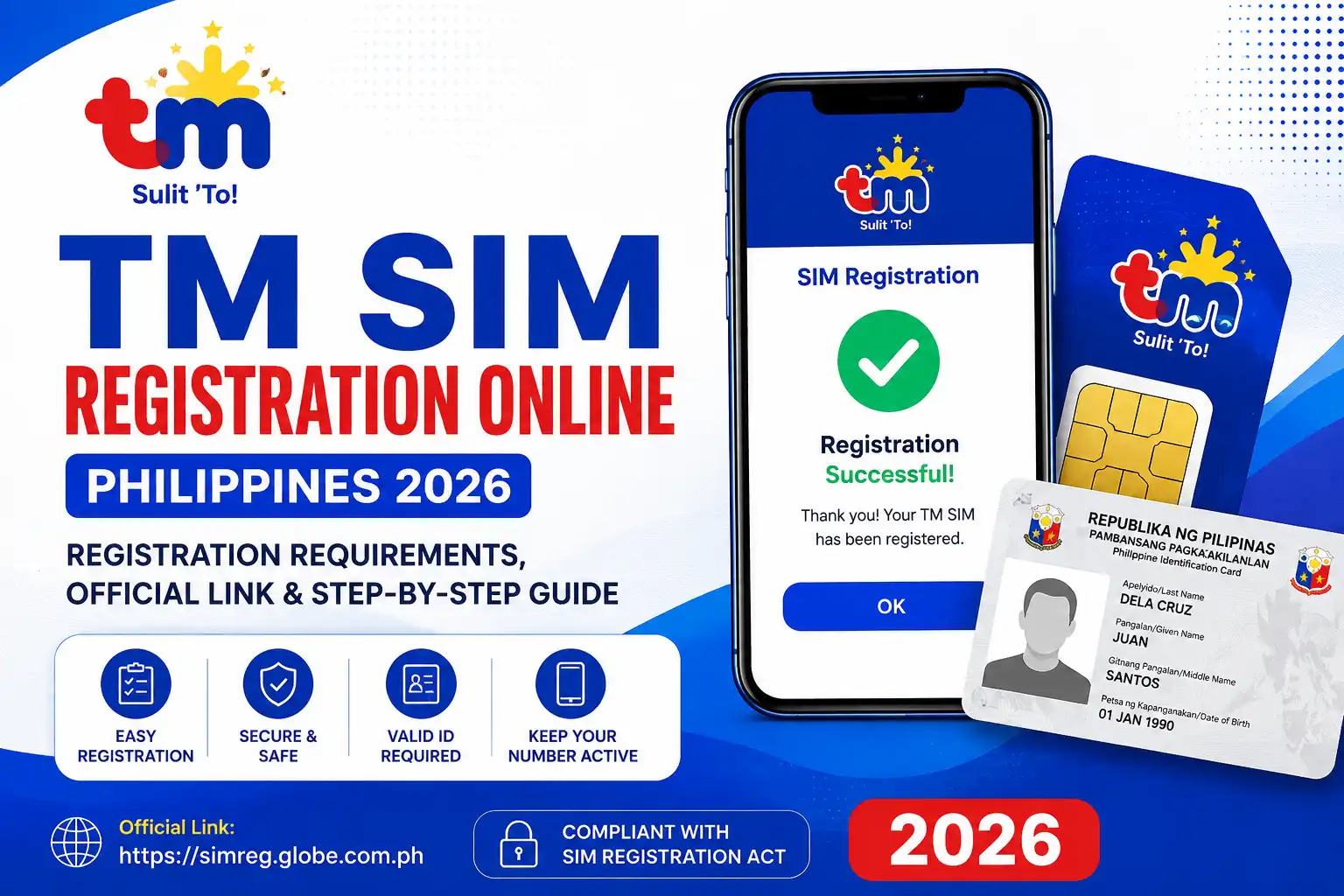
TM SIM Registration Online Philippines 2026
TM SIM Registration is a mandatory requirement for all TM prepaid SIM users in the Philippines under the SIM Registration Act. Whether you’ve purchased a new TM SIM or are still using an existing one, you must register it through Globe’s official SIM registration platform to keep your mobile services active and uninterrupted
Skipping your TM SIM Registration can result in your SIM being deactivated, which may cause you to lose access to calls, text messages, mobile data, and important OTPs used for banking and other online services. To avoid service interruptions, complete your TM SIM Registration through the official Globe SIM Registration Portal, the GlobeOne app, or an authorised Globe/TM store using a valid government-issued ID.
What Is TM SIM?
TM (Touch Mobile) SIM is a prepaid mobile service operated by Globe Telecom, one of the leading telecommunications providers in the Philippines. It is widely recognised for offering budget-friendly voice calls, SMS, and mobile internet packages, making it a popular choice among students, workers, families, and everyday smartphone users. For users completing TM SIM Registration, the process is important to keep the SIM active and continue accessing TM services.
In addition to affordable connectivity, TM provides a variety of TM Promos that include data bundles, unlimited calls, and text packages designed to suit different budgets and usage needs. Users searching for the SIM Registration TM process can complete their registration through the official channels provided by Globe and TM. Combined with Globe’s nationwide network coverage, TM remains a practical option for users looking for reliable and cost-effective mobile communication. Completing TM SIM Registration also helps users maintain uninterrupted access to their mobile services and important OTP messages. Visit Homepage.
TM SIM Registration Online Through the Official Portal
Registering your TM SIM online takes only a few minutes if you have your valid ID and mobile phone ready. Follow the instructions below to complete the process through the official TM SIM portal.
Step 1: Open the Official TM SIM Registration Portal
Visit the official sim registration tm website by clicking the registration button below.
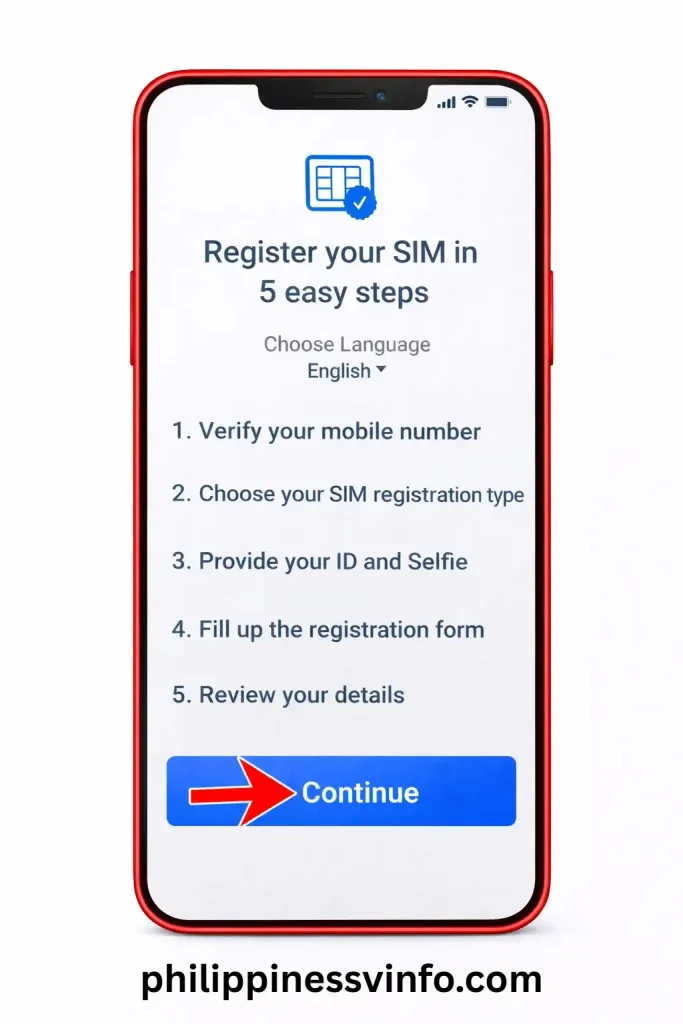
Once the portal opens, you’ll see the complete registration workflow, which includes:
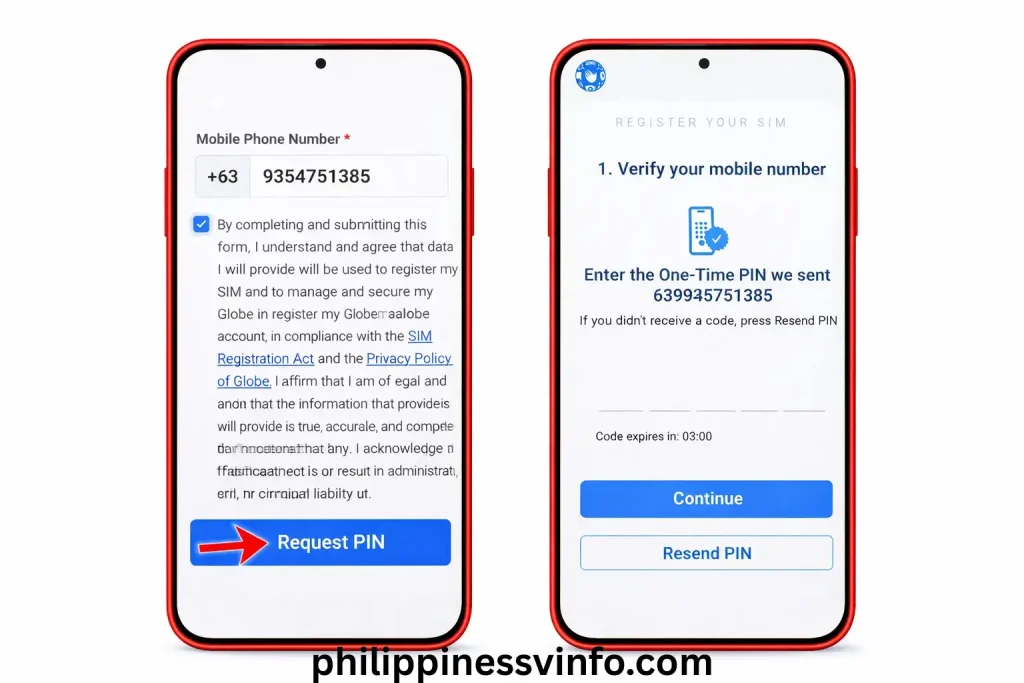
Step 2: Verify Your TM Mobile Number
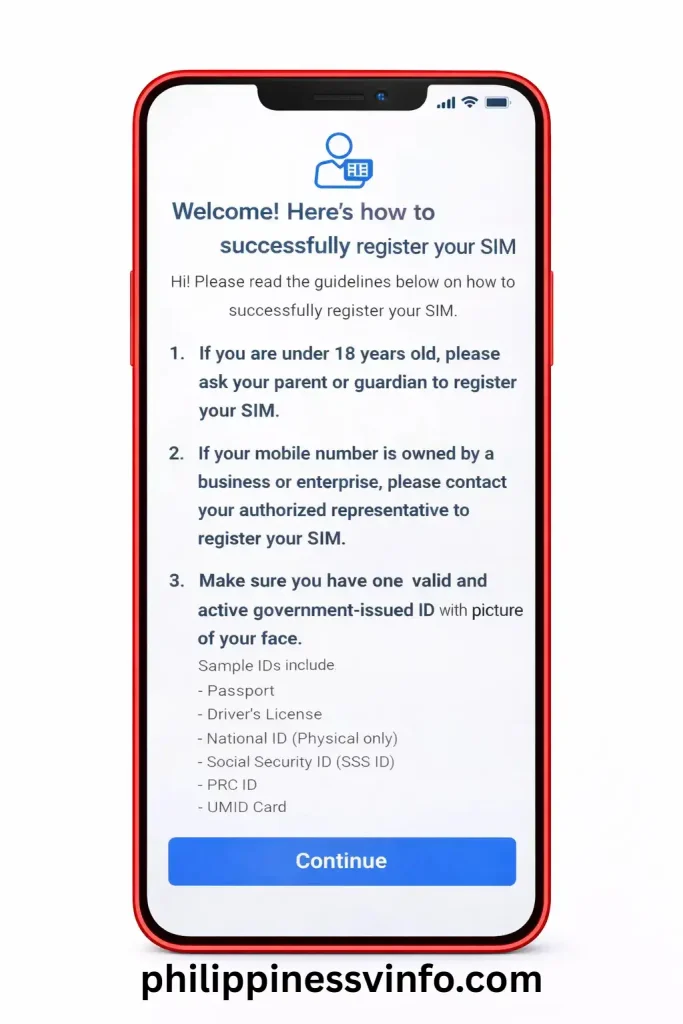
Step 3: Review the Registration Guidelines
Before continuing, read the important registration reminders displayed on the screen.
These include:
After reviewing the instructions, click Continue
Step 4: Select Your Registration Category
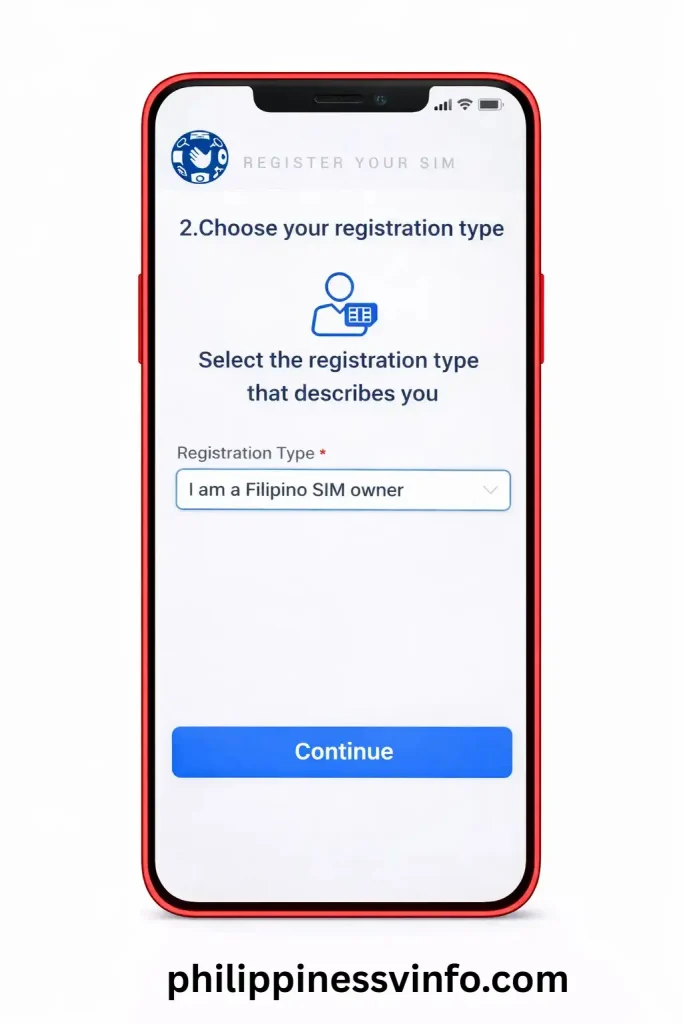
Choose the option that matches your status.
For example, if you are registering your own personal SIM, select “I am a Filipino SIM owner”, then proceed by clicking Continue.
Step 5: Upload Your Valid ID and Complete Face Verification
The portal will guide you through the identity verification process.
For a successful verification:
When the message “Document analysis succeeded” appears, click Continue.


Step 6: Fill in Your Personal Details
Some information, including your name, date of birth, and gender, may be automatically extracted from your ID.
Complete the remaining required fields, including:
Fields marked with a red asterisk (*) are mandatory. Review your information carefully before selecting Continue.
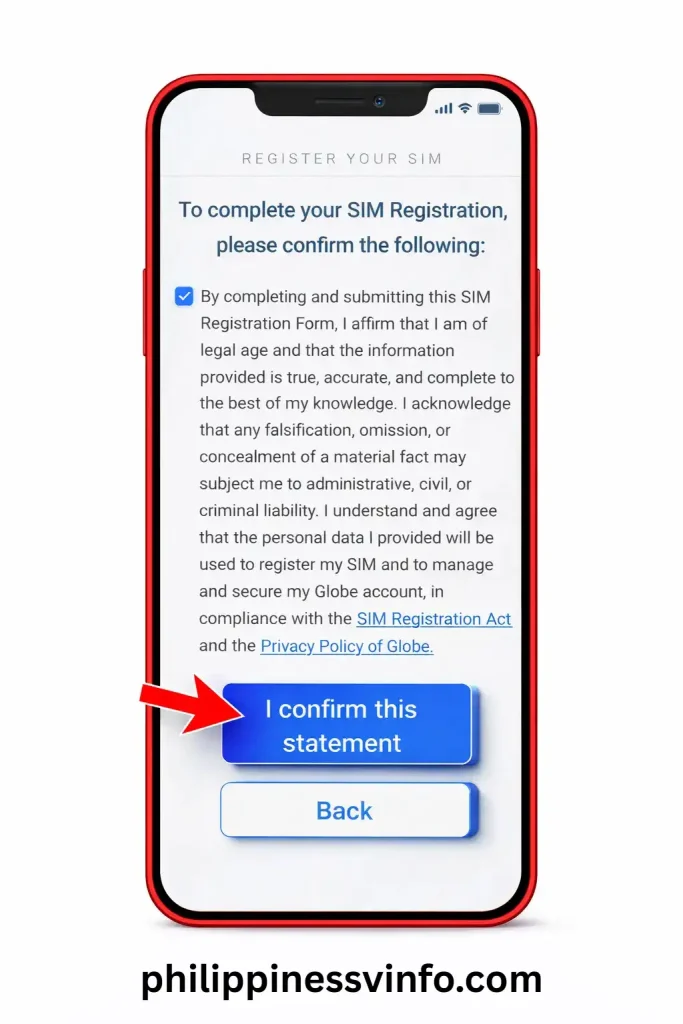
Step 7: Confirm Your Registration Information
A summary of your application will appear for final review.
The system will begin processing your application.

Step 8: Registration Completed Successfully
After successful submission, you’ll receive a confirmation message stating that your TM SIM has been successfully registered.
You’ll also receive:
How to Register a TM SIM Using the GlobeOne App
If you prefer using your smartphone, you can also complete your tm registration sim through the GlobeOne App. The process is very similar to the online portal and can be completed in just a few minutes. Homepage URL philippinessvinfo.com/
Register Your TM SIM via the GlobeOne App
After submission, the app will generate a reference number. Keep this number in a safe place, as it may be required if you need to track or verify your registration in the future.
TM SIM Registration Requirements by Applicant Type
The documents required for tm registration sim vary depending on whether you are a Filipino citizen, a foreign national, a tourist, or registering a SIM on behalf of a company. Preparing the correct documents before starting the registration process helps prevent delays and ensures your application is approved more quickly.
Requirements for Filipino Citizens
Filipino subscribers must provide the following information during registration:
Requirements for Foreign Nationals and Tourists
Foreign residents and visitors registering a TM SIM must prepare:
Requirements for Companies and Organisations
Businesses registering TM SIM cards should have the following documents ready:
Accepted Valid IDs for TM SIM Registration
You only need one valid government-issued ID to verify your identity during the registration process. The following IDs are accepted:
Common TM SIM Registration Problems and Solutions
Although the registration process is straightforward, some users may experience technical issues during verification. Below are the most common tm registration sim problems and the best ways to resolve them.
OTP Not Received
If the verification code doesn’t arrive, it is usually caused by poor network coverage or temporary server congestion.
How to fix it:
Live Selfie Verification Failed
Selfie verification may fail if the image is blurry or your face cannot be detected properly.
Solutions:
ID Upload Failed
If your ID cannot be uploaded or the system displays an ID verification error, the uploaded image may not meet the required quality.
Try these solutions:
Invalid TM Mobile Number
The portal may reject your number if it has been entered incorrectly.
What to do:
SIM or Promo Not Working After Registration
Some users notice that mobile data or promos do not activate immediately after registration.
Recommended steps:
Registration Page Keeps Refreshing or Timing Out
A slow internet connection or temporary server traffic can interrupt the registration process.
Possible fixes:
GlobeOne App Login Issues
Some users experience problems logging into the GlobeOne application.
You can resolve this by:
SIM Not Activated After Registration
If your SIM still has no signal after completing registration, activation may still be pending.
Try the following:
Phone Cannot Detect the SIM Card
If your device displays “No SIM” or “No Service”, the problem may be related to the SIM card or your phone.
Troubleshooting steps:
TM SIM vs TNT SIM: Complete Feature Comparison
| Feature | TM SIM | TNT SIM |
|---|---|---|
| Network Provider | Globe Telecom | Smart Communications |
| Parent Company | Globe Telecom | Smart Communications |
| Official Mobile App | GlobeOne App | Smart App |
| SIM Registration Portal | Globe SIM Registration Portal | Smart SIM Registration Portal |
| Network Coverage | Uses Globe’s nationwide 4G/5G network | Uses Smart’s nationwide 4G/5G network |
| Popular Data Promos | EasySurf, Go+, and TM-exclusive data offers | Magic Data, All Data, and Power All promos |
| Call & Text Offers | TM prepaid call and text promos | TNT prepaid call and text promos |
| Roaming Services | International roaming through Globe partners | International roaming through Smart partners |
| Customer Support | Globe Stores, Globe Hotline, and GlobeOne | Smart Stores, Smart Hotline, and Smart App |
| Best For | Users who prefer Globe’s network and affordable prepaid plans | Users who prefer Smart’s network and long-validity data offers |
| Ecosystem | Integrated with Globe services and GlobeOne features | Integrated with Smart services and the Smart App |
Expert Tips for Successful TM SIM Registration
A successful sim registration tm depends on submitting accurate information and following the verification requirements carefully. Before submitting your application, keep these practical tips in mind to avoid delays or rejection.
Use Accurate and Updated Information
Always enter your personal information exactly as it appears on your government-issued ID. Incorrect names, addresses, or dates of birth may cause your registration to fail or require additional verification.
Upload Clear and High-Quality Documents
Your ID and selfie should be sharp, well-lit, and easy to read. Avoid blurry, cropped, or dark images, as the system may reject them during the identity verification process.
Review Every Detail Before Submission
Take a few moments to review your registration form before clicking Submit. Verify your mobile number, personal information, and uploaded documents because correcting mistakes after submission can be difficult.
Make Sure Your TM SIM Is Active
Insert your TM SIM card correctly before starting the registration process. An active SIM is necessary to receive the One-Time Password (OTP) required for mobile number verification.
Contact Globe Support When Needed
If you encounter verification errors, OTP issues, or technical problems, contact Globe Customer Support or visit the nearest Globe Store. Their support team can help resolve registration concerns and guide you through the process.
Frequently Asked Questions About TM SIM Registration
Conclusion
Completing your TM SIM Registration Online is essential for keeping your mobile number active and complying with the Philippines SIM Registration Act. Whether you choose to register through the official Globe SIM Registration Portal, the GlobeOne app, or an authorised Globe service centre, the process is quick when you have your required documents ready. If you are searching for TM SIM Registration Online, make sure you use the official registration channels and provide the correct information.
To avoid delays, always provide accurate personal information, upload clear identification documents, and keep your registration reference number after submission. Completing TM SIM Registration Online not only helps you maintain uninterrupted access to calls, texts, and mobile data but also strengthens protection against identity theft, spam messages, and SIM-related fraud. By completing your TM SIM Registration Online correctly, you can continue enjoying TM’s affordable mobile services with confidence and peace of mind.