Smart SIM Registration 2026 Philippines: Official Registration Link, Requirements & Complete Guide
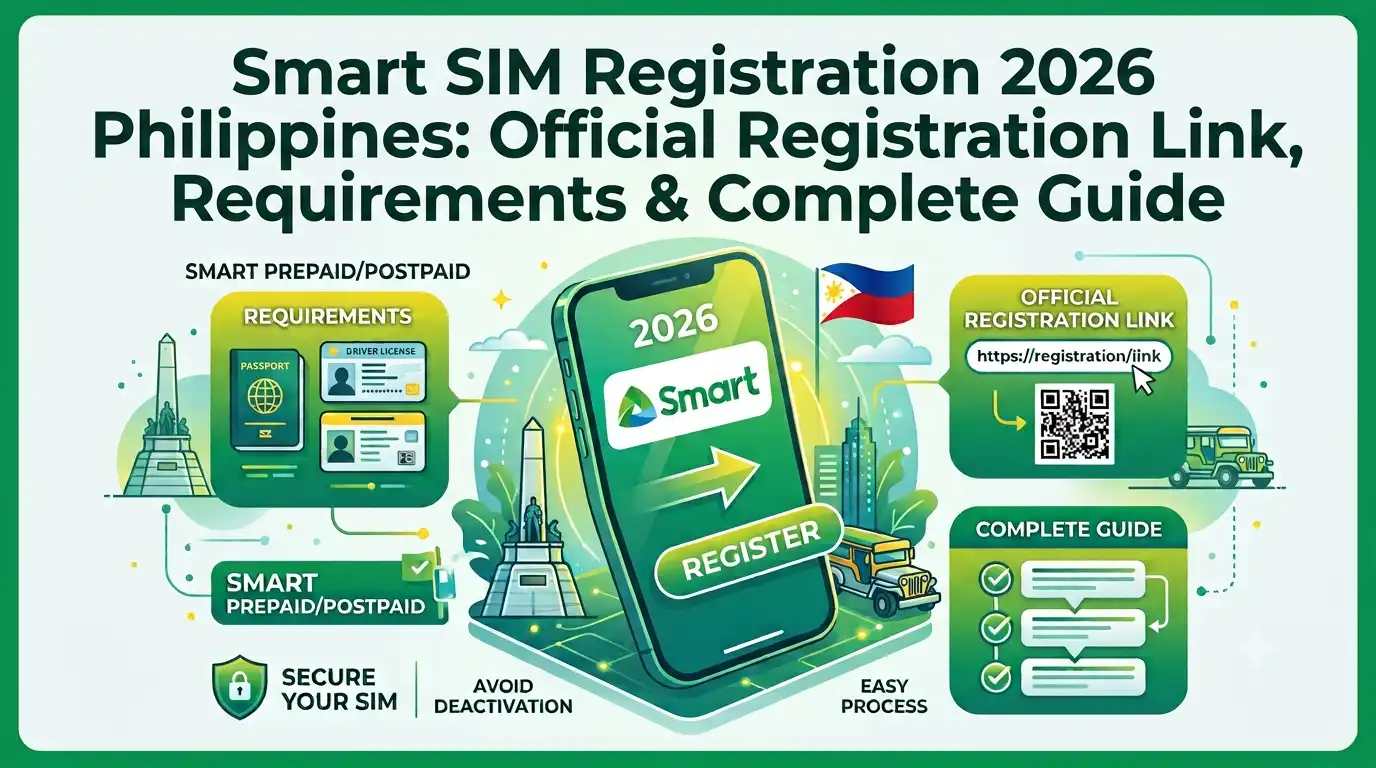
Under Republic Act No. 11934, every Smart and TNT SIM card holder in the Philippines must register their SIM before using mobile services. This requirement applies to both new and existing subscribers and is part of the government’s effort to create a safer and more secure digital communication environment. Registration can be completed through the official sim registration smart portal, the GigaLife App, QR codes, or authorised customer support channels. Users who activate eligible prepaid or postpaid plans may also receive promotional rewards and exclusive offers. The registration requirement also extends to minors, persons with disabilities (PWDs), and foreign nationals using Smart mobile services.
Understanding Smart SIM Registration
Smart SIM Registration is the official identity verification process required for all Smart and TNT subscribers. Introduced under the SIM Registration Act (Republic Act No. 11934), it links every active SIM card to its rightful owner by collecting verified personal information. This initiative helps strengthen the country’s telecommunications system while promoting responsible and secure mobile usage. Similar regulations exist in many countries, although registration requirements differ depending on local telecommunications laws.
Smart Network Services
To comply with Philippine regulations, Smart Communications provides convenient registration options for both local residents and foreign visitors. Whether you have recently purchased a new SIM or are updating an existing one, the sim registration smart 2026 process can be completed through online and offline methods, making registration accessible for users across the country.
Why Smart SIM Registration Matters
Registering your Smart SIM plays a vital role in protecting mobile users from identity theft, fraudulent activities, text scams, and other cyber-related crimes. A verified SIM enables authorities to identify suspicious accounts more effectively while helping maintain a safer telecommunications network for everyone.
Once your registration is successfully completed, you can continue enjoying uninterrupted Smart and TNT services, including voice calls, text messaging, mobile data, and other digital features. Beyond meeting a legal requirement, SIM registration also supports a more trusted and accountable digital ecosystem, benefiting both users and the wider community in the Philippines.
Smart SIM Registration Requirements: Documents and Information You Need
Before starting your sim registration smart 2026, gather all the required personal information and supporting documents. Having everything prepared in advance will make the registration process smoother and help prevent delays during identity verification.
Personal Information Required
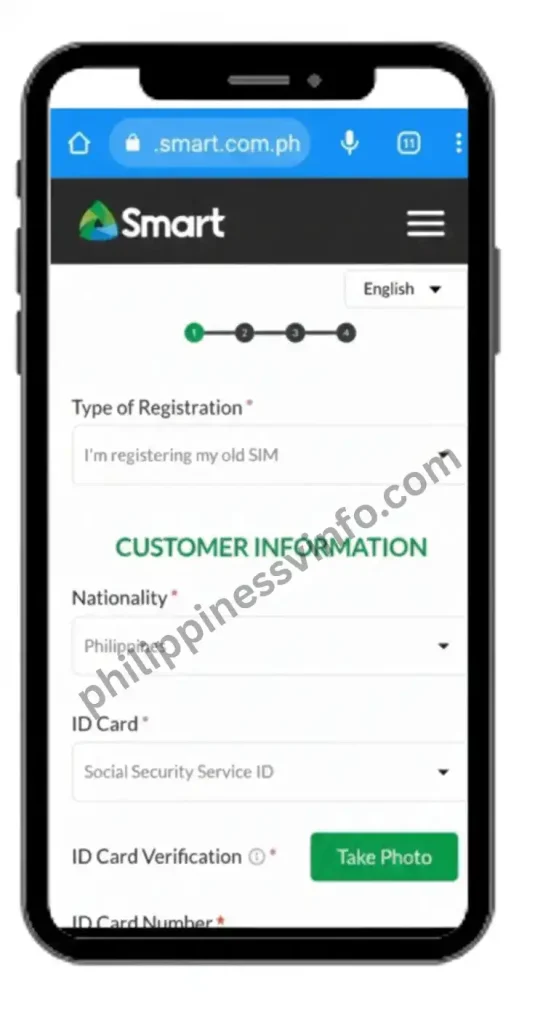
During Smart SIM verification, you will be asked to provide the following details accurately:
Accepted IDs for Smart SIM Registration
Smart accepts various government-issued identification documents for SIM verification. Ensure that the ID is valid, readable, and not expired.
| Accepted ID | Purpose |
|---|---|
| Philippine National ID (PhilSys ID) | Official proof of identity and residency for Filipino citizens. |
| Driver’s Licence | Government-issued identification used for identity verification. |
| Passport | Accepted as a primary identification document for both Filipino citizens and foreign nationals. |
| SSS ID | Social Security System identification card used as proof of identity. |
| UMID Card | Unified Multi-Purpose ID accepted for identity verification across various government services. |
| Senior Citizen ID | Confirms the identity and age of eligible senior citizens. |
| PhilHealth ID | Identification card issued to PhilHealth members. |
| Voter’s ID | Government-issued ID that verifies voter registration and identity. |
| NBI Clearance | Official clearance issued by the National Bureau of Investigation for identity verification. |
| PRC ID | Professional identification card issued by the Professional Regulation Commission. |
| IBP ID | Identification card issued to licensed members of the Integrated Bar of the Philippines. |
| OWWA ID | Identification card for registered Overseas Filipino Workers. |
| BIR ID | Bureau of Internal Revenue identification card used for tax-related and identity verification purposes. |
Providing accurate information and clear document uploads helps speed up the Smart SIM verification process and reduces the possibility of your registration being rejected or delayed.
Smart SIM Registration Methods (Online and Offline)
Smart Communications offers several convenient ways to complete sim registration smart 2026. Whether you prefer registering through the official website, the GigaLife App, or by scanning a QR code, each method is free and designed to make the verification process simple for all subscribers.
Method 1: Register Through the Official Smart SIM Registration Portal
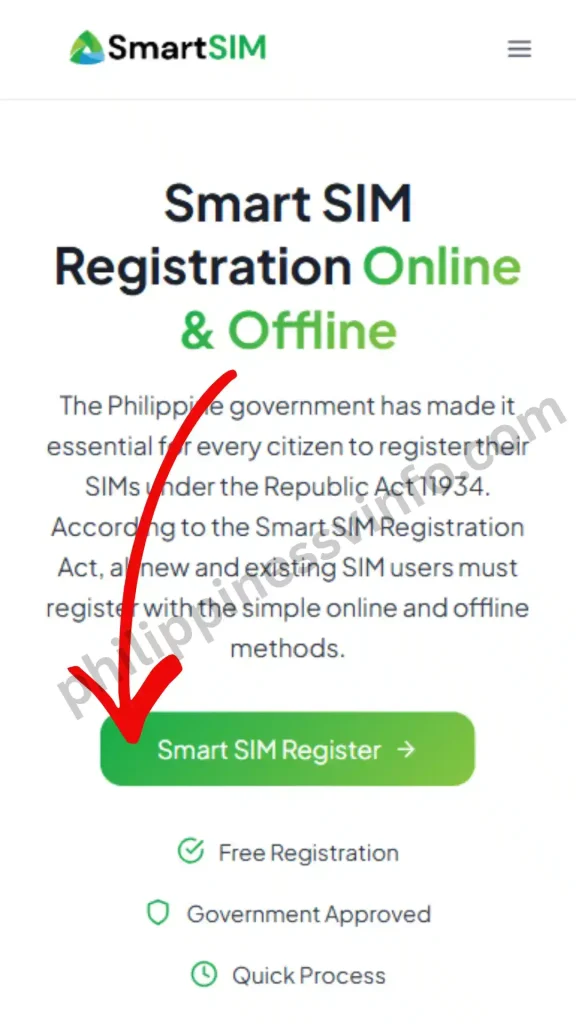
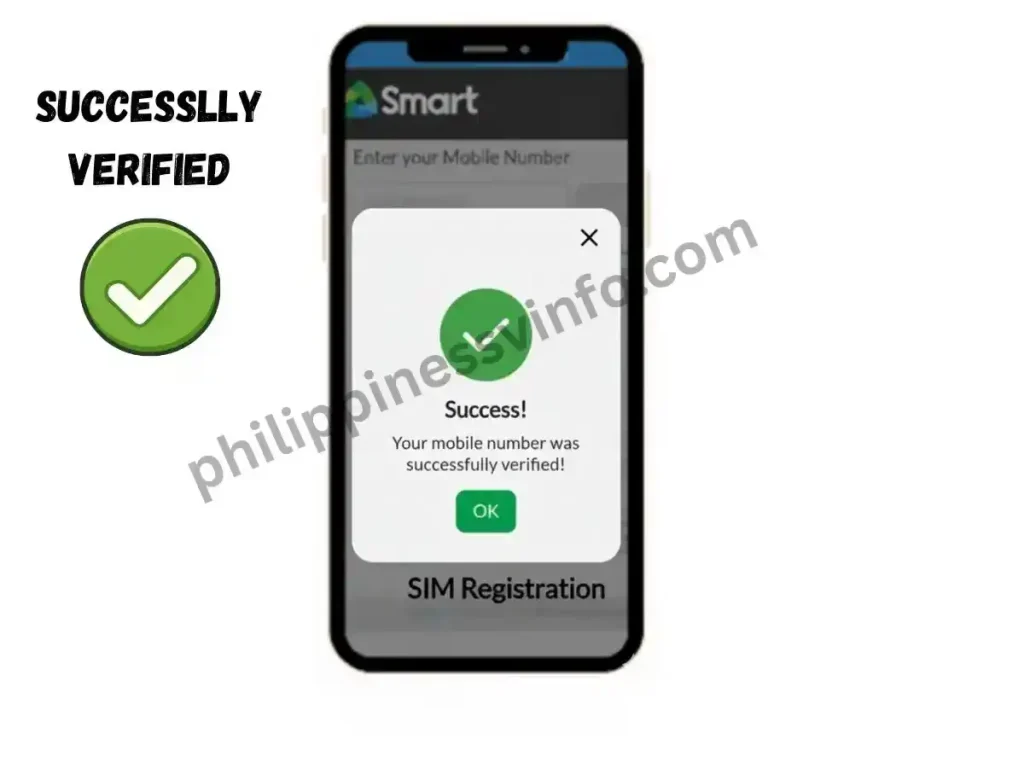
The quickest way to register your Smart or TNT SIM is through the official online registration portal. Follow these steps to complete your registration successfully:




Method 2: Register Using the GigaLife (Smart) App
If you prefer using your smartphone, you can complete the entire registration process through the GigaLife App, which offers the same verification procedure as the official web portal.
The registration process includes:
Once registration is complete, you can continue using the GigaLife App to manage your account, monitor your data usage, purchase promos, and access other Smart services.
Method 3: Smart SIM Registration via QR Code
Smart also provides an official QR code on SIM packaging and at authorised Smart Stores. This option allows users to access the registration portal without manually typing the website address.
To register using the QR code:
- Open your phone’s camera or QR code scanner.
- Scan the official sim registration smart QR code.
- You will be redirected automatically to the official sim registration smart page.
- Complete the registration by following the same verification and identity confirmation steps used on the online portal.
- Submit your information and wait for the SMS confirming successful registration.
Using the QR code is one of the fastest and most convenient ways to access the official sim registration smart portal securely.
Smart SIM vs TM SIM: Complete Comparison
| Feature | Smart SIM | TM SIM |
|---|---|---|
| Network Provider | Smart Communications | TM (Touch Mobile) by Globe Telecom |
| Parent Company | PLDT Inc. | Globe Telecom |
| SIM Registration Required | Yes, under Republic Act No. 11934 | Yes, under Republic Act No. 11934 |
| Official Registration Portal | Sim registration smart Portal | TM SIM Registration Portal |
| Supported Users | Prepaid, Postpaid, TNT, Smart Bro users | TM prepaid users |
| Registration Methods | Official website, GigaLife App, QR Code, Smart Store | Official website, GlobeOne App, QR Code, Globe Store |
| Accepted Government IDs | National ID, Passport, Driver’s Licence, SSS, UMID, PhilHealth, PRC, NBI and others | National ID, Passport, Driver’s Licence, SSS, UMID, PhilHealth, PRC, NBI and others |
| OTP Verification | Required | Required |
| Selfie Verification | Required | Required |
| Foreign National Registration | Supported with additional documents | Supported with additional documents |
| Registration Fee | Free | Free |
| Processing Time | Usually within a few hours (up to 24 hours) | Usually within a few hours (up to 24 hours) |
| Confirmation | SMS confirmation after successful registration | SMS confirmation after successful registration |
| Main Mobile App | GigaLife App | GlobeOne App |
| Popular Promos | Giga, Power All, Magic Data, Unli Data, TNT Promos | EasySURF, TM All-Net, EasyGo, Combo Promos |
| 5G Support | Yes (compatible devices required) | Yes (supported Globe 5G areas and compatible devices) |
| Customer Support | Smart Store, Hotline, Online Support | Globe Store, Hotline, Online Support |
| SIM Deactivation | Unregistered SIMs may be deactivated | Unregistered SIMs may be deactivated |
| Best For | Users looking for wide nationwide coverage, TNT services, and Magic Data promos | Budget-conscious users who frequently call or text Globe and TM subscribers |
Tips for a Successful Smart SIM Registration
Following a few simple best practices can help you complete your Sim registration smart 2026 without delays or verification errors.
Common Problems & Errors (Troubleshooting Guide)
While completing Smart SIM Registration 2026, you may occasionally encounter technical or verification issues. Most problems are temporary and can be resolved by checking your internet connection, reviewing your uploaded documents, or trying again after a short wait. Below are the most common Sim registration smart errors and their recommended solutions.
OTP Not Received
If the One-Time Password (OTP) does not arrive, the delay is usually caused by poor mobile signal, network congestion, or heavy traffic on the Smart registration portal. Wait a few minutes before requesting another code, as SMS delivery may take longer during busy periods.
Make sure your Smart SIM has an active signal and can receive text messages. If you still do not receive the verification code, tap “Resend OTP” and try the verification process again using a stable internet or mobile data connection.
ID Not Clear or ID Upload Error
The system may reject your registration if the uploaded identification document is blurred, cropped, or difficult to read. Large file sizes or unclear images can also prevent successful verification.
Take a clear, well-lit photo of your government-issued ID and ensure that your name, photograph, signature, and ID number are fully visible. Keep the file size within the recommended 2 MB limit before uploading.
Camera Not Working or Selfie Not Accepted
Some users experience problems capturing the required selfie because camera permission has been disabled or the image quality is too poor. Without a successful selfie verification, the registration cannot be completed.
Check that your browser or mobile application has permission to access your device’s camera. Take your selfie in a bright environment, keep your face clearly visible, and avoid wearing anything that may cover your facial features.
Registration Portal Not Loading
If the Sim registration smart website loads slowly or fails to open, the issue is often related to heavy server traffic or an unstable internet connection. This commonly happens during peak registration hours.
Refresh the page, switch to a stronger Wi-Fi or mobile data connection, or try accessing the portal later when fewer users are online.
Smart SIM Already Registered
If you receive a message stating that your SIM has already been registered, it may already be linked to another account or a previous owner. This situation sometimes occurs with replacement or previously activated SIM cards.
Contact Smart Customer Support or visit the nearest Smart Store to verify the SIM’s ownership and request assistance with updating or correcting the registration.
GigaLife App Crashes
The GigaLife App may unexpectedly close due to temporary server issues, an outdated application version, or insufficient storage space on your device. These problems are usually easy to resolve.
Update the application to the latest version, clear unnecessary files from your device, and restart the app. If the issue continues, try registering during off-peak hours when server traffic is lower.
Smart SIM Activation After Registration
After submitting your Smart SIM registration, your information is reviewed to verify your identity and supporting documents. In most cases, activation is completed within a few hours, although some registrations may take up to 24 hours depending on the verification process. Once approved, you will receive a confirmation SMS informing you that your Smart SIM is active and ready for use.
Step 1: Registration Submitted
After successfully completing the registration form, a unique Control Number will be displayed on your screen. Save this reference number carefully, as it serves as proof that your registration request has been submitted.
Step 2: Identity Verification
Smart reviews the personal information, government-issued ID, and selfie you uploaded during registration. This verification process normally takes only a few hours, but it may take longer during periods of high demand.
Step 3: SIM Successfully Activated
Once your registration has been approved, Smart will send a confirmation SMS to your registered mobile number. After activation, you can continue using voice calls, text messaging, mobile data, and all Smart services without interruption.
Video Guide: How to register Smart Sim Card Online in Mobile?
Frequently Asked Questions (FAQs)
Conclusion
Completing your Smart SIM Registration 2026 is an important step to keep your mobile number active while complying with Republic Act No. 11934 in the Philippines. Whether you register through the official Smart SIM Registration portal, the GigaLife App, or by scanning the official QR code, the process is free, secure, and only takes a few minutes when you have the required documents ready.
By following the registration steps carefully, providing accurate personal information, and uploading clear verification documents, you can avoid common registration errors and enjoy uninterrupted access to Smart and TNT services. Once your registration is verified, you can continue making calls, sending text messages, using mobile data, and accessing all Smart network services with confidence. If you encounter any issues during the process, refer to the troubleshooting guide or contact Smart Customer Support for further assistance.