LIS Portal Login 2026: Complete Learner Information System Guide

Managing learner records accurately is one of the most important responsibilities of every DepEd school. The Portal (Learner Information System) is the official online platform used by the Department of Education (DepEd) to register, update, and monitor learner records from Kindergarten to Senior High School. It enables authorized school personnel to manage enrolment, maintain accurate learner information, generate official school forms, verify Learner Reference Numbers (LRNs), and track student transfers across the Philippine basic education system.
The LIS Portal is an essential tool for school principals, class advisers, registrars, ICT coordinators, and Division Planning Officers who are responsible for maintaining accurate learner data and meeting DepEd reporting requirements. Working alongside the Basic Education Information System (BEIS), the portal helps create a reliable nationwide learner database while supporting daily school administration. DepEd also publishes important updates through the system, including Beginning of School Year (BOSY), End of School Year (EOSY), learner tagging, enrolment activities, and other system announcements.
Understanding the LIS Portal
The LIS Portal, short for Learner Information System, is the official web-based education management system developed by the Philippine Department of Education (DepEd). It is designed to store, organise, and manage official learner information for students enrolled in both public and private basic education institutions across the Philippines.
Each learner registered in the system is assigned a unique 12-digit Learner Reference Number (LRN). This permanent identification number remains with the learner throughout their educational journey, even when transferring to another DepEd-recognised school, ensuring continuity and accuracy of academic records. Visit Homepage
What Is the Learner Information System?
The Learner Information System is DepEd’s centralised national database that keeps a permanent record of every learner enrolled in the Philippine basic education system. Instead of generating a new profile each academic year, the system maintains a single learner record that is permanently linked to the student’s Learner Reference Number (LRN).
This centralised approach improves data consistency, minimise duplicate learner registrations, and ensures that schools can easily retrieve accurate learner information whenever required. It also supports reliable reporting and simplifies administrative processes across the education sector.
The Learner Information System supports records for:
Because schools nationwide use the same LIS Portal, learner records can be transferred smoothly whenever students move between DepEd-recognised institutions, reducing delays and maintaining accurate educational histories.
Who Can Use the LIS Portal?
The LIS Portal is an official platform developed by the Philippine Department of Education (DepEd) for managing learner records. It is designed exclusively for authorised DepEd personnel and is not available for public access. Only users with valid DepEd-issued accounts can sign in to perform learner-related transactions and school administration tasks.
The following personnel are authorised to use the Portal:
| Authorised User | Primary Responsibilities |
|---|---|
| Class Advisers | Manage learner profiles, enrolment records, class lists, and school forms |
| School Heads | Approve school transactions, supervise learner records, and oversee school operations |
| ICT Coordinators | Provide technical support, manage user access, and assist with system-related concerns |
| Registrars | Handle learner registration, maintain academic records, and process student transfers |
| Division Planning Officers | Review LRN requests, validate learner information, and approve record corrections |
| Regional Administrators | Monitor regional learner data, supervise schools, and generate reports |
| DepEd Central Office | Maintain the national learner database, monitor compliance, and oversee system administration |
Parents and students cannot directly log in to the LIS Portal. Learners receive their LRN and official records through their schools.
Requirements Before Logging in to the LIS Portal
Before attempting to access the Portal, ensure you have all the necessary login credentials and a compatible device. Preparing these requirements beforehand helps prevent common login problems and ensures uninterrupted access to the system.
Essential Login Requirements
You should have the following before logging in:
Recommended Web Browsers
For the best performance and compatibility, use one of these supported browsers:
Keeping your browser updated helps improve security, system performance, and compatibility with the latest Learner Information System Portal features while reducing login and loading issues.
Documents Commonly Used in the LIS Portal
Many learner management activities require supporting documents to verify student information and maintain accurate school records. Depending on the transaction being processed, schools may be asked to prepare the following documents:
Providing complete and accurate documents allows schools to validate learner identities, update records correctly, and minimise errors within the Learner Information System.
How to Log In to the LIS Portal
Authorised DepEd personnel can access the Portal by signing in with their official DepEd credentials. Before logging in, make sure you have a stable internet connection and use an updated web browser for the best experience.
Step 1: Open the Official LIS Portal
Begin by launching your preferred web browser and navigate to the official Portal login page. Before entering your credentials, verify that you are on the genuine DepEd website and that the connection is secure.
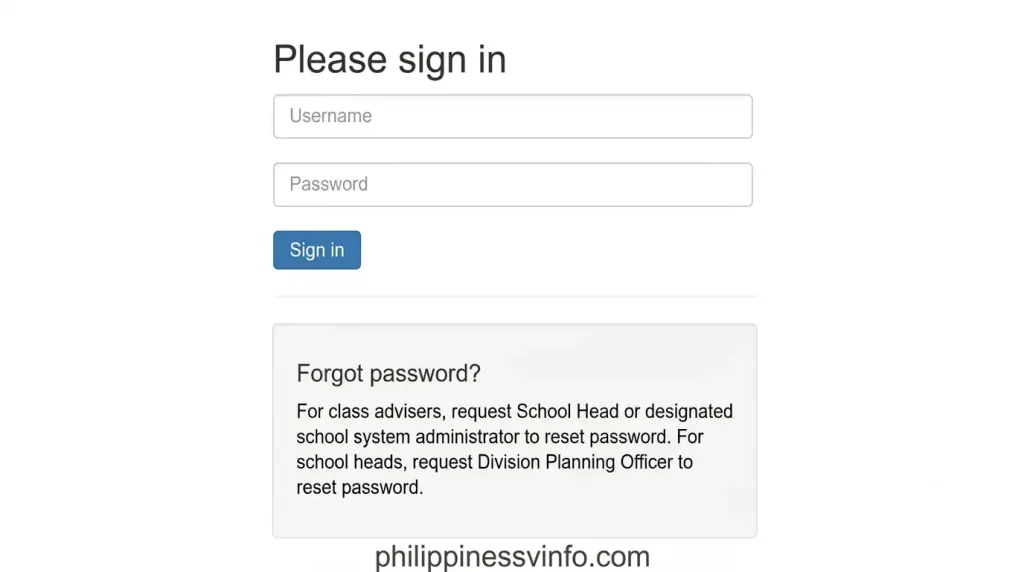
Step 2: Enter Your DepEd Username
On the login screen, provide the username assigned to you by the Department of Education. Ensure the information is entered correctly to avoid authentication errors.

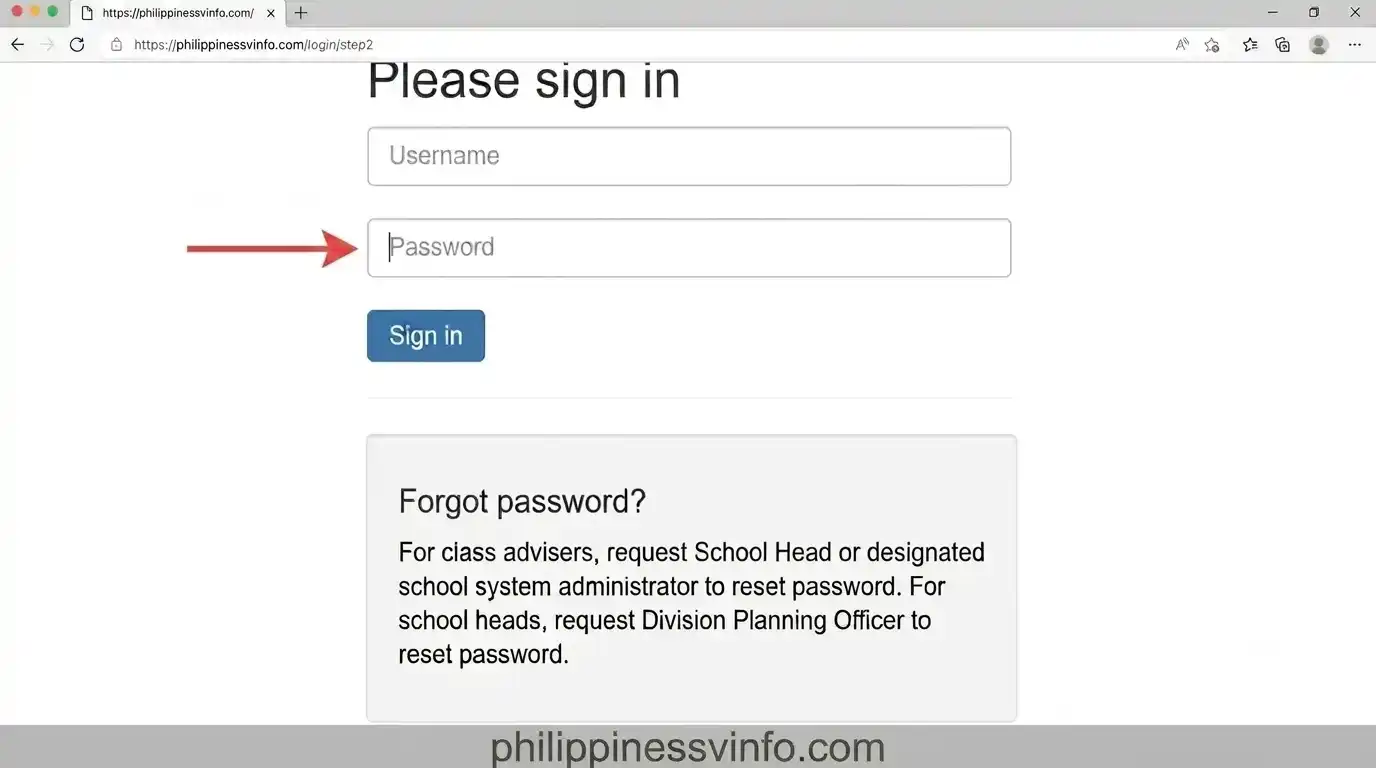
Step 3: Enter Your Password
Enter your registered password exactly as it was created. Review your keyboard settings before proceeding.
Step 4: Complete Account Verification
Some users may be asked to verify or update their account information before they can continue.

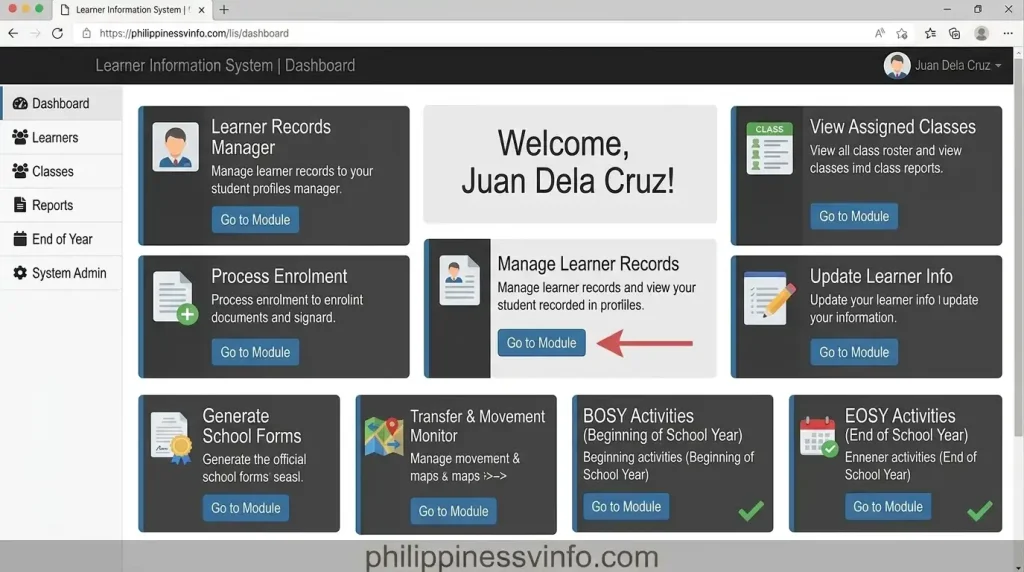
Step 5: Access the LIS Portal Dashboard
After successful authentication, your Portal Dashboard will open. From here, you can manage various learner-related and school administrative functions.
Register a New Learner in the LIS Portal
All new Kindergarten learners and students who do not yet have a Learner Reference Number (LRN) must first be registered in the Learner Information System before they can be officially enrolled. Before creating a new learner profile, always check whether an existing record already exists to avoid duplicate registrations.
Step 1: Open the Enrol Learner Section
After signing in to the Portal, go to the learner enrolment module to begin the registration process.
Step 2: Check for an Existing Learner Record
Before registering a new learner, search the database to verify that the student does not already have an existing record.
You can search using:
Performing this search helps prevent duplicate learner records and ensures the accuracy of the Learner Information System.
Step 3: Create a New Learner Profile
If no matching learner record is found, proceed with a new registration.
Ensure that all information is accurate before proceeding to the next step.
Step 4: Receive the Learner Reference Number (LRN)
Once the registration has been completed successfully, the Portal automatically generates a unique 12-digit Learner Reference Number (LRN) for the student.
The generated LRN serves as the learner’s permanent identification number and remains the same throughout their basic education within the Philippine Department of Education.
Step 5: Save the Registration and Complete Enrolment
Before finalising the process, review all entered information to confirm that every detail is correct.
How to Update Student Information in the LIS Portal
Maintaining accurate learner records is essential for effective school administration and DepEd reporting. This Portal allows authorised school personnel to update learner information whenever changes occur, ensuring that student records remain complete and up to date.
You can update the following learner details:
Before saving any changes, carefully verify all information to avoid errors that may affect future enrolment, reporting, or learner tracking.
How to Generate DepEd School Forms
The LIS Portal automatically generates official DepEd School Forms, helping teachers save time and reduce manual paperwork. These reports are created directly from the learner information stored in the system, ensuring greater accuracy and consistency.
Common DepEd School Forms
| School Form | Purpose |
|---|---|
| SF1 | School Register |
| SF2 | Daily Attendance Report |
| SF4 | Monthly Learner Movement Report |
| SF5 | Report on Promotion and Learning Progress |
Steps to Generate School Forms
Generating reports through the Learner Information System is quick and straightforward.
Always review the generated report before printing or submitting it to ensure all learner information is correct.
How to Update EOSY Status
At the conclusion of every academic year, class advisers are required to complete End of School Year (EOSY) updates through the Portal. This process records each learner’s final academic status and supports accurate national education reporting.
Available EOSY Status Options
The following learner statuses can be assigned during the EOSY process:
Completing EOSY updates accurately and before the official deadline helps the Department of Education maintain reliable learner records across all schools.
Learner Tags Available in the Portal
The Learner Information System includes learner tags that help schools identify students who require specialised educational support or belong to specific government programmes. These classifications assist DepEd in planning resources, monitoring programmes, and improving educational services.
Common learner tags include:
Using the correct learner tags ensures that schools submit accurate data and that learners receive the support and services they are eligible for.
Best Practices for Using the LIS Portal
Following recommended practices helps maintain the integrity of learner records and reduces common errors within the LIS Portal.
Common LIS Portal Login Problems and Their Solutions
Although the Portal is a reliable platform for managing learner records, users may occasionally encounter login or system-related issues. Most problems can be resolved by checking your account details, browser settings, or coordinating with your school’s authorised administrator.
| Problem | Possible Cause | Recommended Solution |
|---|---|---|
| Invalid Username or Password | Incorrect login credentials | Verify your DepEd username and password, then try signing in again. |
| Account Locked | Multiple unsuccessful login attempts | Wait a few minutes before trying again or contact your School Head or ICT Coordinator for assistance. |
| Unable to Access the Dashboard | User role or permissions not assigned | Request your administrator to assign the correct user access level. |
| Slow Portal Performance | Heavy server traffic | Refresh the page or log in during non-peak hours. |
| Browser Compatibility Issues | Outdated web browser | Update Google Chrome, Microsoft Edge, or Mozilla Firefox to the latest version. |
| Unable to Edit Learner Profile | Learner record is under validation | Wait until the Division Planning Officer (DPO) completes the validation process. |
| Pending Transfer Status | Previous school has not confirmed the learner transfer | Coordinate with the originating school to complete the transfer request. |
How to Reset Your LIS Portal Password
If you forget your Learner Information System password or are unable to access your account, you must follow your school’s official password recovery procedure. Password resets are generally handled by authorised DepEd personnel to protect learner information and maintain account security.
Step 1: Contact Your School Administrator
Begin by informing your school’s authorised administrator that you need assistance accessing your account.
Depending on your school, password recovery may be handled by:
These authorised personnel will verify your identity before processing your request.
Step 2: Verify Your Account Information
To confirm your identity, you may be asked to provide the following information:
Providing accurate information helps speed up the account verification process.
Step 3: Create a New Password
Once your identity has been verified, your administrator may assist you by:
After regaining access, choose a strong password and keep it confidential to protect your account.
Reset Your LIS Portal Password by Video guide
LIS Portal Security Tips
The Learner Information System stores confidential learner records and official school information, making account security a shared responsibility for every authorised user. Following good cybersecurity practices helps protect both user accounts and learner data from unauthorised access.
Best Practices to Keep Your Account Secure
Best Practices for Teachers and School Personnel
Using the Learner Information System responsibly improves the quality of learner records and reduces errors during enrollment and reporting periods.
Recommended Best Practices
Benefits of Using the Portal
The Learner Information System has transformed how schools manage learner information by replacing many manual processes with a centralized digital system.
Some of its major advantages include:
These benefits help schools improve efficiency while supporting DepEd’s data-driven educational planning.
Frequently Asked Questions (FAQs) About the LIS Portal
Final Thoughts
The LIS Portal has become an essential digital platform for managing learner information across the Philippine basic education system. By providing a centralized database, permanent Learner Reference Numbers (LRNs), automated school forms, and efficient enrollment processes, the Learner Information System helps schools maintain accurate records while improving administrative efficiency.
Whether you are completing BOSY enrollment, updating EOSY records, processing learner transfers, or generating official school forms, using this Portal correctly ensures that learner information remains accurate, secure, and consistent. Always access the system through the official DepEd websites, keep your login credentials secure, and follow the latest DepEd guidelines to make the most of the Learner Information System.