eRegistration DMW 2026 Philippines: Complete DMW Online Registration, Login, Requirements Guide
Every Filipino who plans to work abroad will eventually interact with the eRegistration system. Developed by the Department of Migrant Workers (DMW), this online platform serves as the official gateway for managing essential overseas employment services before departure and while working overseas.
Instead of completing multiple transactions at different offices, applicants can create a secure online profile, maintain their employment records, apply for deployment-related services, process their Overseas Employment Certificate (OEC), and access the OFW Pass through a single account. Both first-time applicants and returning Overseas Filipino Workers (OFWs) use the same portal to keep their records updated and submit required documents electronically.
Once your account has been activated and your profile is fully verified, most employment-related transactions become easier to manage online. You can review your application status, upload supporting documents, update passport information, book appointments when necessary, and access important DMW services without repeatedly visiting government offices.
What is DMW eRegistration?
DMW eRegistration is the official digital registration system operated by the Department of Migrant Workers (DMW) for Filipinos seeking overseas employment. It functions as a central database that securely stores an OFW’s personal information, employment records, educational background, passport details, and other documents required during overseas employment processing.
Creating an account is one of the first steps for aspiring Overseas Filipino Workers and is also important for returning workers who need to update their records or apply for additional DMW services. A verified profile allows applicants to process government requirements more efficiently while maintaining a permanent digital employment record within the DMW system.
Compared with traditional paper-based procedures, the online platform offers a more organised and convenient way to submit information, helping reduce paperwork and making future transactions faster. Visit Homepage
Why Should You Register for DMW eRegistration?
A verified this account does much more than create an online profile. It provides access to several digital services that support OFWs throughout their overseas employment journey, from pre-departure requirements to future transactions.
Some of the key advantages include:
Keeping your portal profile complete and up to date can also minimise processing delays, especially when applying for overseas deployment, contract verification, or other services offered through the Department of Migrant Workers.
How to Register a DMW eRegistration Account
Creating your DMW account is quick and straightforward if you have prepared all the required documents. Follow these simple steps to register successfully.
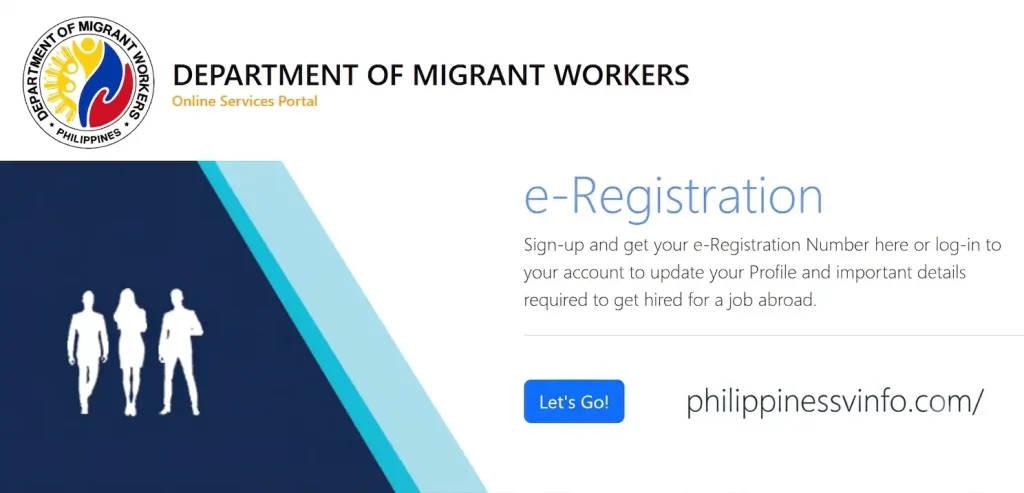
Step 1: Visit the DMW Online Services Portal
Open the official DMW Online Services Portal using your preferred web browser. Make sure you are using the official website to keep your personal information secure.
Step 2: Complete the Registration Form
Fill in the registration form using the same information shown on your passport or other official documents. Check every detail carefully before proceeding.

Step 3: Submit Your Registration
After completing the form, submit your application. The system will send a verification message to your registered email address.
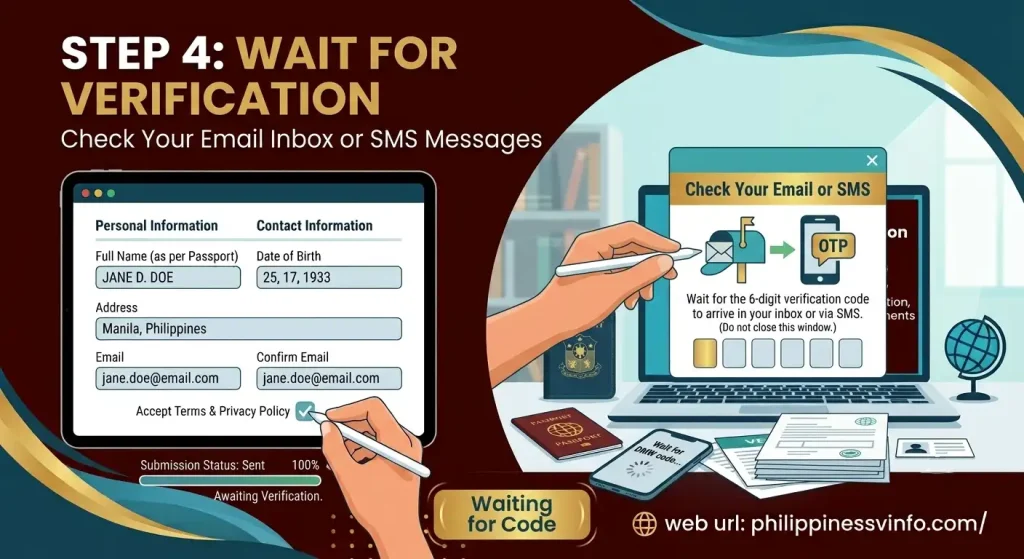
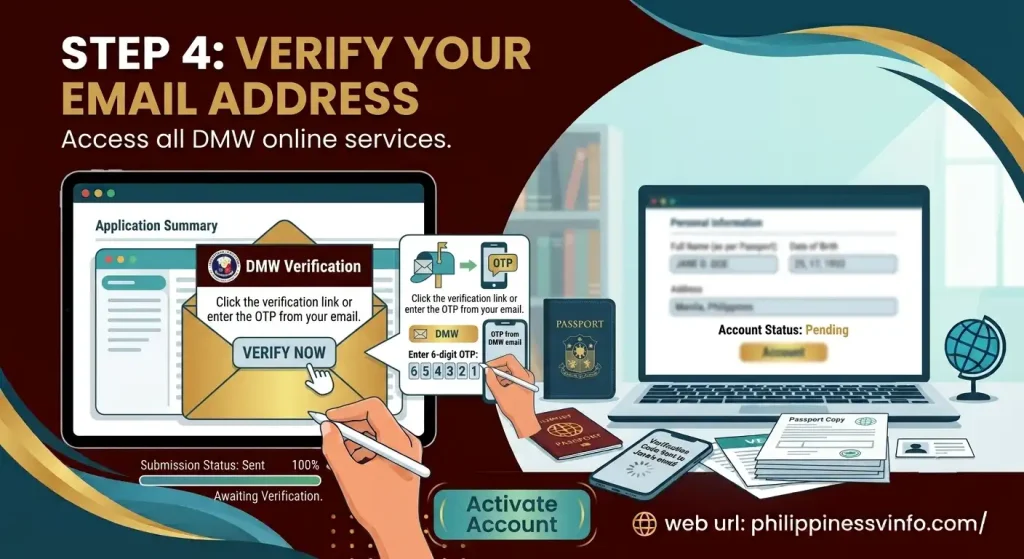
Step 4: Verify Your Email Address
Your account will only become active after email verification. Complete this step to access all DMW online services.
How to Log in to Your Account
Once your account has been activated, you can log in to manage your profile, update information, and access DMW online services.
Step 1: Open the Login Page
Go to the DMW Online Services Portal and choose the eRegistration Login option.
Step 2: Enter Your Login Details
Use the email address and password you registered during account creation.
Step 3: Reset Your Password (If Needed)
If you cannot remember your password, use the password recovery feature to regain access.
Requirements Before Creating Account
Before starting your portal, it’s a good idea to prepare all the required documents and personal information in advance. Having everything ready will make the registration process smoother, reduce the chances of errors, and help you complete your profile without unnecessary interruptions. Most of these requirements are also needed later when applying for services such as contract verification, the OFW Pass, or an Overseas Employment Certificate (OEC).
DMW eRegistration Requirements Checklist
| Requirement | Purpose |
|---|---|
| Valid Passport | Must be valid for at least six months from your planned departure date. |
| Active Email Address | Used for account registration, email verification, OTPs, and password recovery. |
| Government-Issued ID | Required to verify your identity during registration and profile validation. |
| Active Mobile Number | Used for communication and important account notifications. |
| Personal Information | Includes your full legal name, date of birth, address, and emergency contact details. |
| Educational Background | Information about your highest educational attainment and school attended. |
| Employment History | Details of previous local or overseas employment, if applicable. |
| 2×2 Passport-Style Photo | Recent photograph with a plain white background for your profile. |
Accepted Valid IDs
Identity verification is an important part of the registration process. Applicants are generally required to present a valid government-issued identification document that matches the personal information entered in their online profile.
The following IDs are commonly accepted:
Features of the DMW Online Services Portal
The DMW Online Services Portal is designed to make overseas employment transactions faster, more organised, and more convenient for Overseas Filipino Workers (OFWs). Instead of visiting multiple government offices, users can access essential employment services from a single online account. Whether you’re applying for overseas work for the first time or returning to your employer abroad, the portal helps you manage important records and applications securely.
Below are the primary services available through the registration system.
| Portal Feature | Description |
|---|---|
| DMW eRegistration | Create and maintain your official OFW profile for future DMW transactions. |
| Secure Account Login | Access your account safely using your registered email address and password. |
| Personal Profile Management | Edit and update your contact information, address, and other personal details whenever needed. |
| Passport Information | Save and update passport details required for overseas employment processing. |
| Employment History | Record previous and current local or overseas work experience. |
| Educational Background | Enter your highest educational attainment and training records. |
| Contract Verification | Submit employment contracts for verification through the appropriate Migrant Workers Office (MWO). |
| OEC Processing | Apply for or process your Overseas Employment Certificate online, when eligible. |
| OFW Pass Access | View and download your digital OFW Pass after approval. |
| Appointment Scheduling | Book appointments with DMW Regional Offices or MWOs whenever personal appearance is required. |
| Application Monitoring | Track the status of your applications and receive updates directly from your dashboard. |
| Document Upload | Upload passports, employment contracts, visas, work permits, and other supporting documents securely. |
Things to Prepare Before Starting
Taking a few minutes to review your documents before visiting the official DMW portal can save time and help you avoid common registration issues.
Before you begin, make sure that:
Process Summary
| Step | Action |
|---|---|
| Step 1 | Open the DMW Online Services Portal and select Register. |
| Step 2 | Complete the registration form with accurate information. |
| Step 3 | Submit your application and check your email. |
| Step 4 | Verify your email to activate your account. |
Understanding Your DMW Dashboard
After logging in, you’ll be taken to your personal dashboard where you can manage your DMW services and applications. Before applying for an OEC or OFW Pass, ensure your profile shows 100% Complete.
The dashboard allows you to:
Why Completing Your Profile Is Important
Creating a DMW eRegistration account is only the first step. To access more online services, your profile should be fully completed with accurate and up-to-date information. An incomplete profile may delay document verification, contract processing, and other employment-related transactions.
A completed profile helps you:
How to Complete Your Profile
After logging in, complete each section carefully using information that matches your passport and other official documents.
Step 1: Verify Your Email Address
Email verification activates your DMW eRegistration account and confirms your registered email address.
Step 2: Upload Your Profile Photo
Upload a recent passport-style photograph that meets the DMW requirements. A clear photo helps speed up identity verification.
Profile Photo Requirements
| Requirement | Details |
|---|---|
| Photo Size | 2×2 passport-style |
| Background | Plain white |
| Face Visibility | Clear and unobstructed |
| Eyewear | Avoid tinted glasses |
| Headwear | Not allowed unless for religious purposes |
| File Format | JPEG or PNG |
Step 3: Add Your Passport Information
Enter your passport details exactly as printed on your passport. Incorrect information may delay verification.
After entering the information, upload a clear copy of your passport’s information page.
Step 4: Complete Your Personal Information
Review all personal details and update any missing information before saving your profile.
Step 5: Enter Your Educational Background
Provide information about your highest level of education to complete your employment profile.
Example
| Field | Example |
|---|---|
| Highest Education | Bachelor’s Degree |
| School | University of the Philippines |
| Graduation Year | 2023 |
Step 6: Add Your Employment History
Include your previous work experience, whether in the Philippines or overseas. Accurate employment records help support future DMW transactions.
Step 7: Add Beneficiaries and Emergency Contacts
Provide the contact details of the person DMW can reach during emergencies.
Choose someone who can easily be contacted if needed during your overseas employment.
Profile Completion Checklist
Before applying for an Overseas Employment Certificate (OEC) or OFW Pass, review your profile and ensure that every required section has been completed. A fully updated profile helps prevent delays during verification and allows you to access more DMW online services.
| Profile Section | Status |
|---|---|
| Email Address Verified | ✔ |
| Profile Photo Uploaded | ✔ |
| Passport Information Completed | ✔ |
| Personal Information Updated | ✔ |
| Educational Background Added | ✔ |
| Employment History Completed | ✔ |
| Beneficiary Details Added | ✔ |
| Required Documents Uploaded | ✔ |
Common Profile Verification Mistakes
Many applicants experience delays because of incorrect or incomplete information. Reviewing your profile carefully before submission can help avoid unnecessary processing issues.
Some of the most common mistakes include:
How to Apply for an OEC or OFW Pass
Once your profile is fully verified, you can start your OEC or OFW Pass application directly from your account dashboard.
Step 1: Log in to Your Account
Sign in using the email address and password you registered during account creation. Before proceeding, make sure your profile status shows 100% Complete.
Step 2: Open My Applications
After logging in, go to the My Applications section to access available DMW services.
Step 3: Select Your Employment Category
Choose the employment option that correctly describes your current work situation. Selecting the correct category helps avoid unnecessary delays.
Step 4: Upload Supporting Documents
Upload all required documents for verification. Ensure every file is clear, complete, and matches the information in your profile.
Common Documents Required
| Document | Purpose |
|---|---|
| Signed Employment Contract | Confirms overseas employment |
| Valid Passport | Identity verification |
| Valid Work Visa | Confirms legal employment |
| Work Permit (if required) | Supports work eligibility |
| Passport Information Page | Verifies passport details |
| Additional Employer Documents | Required for certain applications |
Document Upload Tips
Step 5: Book an Appointment (If Required)
Some applications require an in-person visit for document evaluation or verification.
Bring your original documents if you’re required to appear in person.
Step 6: Track Your Application
After submitting your application, you can monitor its progress through your dashboard.
Common application statuses include:
Check your account regularly for updates or requests for additional requirements.
Step 7: Download Your OEC or OFW Pass
Once your application has been approved, your document will become available in your account for download.
Depending on your eligibility, you may receive:
Download your approved document and keep both a digital and printed copy for future reference and travel requirements.
Common Login and Application Problems
Although the portal is user-friendly, some applicants encounter technical issues.
| Problem | Possible Solution |
|---|---|
| Forgot Password | Use the Forgot Password option and reset through your registered email. |
| Verification Email Not Received | Check your Spam or Junk folder and verify that your email address was entered correctly. |
| Unable to Log In | Confirm that your account has been activated and that your email and password are correct. |
| Website Loading Slowly | Refresh the page, clear your browser cache, or try another browser. |
| OTP Not Received | Wait a few minutes, verify your email or mobile number, then request another OTP if available. |
| Document Upload Failed | Reduce the file size, use a supported format, and ensure your internet connection is stable. |
| Incomplete Profile | Complete every mandatory section before submitting an application. |
Benefits of Using DMW eRegistration
This system offers several advantages for Overseas Filipino Workers.
Faster Online Processing
Most services can be initiated online, reducing the need for repeated office visits.
Centralised OFW Records
Your employment history, passport information, educational background, and applications are stored securely in one account.
Easy Profile Updates
You can update personal details whenever necessary.
Secure Document Management
Important records remain available within your account for future transactions.
Convenient Application Tracking
Monitor your application status without visiting a DMW office.
Improved Government Services
The online platform helps streamline overseas employment processing while improving accessibility for OFWs.
Safety Tips When Using the DMW Portal
Protect your account by following these best practices:
Frequently Asked Questions (FAQs) About DMW eRegistration
Final Thoughts
The DMW eRegistration system has transformed how Overseas Filipino Workers manage their employment records and government transactions. From creating an account and maintaining a complete profile to processing an Overseas Employment Certificate (OEC) or accessing the OFW Pass, the platform provides a faster and more organised way to handle essential overseas employment requirements.
To avoid delays, always keep your portal profile updated with accurate personal information, valid passport details, and complete supporting documents. Regularly reviewing your account and maintaining a 100% completed profile will help ensure smoother processing for future applications and allow you to make full use of the online services offered by the Department of Migrant Workers.