Senior Citizen Registration Philippines 2026: NCSC Online Registration Guide
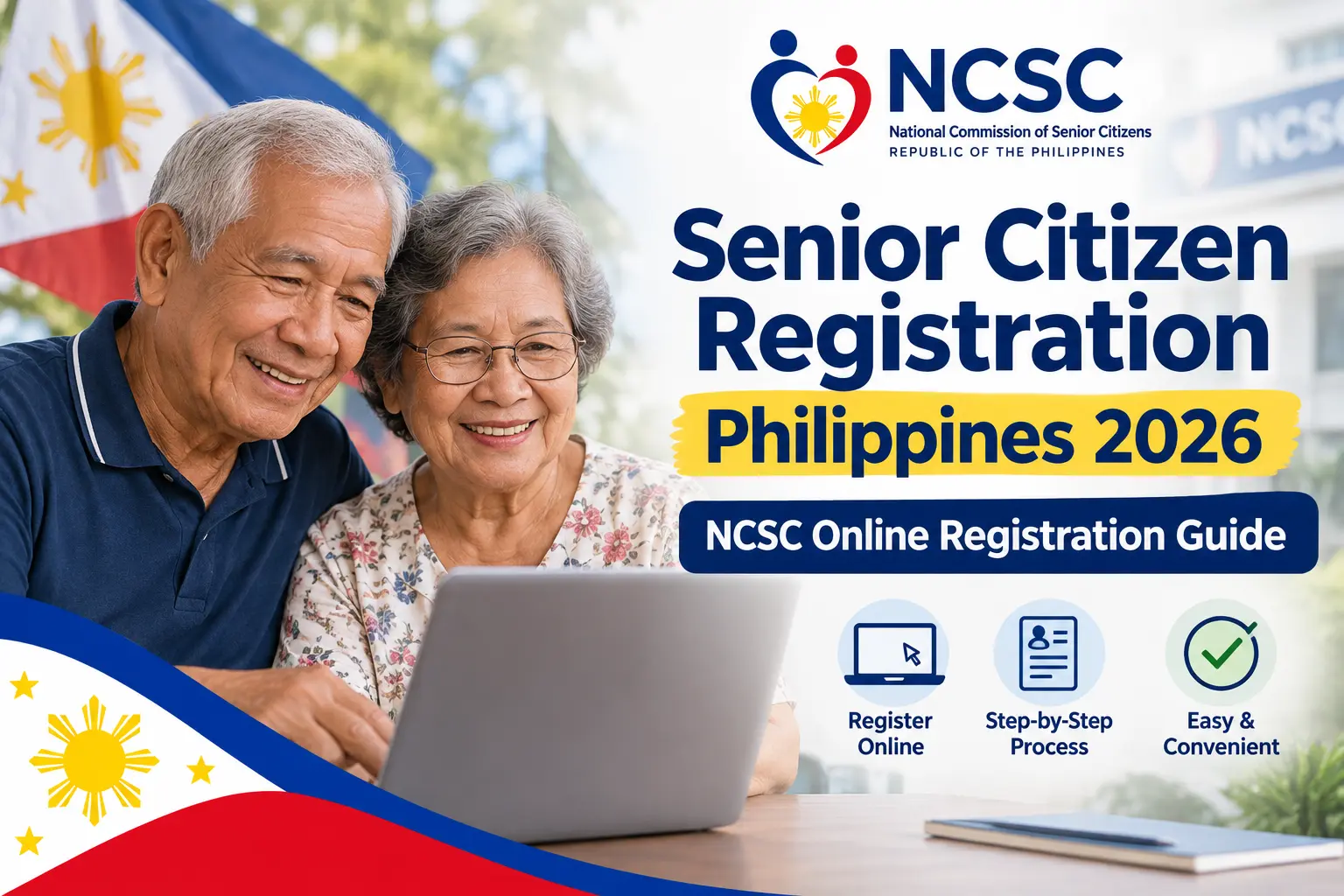
For Filipino senior citizens, getting properly registered can make it easier for government agencies to understand the growing needs of the country’s ageing population. The National Commission of Senior Citizens (NCSC) manages the official online registration facility, which collects important information about older persons to support government planning, programmes, projects and services.
If you or a family member needs to complete NCSC senior citizen registration Philippines 2026, understanding the process beforehand can save time and help prevent mistakes. This guide explains what NCSC registration is, who can register, what information to prepare, how to complete the online Senior Citizen Data Form (SCDF), and how to keep your PKN and RRN safe for future verification.
What Is NCSC Senior Citizen Registration
NCSC senior citizen registration is the process of providing an older person’s details to the National Commission of Senior Citizens (NCSC) through the Senior Citizen Data Form (SCDF). The information submitted helps build a national database that can give the government a clearer picture of the needs and circumstances of Filipino senior citizens.
The enhanced registration form covers important areas such as personal and family details, education, skills, economic circumstances and health information. The NCSC online facility also provides options to register a new record and verify an existing registration, while users are advised to rely only on official NCSC services when submitting personal information.
Quick answer: NCSC senior citizen online registration allows eligible older persons to submit their information through the Senior Citizen Data Form (SCDF), creating a registration record that can later be verified using the relevant registration details.
Who Can Register as a Senior Citizen?
The primary eligibility requirement is age. A senior citizen online is generally an individual who is 60 years old or above. Before starting the registration, make sure the person’s basic information and available identification details are accurate. Visit Homepage.
- The senior citizen should be 60 years old or above.
- Prepare the person’s accurate personal and identification information.
- Have relevant supporting information available before beginning the registration.
Information to Prepare Before Registration
Preparing the senior citizen’s information in advance can make the online form easier to complete. The information should be checked carefully because details such as the person’s name, date of birth and address are important for the registration record.
- Prepare the person’s full legal name, correct date of birth and residential address.
- Have contact, family and identification information available where required.
- Prepare a recent photograph and relevant health and economic information where applicable.
The NCSC explains that required information must be completed, while certain non-required information is optional. Additional information may help the Commission assess senior citizen online profiles and appropriately allocate programmes and services.
Important Personal Information and Privacy Reminder
The SCDF contains personal information, so accuracy and privacy should be taken seriously. Users should avoid submitting personal details through unofficial websites or to individuals who claim that the NCSC registration form must be purchased.
- Use the official NCSC website when submitting registration information.
- Avoid unofficial websites or individuals offering questionable registration services.
- Be particularly careful of phishing websites that may target senior citizens.
The NCSC has issued an advisory concerning phishing websites targeting senior citizens and recommends checking whether a registration website is genuinely associated with the government.
What Do You Need Before Starting NCSC Registration?
Preparing the necessary information and equipment before opening the registration form can reduce interruptions and mistakes. The registration can be accessed using a suitable internet-connected device, while the personal information should be kept nearby for reference.
- Use a smartphone, tablet or computer with an internet connection.
- Prepare a senior citizen or government ID, birth information and address details.
- Have applicable photograph, family, education, skills, income and health information ready.
Information Checklist
The following information can help you complete the relevant parts of the Senior Citizen Data Form. Not every item necessarily applies to every registrant, so follow the fields and requirements displayed by the registration system.
- Identity and personal information: name, date of birth, address and contact details.
- Profile information: family, education, skills and income or pension details.
- Additional information: recent photograph/selfie and applicable health information.
Before You Click “Register Now!”
Having the senior citizen’s information nearby is preferable to relying on memory while completing the form. Pay close attention to identifying details because even a small error can create difficulties when the registration record is later checked or verified.
- Double-check the date of birth and spelling of the person’s name.
- Confirm that the residential address and contact information are accurate.
- Check which fields are required and which are optional before submitting the form.
The NCSC FAQ states that fields marked with an asterisk are required. If a required item such as an email address is unavailable, follow the specific instructions provided by the NCSC in its FAQ.
How to Register as a Senior Citizen Online Through NCSC
The online NCSC senior citizen registration online process is completed through the official NCSC website. Although the basic process is straightforward, individual screens, buttons or form layouts may change as the government updates its online services.
Step 1: Open the NCSC Website
Start the registration process by opening the official NCSC website using a smartphone, tablet or computer. Make sure you have a stable internet connection before beginning.
- Open a web browser on your device.
- Go to the official NCSC website.
- Check that you are using the legitimate government website.

Step 2: Select “Register Now!”
Once the NCSC homepage opens, find the Register Now! option. Selecting this option will take you to the online senior citizen registration facility.
- Locate the Register Now! button.
- Select the option to begin registration.
- Wait for the registration page to load.

Step 3: Accept the Registration Terms
The registration system displays terms and information before you can access the form. Read these details carefully, confirm your acceptance and continue to the next stage.
- Read the displayed registration terms.
- Tick the box confirming your acceptance.
- Select Proceed to continue.

Step 4: Complete the Senior Citizen Data Form
The Senior Citizen Data Form (SCDF) collects important information about the senior citizen online. Enter accurate information and use official documents as a reference wherever applicable.
- Provide personal details such as name, date of birth, address and contact information.
- Complete applicable family, education, skills and economic information.
- Enter relevant health information, including blood type, disabilities, medical conditions and medicines.

Step 5: Review and Submit Your Registration
Before submitting the form, carefully review every section to make sure the information is correct. Correcting mistakes before submission can help avoid problems later.
- Check the name, date of birth, address and contact details.
- Review the family, economic and health information.
- Submit the completed form after confirming that all required fields are finished.

Step 6: Save Your PKN and RRN
After completing the registration, keep your Personal Key Number (PKN) and Registration Reference Number (RRN) safe. These details are important for accessing or verifying your registration record.
- Store both numbers safely for future registration verification.
- Keep your PKN secure and do not share it with unofficial agents.
- Save the RRN by writing it down or taking a screenshot.

How to Verify Your NCSC Senior Citizen Registration
After completing your senior citizen registration, you can use the verification facility available through the official NCSC website to check your registration record. The verification option is provided alongside the online registration service, making it easier to refer back to an existing record.
Before starting the verification process, make sure you have the registration information you received when completing the application. Keeping these details safely recorded can make future verification much easier.
Information to Keep Safely
After completing your registration, store your important registration details in a secure place.
- Keep your Registration Reference Number (RRN) safely recorded.
- Keep your Personal Key Number (PKN) private and accessible when needed.
- Retain the relevant email or contact details and a screenshot or written record of your successful submission.
Tip: Do not depend on a screenshot stored on only one phone. If the device is lost, damaged or replaced, you could lose easy access to your registration information.
What Is the Registration Reference Number?
The Registration Reference Number (RRN) is connected with your completed online registration. It is particularly important because it serves as a reference for the registration that was successfully submitted.
Once registration has been completed, record the RRN somewhere secure. If a family member helped an older person complete the application, they can also assist in keeping a safe record of the number.
The RRN should not be treated as the same thing as the PKN. Both are associated with the registration process, but they serve different purposes.
RRN vs PKN vs SCDF
| Detail | Purpose |
|---|---|
| RRN | Reference associated with the submitted registration |
| PKN | Personal key nominated during registration |
| SCDF | Senior Citizen online Data Form used to collect registration information |
Knowing the difference between these terms can help prevent confusion when checking or managing a senior citizen registration record.
What Is the PKN in NCSC Registration?
The Personal Key Number (PKN) is a security-related detail connected with the senior citizen’s online registration record. It is used in connection with accessing or verifying registration information.
The NCSC FAQ states that registrants can nominate their own PKN. It also suggests that using the person’s birth year can make the number easier to remember.
Even if you choose a number that is easy to remember, it should still be treated as private information.
What If You Forget Your PKN?
If you forget your PKN, do not immediately create another senior citizen registration simply because you cannot remember the number. Instead, check the official NCSC support and verification information available through the website.
Creating an unnecessary duplicate record could lead to confusion when dealing with your existing registration.
- Check the official NCSC information for available assistance.
- Use the available verification or support instructions before registering again.
- Avoid creating a duplicate record unless the official process specifically requires it.
Can You Correct Information After Registration?
Mistakes can sometimes occur when completing a lengthy online form, particularly when someone is helping an older parent, grandparent or another family member. If you discover incorrect information after submitting the registration, follow the NCSC’s official correction instructions.
Do not submit a second registration simply to fix a mistake. First identify the incorrect information and check the official NCSC FAQ for the appropriate correction procedure.
Information That May Need Correction
Before requesting a correction, clearly identify the information that needs to be changed.
- Incorrect name spelling or personal details.
- Incorrect date of birth or residential address.
- Incorrect or outdated contact, family, economic or health information.
Keeping your RRN available can also help you refer to the existing registration when dealing with a correction.
What Happens If You Receive a Transmission Error?
A Transmission Error does not necessarily mean that your NCSC registration has failed permanently. Transmission problems may occur because of a slow internet connection or a high volume of requests. Before starting a completely new registration, try the troubleshooting steps below.
NCSC Transmission Error Troubleshooting
| Problem / Situation | What to Do |
|---|---|
| Slow or unstable internet connection | Check your internet connection and make sure it is stable before trying to submit the registration again. |
| Submission button is clicked repeatedly | Avoid pressing the submission button multiple times. Give the system enough time to process your request. |
| Website experiencing heavy traffic | Wait for a short period and try submitting the form again when the website is less busy. |
| Unsure whether registration was submitted | Use the available NCSC verification facility to check whether your original registration was successful before completing a new form. |
| Registration needs to be submitted again | Keep the required personal information ready so you can complete the process efficiently if another submission is genuinely necessary. |
| Error continues after retrying | Follow the official NCSC support or troubleshooting instructions rather than creating multiple duplicate registrations. |
Tip: If you receive a Transmission Error, do not immediately assume that your registration was unsuccessful. First check your connection, wait briefly, retry once the system is responsive, and verify your registration status where possible.
Why NCSC Registration Matters for Senior Citizens
The purpose of NCSC senior citizen registration extends beyond simply completing an online form. The national database is intended to provide better information about Filipino senior citizen online and their circumstances, needs and profiles.
The information collected can support government planning and the development and delivery of programmes and services intended for older persons. The enhanced data form also collects broader information involving areas such as income, skills and health.
For this reason, providing accurate information is important. Reliable registration information helps create a more useful database for government planning and senior citizen programmes.
Senior Citizen online Benefits in the Philippines
NCSC registration should not be confused with the legal basis for senior citizen privileges in the Philippines. Senior citizen online benefits are supported by applicable laws and implemented through relevant government agencies and local authorities.
Depending on the applicable law and programme requirements, recognised senior citizen privileges can include discounts, exemptions, transportation benefits, health-related services, social welfare assistance and community services.
Commonly associated benefits include:
- 20% discount and VAT exemption on qualifying goods and services.
- Applicable discounts on medicines, medical services and public transportation.
- Certain recreation, leisure, health, social welfare and community services, subject to the applicable rules.
The exact eligibility and scope of each benefit depend on the relevant law, programme requirements and individual circumstances.
Registration Does Not Automatically Guarantee Every Benefit
This distinction is important when researching senior citizen registration Philippines.
Being included in the NCSC database does not automatically mean that a person qualifies for every government assistance programme, cash benefit or special service.
Some programmes, including assistance intended specifically for indigent senior citizens, may have additional eligibility requirements. Always check the requirements of the specific programme instead of assuming that NCSC registration alone is sufficient.
Understanding the 20% Senior Citizen Discount
The 20% senior citizen discount and VAT exemption is one of the most commonly searched topics associated with senior citizen online privileges in the Philippines.
Qualifying senior citizens can receive statutory discounts and exemptions on covered purchases and services. However, these benefits apply to transactions covered by the relevant laws and regulations rather than automatically applying to every purchase.
It is therefore important to distinguish between NCSC registration and eligibility for a particular senior citizen privilege.
- NCSC registration helps maintain information about senior citizens.
- Applicable laws determine whether a specific transaction qualifies for a benefit.
- Individual discounts and exemptions may have their own conditions and limitations.
Social Pension and Government Assistance
Senior citizens may also want to know about social pension, cash assistance and other government programmes. These programmes should be considered separately from the NCSC registration process because they may have additional eligibility conditions.
Completing an NCSC registration does not automatically make someone eligible for every form of government assistance.
- Check the requirements of the specific social pension or assistance programme.
- Contact the appropriate government office for current eligibility information.
- Do not assume that NCSC registration alone qualifies you for cash assistance or other programmes.
Health and Community Services
Senior citizen support can also include health, wellness and community-based services. Depending on the person’s eligibility and location, older persons may have access to government health facilities, senior citizen centres, wellness activities and social programmes.
The availability and implementation of these services can vary between local areas. After completing NCSC senior citizen registration online, it may therefore be useful to check with the appropriate local office about services available in the person’s municipality or city.
- Check available health and wellness services in your local area.
- Ask the relevant local office about community and senior citizen programmes.
- Confirm the individual eligibility requirements before applying for a specific service.
Common Mistakes to Avoid During Senior Citizen Registration
Taking a few precautions can make the NCSC registration Philippines process safer and easier. Most registration problems can be reduced by using the correct website, entering accurate information and securely keeping your registration details.
Using an Unofficial Website
One of the most important precautions is to make sure you are using the official NCSC website. The NCSC has issued an advisory concerning phishing websites targeting senior citizens.
- Check the website domain before entering personal information.
- Use the official NCSC registration facility.
- Avoid websites or individuals claiming to offer unofficial registration services.
Guessing Information
Do not guess personal information simply because you want to complete a required field. When the form provides an appropriate option, such as Unknown, use it where applicable.
- Enter information based on reliable records whenever possible.
- Do not guess health or identification information.
- Use the appropriate Unknown option when the form provides one.
Losing the RRN
The RRN is an important reference associated with successful registration, so it should be saved immediately after registration.
- Write down the RRN.
- Take a screenshot or create another secure record.
- Keep the RRN available for future reference.
Forgetting the PKN
The PKN should also be stored securely because it is connected with the registration record.
- Choose a memorable PKN.
- Keep it private.
- Store it somewhere secure rather than relying on memory alone.
Creating a Duplicate Record
Technical problems or forgotten registration details do not automatically mean that a new registration should be created.
- Check whether the original registration was successful.
- Use the available verification facility first.
- Follow official NCSC instructions before creating another record.
NCSC Online Registration Checklist
Before considering the registration process complete, review the following checklist. It can also be useful when one person is assisting an elderly family member with the online application.
- Confirm that the official NCSC website was used and all required SCDF fields were completed.
- Check that personal, identification, contact, family, economic and health information was entered accurately.
- Save the PKN and RRN securely and check the registration status when necessary.
Keeping these details organised can make future verification, corrections or enquiries easier. If you are helping a senior citizen with registration, make sure the important registration information is stored safely and is available when needed.
Frequently Asked Questions About Senior Citizens in the Philippines
Conclusion
Completing NCSC senior citizen registration Philippines 2026 is an important step towards maintaining an accurate national database of Filipino senior citizens. The process is completed through the official National Commission of Senior Citizen online website using the Senior Citizen Data Form (SCDF). Before registering, prepare the required personal, family, economic and health information and carefully review all details before submission. After registration, keep your Personal Key Number (PKN) and Registration Reference Number (RRN) safe for future verification or enquiries.
Remember that NCSC registration is separate from eligibility for specific senior citizen online benefits. Discounts, social pension, health services and other government assistance may have their own requirements. For a safe registration experience, always use the official NCSC website, avoid unofficial registration services and follow NCSC instructions for verification, corrections or technical errors.