PDOS Philippines 2027: Registration, Requirements, Online Seminar & CFO Certificate
The Pre-Departure Orientation Seminar (PDOS) is an important program offered by the Commission on Filipinos Overseas (CFO) for eligible Filipinos who are preparing to migrate abroad. Before leaving the Philippines with an immigrant or permanent resident visa, applicants may be required to complete the appropriate CFO program, which helps them understand migration procedures, settlement expectations, and important responsibilities in their destination country.
The CFO currently provides PDOS Philippines services through both online and face-to-face arrangements, depending on the applicant’s visa category and eligibility. Understanding the registration process, documentary requirements, seminar procedures, and certificate issuance can help prevent delays before departure.
What Is PDOS Philippines?
PDOS Philippines stands for Pre-Departure Orientation Seminar Philippines, a government-managed orientation program conducted by the Commission on Filipinos Overseas. The seminar is designed to assist Filipino emigrants who are leaving the country on immigrant or permanent resident visas.
The program provides practical information about migration, cultural adaptation, travel preparation, settlement concerns, rights and responsibilities abroad, and various support services available to Filipino migrants. By attending the seminar, participants gain valuable guidance that can help them prepare for life in their destination country and make informed decisions before departure.
Who Needs PDOS?
The Pre-Departure Orientation Seminar (PDOS) is generally intended for Filipino immigrant visa holders between 20 and 59 years old. Applicants who fall within this age group and hold qualifying immigrant visas may be required to complete the seminar before finalizing their departure.
However, not all overseas travelers are required to attend PDOS. The specific CFO program depends on the applicant’s visa type, age, and personal circumstances. Because requirements may vary, applicants should always verify their eligibility through the official CFO registration system before scheduling an appointment.
PDOS vs Peer Counseling Program (PCP)
Many applicants mistakenly assume that PDOS applies to all emigrants. In reality, the Commission on Filipinos Overseas operates different programs for different categories of migrants. Visit Homepage.
| CFO Program | Intended Participants | Purpose |
|---|---|---|
| PDOS | Filipino emigrants aged 20–59 | Pre-departure orientation |
| Peer Counseling Program (PCP) | Filipino youth emigrants aged 13–19 | Youth-focused migration counseling |
| Other CFO Programs | Specific visa holders and categories | Program depends on applicant circumstances |
Applicants between 13 and 19 years old generally fall under the Peer Counseling Program (PCP) rather than PDOS. Because each program has its own requirements and procedures, applicants should carefully review the CFO guidelines before proceeding with registration.
PDOS Registration Philippines 2027
The PDOS registration process is handled through the Commission on Filipinos Overseas (CFO) registration platforms and service portals. Depending on your eligibility and visa category, you may complete the process through an online registration route or a face-to-face appointment system. Before registering, carefully check the applicable CFO program, prepare the required information and documents, and keep your confirmation details for the next steps.
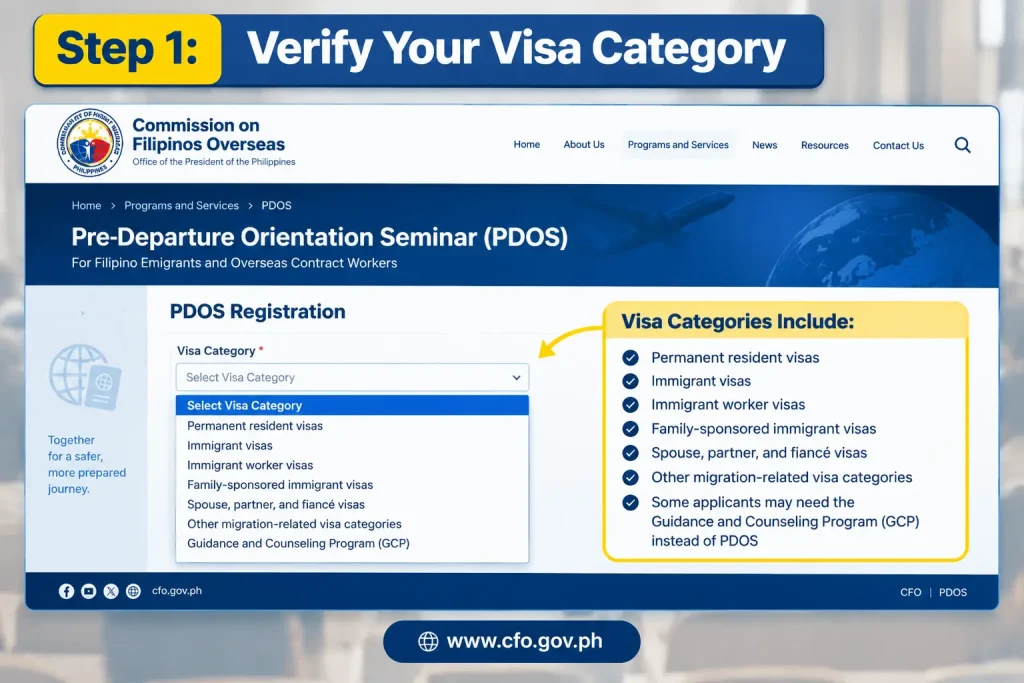
Step 1: Verify Your Visa Category
Before starting your PDOS registration, identify the exact visa category you hold because different visa classifications may require different CFO programs. Checking your category first helps ensure that you register for the correct service and do not complete the wrong seminar or counseling program.
- Permanent resident visas
- Immigrant visas
- Immigrant worker visas
- Family-sponsored immigrant visas
- Spouse, partner, and fiancé visas
- Other migration-related visa categories
- Some applicants may need the Guidance and Counseling Program (GCP) instead of PDOS
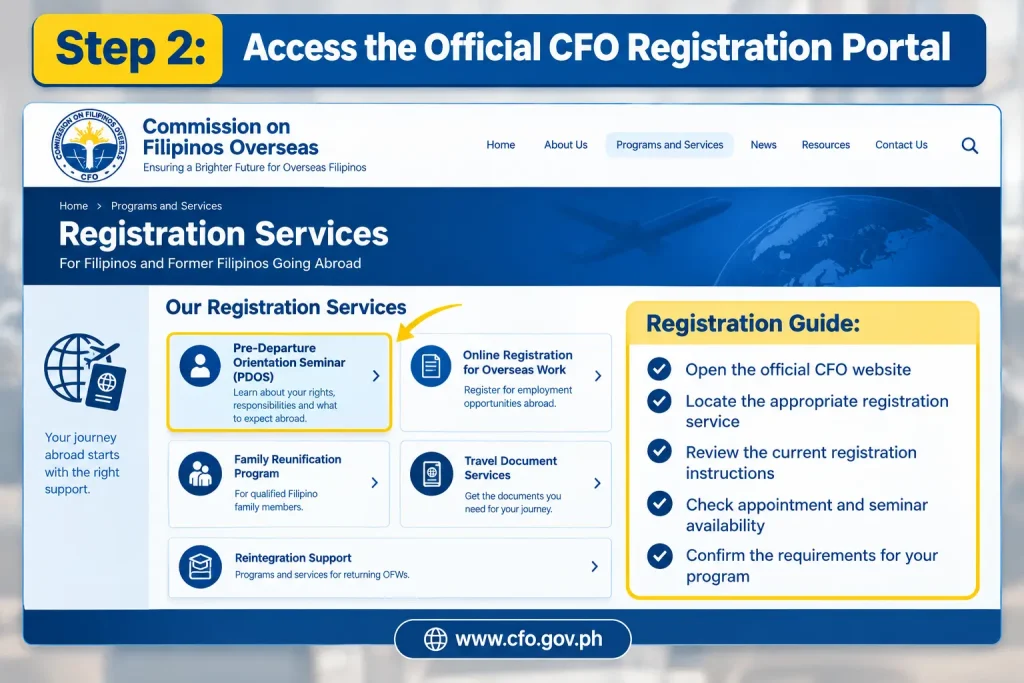
Step 2: Access the Official CFO Registration Portal
Visit the official Commission on Filipinos Overseas (CFO) website and find the registration service that matches your visa category. The official portal provides information about the registration process, appointment availability, seminar schedules, document requirements, and program eligibility. Using the official CFO platforms helps you follow the latest instructions.
- Open the official CFO website
- Locate the appropriate registration service
- Review the current registration instructions
- Check appointment and seminar availability
- Confirm the requirements for your program
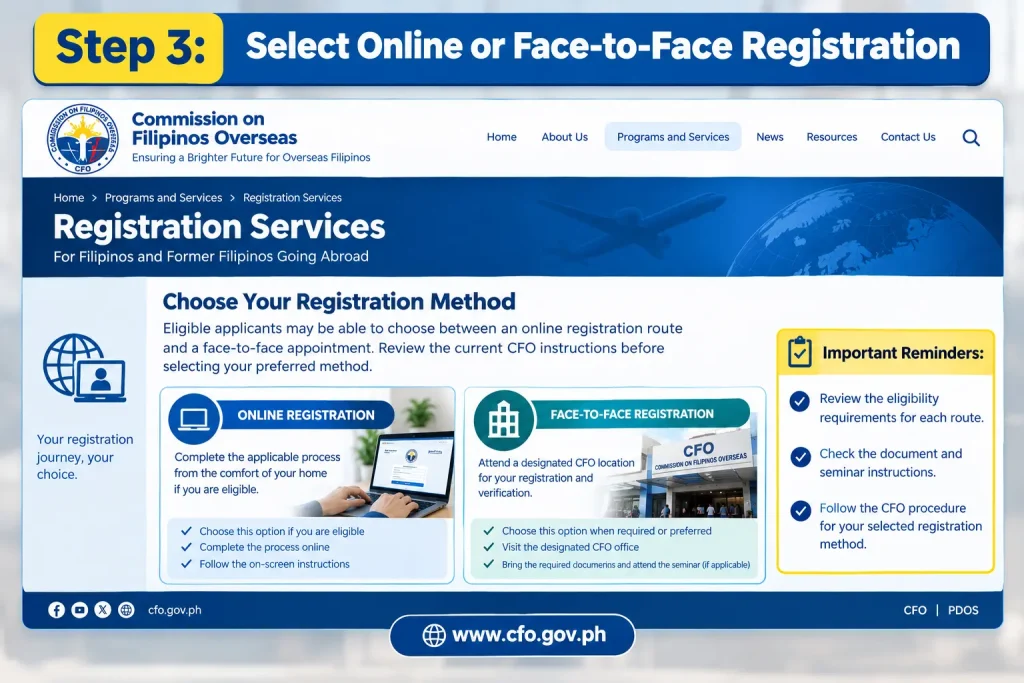
Step 3: Select Online or Face-to-Face Registration
Eligible applicants may be able to choose between an online registration route and a face-to-face appointment. The online option allows qualified applicants to complete the applicable process without personally appearing at a CFO office, while the on-site option requires attendance at a designated CFO location. Review the current CFO instructions before selecting your preferred method.
- Choose the online option if you are eligible
- Choose the face-to-face option when required or preferred
- Review the eligibility requirements for each route
- Check the document and seminar instructions
- Follow the CFO procedure for your selected registration method
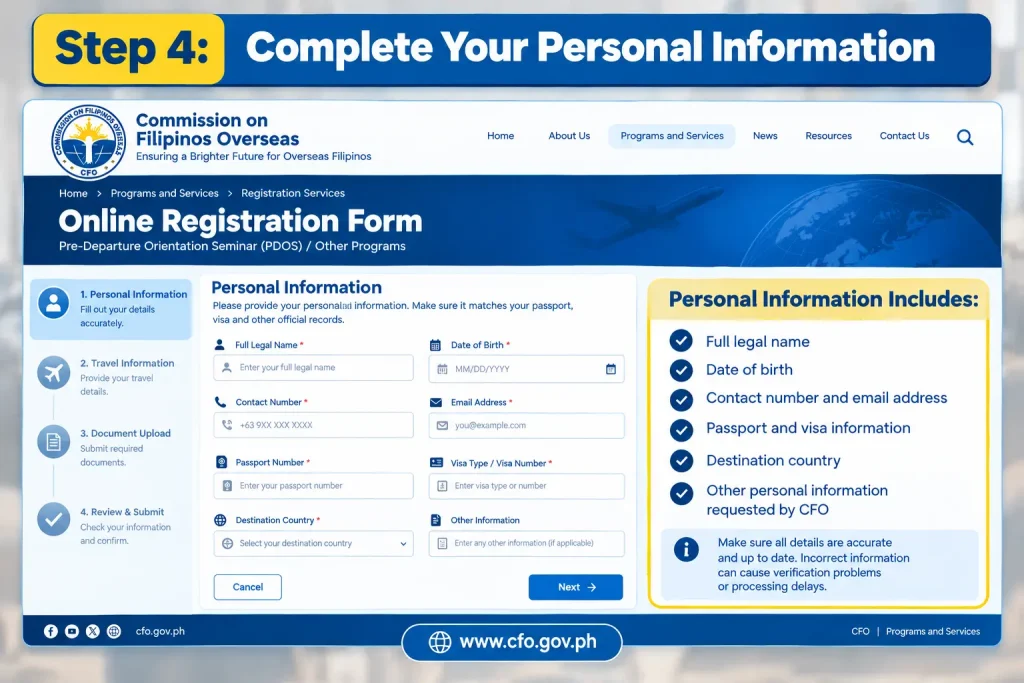
Step 4: Complete Your Personal Information
During registration, enter your personal information accurately and make sure it matches your passport, visa and other official records. Incorrect information can create verification problems or processing delays, so carefully review all details before submitting the registration form.
- Full legal name
- Date of birth
- Contact number and email address
- Passport and visa information
- Destination country
- Other personal information requested by CFO
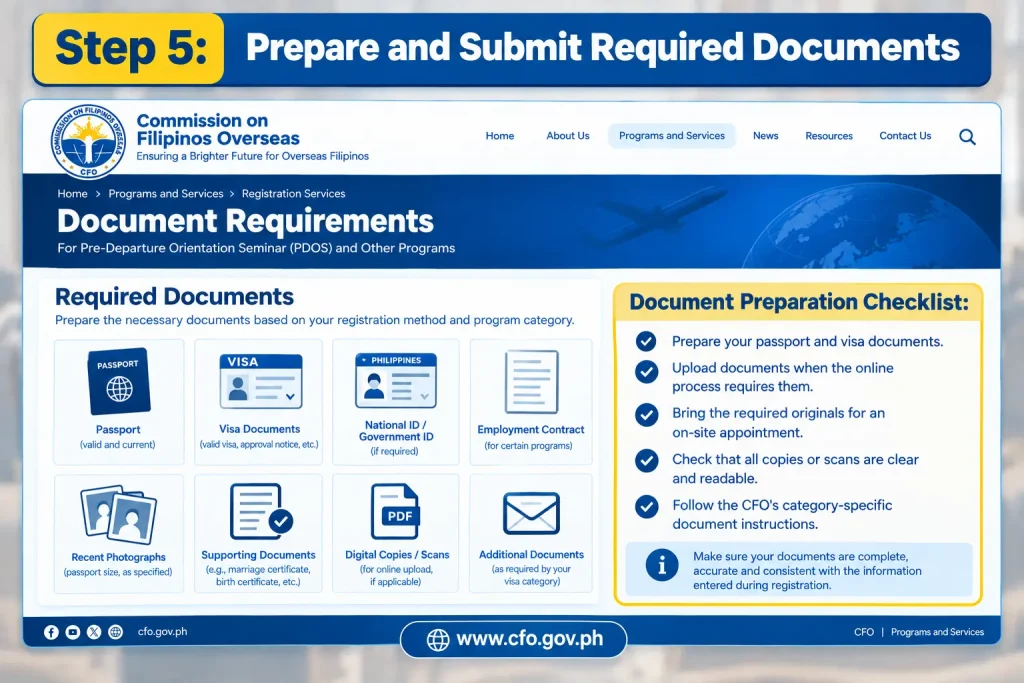
Step 5: Prepare and Submit Required Documents
Depending on your selected registration method, CFO may require you to upload documents online or present them during your face-to-face appointment. Make sure every document is clear, complete and consistent with the information entered during registration. Always follow the specific document instructions provided by CFO for your visa category.
- Prepare your passport and visa documents
- Upload documents when the online process requires them
- Bring the required originals for an on-site appointment
- Check that all copies or scans are clear and readable
- Follow the CFO’s category-specific document instructions
Step 6: Confirm Your Appointment or Seminar Schedule
After completing registration, carefully review your appointment or seminar schedule and save all confirmation information. Keeping these records available can help you verify your registration and provide the necessary details when attending the PDOS session. If CFO issues a reference number or barcoded document, keep a digital copy and print it when required.
- Registration confirmation
- Appointment date, time and location
- Reference number
- Confirmation email
- Barcoded appointment document, if applicable
PDOS Online Philippines
The PDOS online option provides an alternative for eligible applicants who qualify for remote processing. Through the CFO’s online registration system, applicants can complete the required procedures without physically visiting a CFO office.
Before joining an online seminar, applicants should prepare the following:
- Reliable internet connection
- Working camera and microphone
- Valid identification documents
- Accessible email account
- Fully charged computer, tablet, or smartphone
Following the instructions issued by the Commission on Filipinos Overseas is important to ensure successful participation and completion of the seminar.
Face-to-Face PDOS Seminar
Applicants who choose the traditional route must attend the seminar at an authorized CFO office according to their confirmed schedule.
Before attending a face-to-face seminar, applicants should:
- Review appointment instructions
- Bring required documents
- Arrive on time
- Follow CFO guidelines and office procedures
- Carry valid identification
The CFO may provide additional reminders and requirements in the appointment confirmation notice, so applicants should read all instructions carefully before their visit.
What Happens After Completing PDOS?
Once the seminar and registration requirements have been successfully completed, applicants may proceed with the next stages of the CFO process based on their specific migration category.
Participants should keep copies of all registration records, seminar confirmations, and certificates issued during the process. These documents may be needed for future verification or travel-related requirements.
Because migration procedures can change over time, applicants are encouraged to review the latest CFO announcements and official guidelines before departure to ensure compliance with all current requirements.
PDOS Philippines Requirements 2027
| Applicant / Program | Required Documents | Additional Documents / Notes |
|---|---|---|
| Regular PDOS – Ages 20–59 | Original valid passport; Original valid immigrant visa or proof of immigrant status; CFO registration or confirmation slip; One valid government-issued ID | Additional supporting documents may be required depending on the visa category. |
| Spouse or Partner Applicants | Original valid passport; Original valid immigrant visa or proof of immigrant status; CFO registration or confirmation slip; Government-issued ID | Marriage certificate, relationship documents, or other supporting records may be required. |
| US- or Canada-Bound Applicants | Passport; Immigrant visa/status documents; CFO registration or confirmation slip; Government-issued ID | Immigrant Data Summary or Landing Paper may be relevant where applicable. |
| Peer Counseling Program – Ages 13–19 | Original valid passport; Original valid visa; CFO registration or confirmation slip; PSA-issued birth certificate | Parent/guardian’s valid ID; authorization letter if the applicant is not accompanied by a parent or legal guardian, where applicable. |
Important: Requirements can vary according to the applicant’s age, visa classification, destination country and applicable CFO program. Applicants should check the latest CFO instructions before their appointment because requirements and procedures may be updated.
PDOS Requirements by Applicant Category
| Applicant Category | Main Documents | Possible Additional Documents |
|---|---|---|
| PDOS (Ages 20–59) | Passport, immigrant visa, CFO confirmation | Government-issued ID, marriage certificate, immigration records |
| Peer Counseling (Ages 13–19) | Passport, visa, CFO confirmation, PSA birth certificate | Parent/guardian ID, authorization letter |
| Senior or Minor Cases | Passport and visa | Birth certificate, senior citizen ID, representative documents |
Certain applicants who are under 13 years old or 60 years old and above may qualify for exemptions or alternative procedures. Always confirm eligibility and requirements directly with the Commission on Filipinos Overseas.
How to Prepare for Your PDOS Appointment
Proper preparation can help ensure a smooth and stress-free seminar experience.
Keep all original documents in one folder and maintain digital copies on your phone, tablet, or computer. Review your passport and visa details carefully to ensure they match the information submitted during registration.
Before the Session
Use the following checklist before your scheduled appointment:
- Verify your CFO confirmation email
- Confirm the seminar date and time
- Review all required documents
- Keep your passport and visa readily available
- Save your confirmation slip
- Prepare digital copies for online registration
- Check your internet connection if attending virtually
- Fully charge your device
- Review all instructions provided by CFO
Taking a few minutes to organize your documents beforehand can help prevent avoidable problems on the day of your seminar.
How to Join the PDOS Online Seminar
If you are eligible for the online PDOS Philippines option, you should complete your registration first and then follow the instructions provided by the Commission on Filipinos Overseas (CFO). Prepare your device, internet connection and required documents before the scheduled seminar so you can participate without unnecessary problems.
Step 1: Complete Your Online PDOS Registration
Start by completing the applicable PDOS registration through the official CFO online system. Enter your information carefully and make sure the details match your passport and visa documents. After submitting your registration, check the confirmation information provided by CFO.
- Complete the online registration form
- Enter your personal and passport details correctly
- Provide your visa and destination information
- Save your registration confirmation
Step 2: Confirm Your Online Seminar Schedule
After registration, review the information provided by CFO about your online seminar schedule. Check the date and starting time carefully and keep the confirmation email or other registration details available. This information will help you join the correct session.
- Check the seminar date
- Confirm the starting time
- Review your confirmation email
- Save the online session or access details
Step 3: Prepare Your Device and Internet
Before the seminar begins, prepare a suitable device and a reliable internet connection. Your camera and microphone should be ready if they are required for participation. Testing everything beforehand can help prevent technical problems during the session.
- Use a computer, laptop, tablet or supported device
- Check that your internet connection is stable
- Test your camera and microphone
- Charge your device before the session
Step 4: Join the Online Seminar Early
Join the PDOS online seminar before the scheduled starting time instead of waiting until the last minute. The provided information recommends joining around 15–20 minutes early. This gives you time to resolve basic connection or access problems before the session starts.
- Open the seminar access link or platform
- Join around 15–20 minutes early
- Keep your registration details available
- Resolve technical issues before the session starts
Step 5: Attend and Participate in the PDOS Session
During the online seminar, remain in a suitable location and follow the participation instructions provided by CFO. Keep your camera and microphone ready and avoid activities that could prevent you from properly attending the session. The seminar may discuss topics related to preparing for life abroad, responsibilities, safety and other migration concerns.
- Follow the CFO’s online attendance instructions
- Keep your camera and microphone ready
- Stay in a quiet and appropriate location
- Participate throughout the scheduled session
Step 6: Complete the Post-Seminar Requirements
After completing the online PDOS session, follow the CFO instructions for attendance verification and any required evaluation. For applicants using the digital certificate process, the certificate may become available after the required steps have been completed and attendance has been verified.
- Wait for attendance verification
- Complete the required evaluation
- Access your CFO online account or instructed system
- Download and save your digital certificate when issued
What to Expect During Online PDOS
Applicants attending Online PDOS Philippines should prepare a reliable device and stable internet connection before joining the session. Once your schedule is confirmed, it is advisable to log in before the official start time rather than waiting until the last minute.
Online Attendance Tips
For a smooth online PDOS Philippines session, applicants should prepare their device, internet connection and surroundings before the seminar begins. Following the CFO’s attendance instructions can help avoid technical interruptions and ensure that you participate properly throughout the session.
- Use a stable internet connection: A reliable connection helps prevent interruptions and connectivity problems during the seminar.
- Prepare your camera and microphone: Make sure both are working correctly and follow any camera, microphone or participation instructions provided by CFO.
- Attend from a suitable location: Choose a quiet and appropriate place where you can participate fully without unnecessary distractions.
- Join early: Try to join approximately 15–20 minutes before the scheduled session begins so you have time to address any technical issues.
Always follow the instructions included in your official CFO registration confirmation because seminar procedures and technical requirements may change.
Topics Covered During PDOS
The Pre-Departure Orientation Seminar is designed to help Filipino emigrants prepare for life abroad.
Topics commonly discussed include:
- Cultural adjustment in the destination country
- Rights and responsibilities of migrants
- Employment-related concerns
- Family and community integration
- Important travel and immigration documents
- Safe and responsible migration
- Government support services
- Protection against illegal recruitment
- Practical departure preparation
The exact seminar content may vary depending on the applicant’s migration category and destination.
PDOS Certificate and Completion Process
After successfully completing the required seminar, applicants must follow CFO procedures for certificate issuance.
For online participants, the process generally includes:
- Completing the assigned PDOS session
- Verification of attendance
- Completion of the required evaluation form
- Accessing the designated CFO online system
- Downloading the available digital certificate
Applicants should keep both digital and printed copies of their certificate whenever possible.
How to Get a CFO Certificate
After successfully completing your PDOS Philippines session, you can follow the applicable CFO instructions to obtain your certificate or digital certificate. For online applicants, the supplied information describes a process involving attendance verification, a post-session evaluation and access to the relevant CFO online system before the certificate can be downloaded.
Step 1: Complete Your PDOS Seminar
The first requirement for getting your CFO certificate is to successfully complete the assigned PDOS session. Make sure you attend the full seminar according to the instructions provided by CFO and follow all applicable attendance requirements.
- Complete your assigned PDOS session
- Follow the CFO attendance instructions
- Participate throughout the seminar
- Keep your registration details available
Step 2: Wait for Attendance Verification
After completing the seminar, CFO needs to verify your attendance before the certificate can become available. Follow the instructions provided after the session and allow the attendance status to be processed.
- Wait for attendance verification
- Check your registered email
- Keep your PDOS confirmation details
- Follow any additional CFO instructions
Step 3: Complete the Required Evaluation
For the online certificate process, you may need to complete a post-session evaluation after your attendance has been verified. Complete the evaluation according to the instructions provided by the CFO system.
- Open the required evaluation
- Provide the requested responses
- Submit the evaluation successfully
- Keep any confirmation shown after submission
Step 4: Access Your CFO Online Account
Once the required post-seminar steps are completed, access your CFO online account or the specific system instructed by CFO. Use the account or registration details associated with your PDOS application.
- Open the instructed CFO online system
- Sign in using your account details
- Check your PDOS or certificate status
- Follow any remaining instructions
Step 5: Download Your CFO Certificate
When your certificate has been issued and becomes available, download the digital CFO certificate/e-certificate from the applicable online system. Save the file somewhere secure so you can access it when preparing for departure.
- Open the available certificate
- Download the digital certificate
- Save a copy on your phone or computer
- Keep a backup copy for future use
Step 6: Keep Your Certificate With Your Travel Documents
After receiving your CFO certificate, keep it accessible with your other important travel documents. Your departure documents may include your passport, visa, CFO documentation, airline ticket and other immigration or destination-country papers.
- Keep your passport and visa ready
- Save your CFO certificate or digital certificate
- Keep your CFO confirmation documents
- Maintain secure digital and, where practical, printed backups
Important: The exact certificate procedure can depend on the CFO service and registration method. Always follow the latest instructions provided by CFO for your specific application.
PDOS Fees
Fees may vary depending on the service category and processing method.
The information available for this guide indicates a ₱300 registration processing fee per person for certain on-site certificate or sticker-related services. However, applicants should always verify current fees directly with CFO before making any payment. Never make payments to unofficial individuals or websites claiming to guarantee appointments or certificates.
Common PDOS Registration Mistakes
| Common Mistake | What to Do |
|---|---|
| Choosing the Wrong Program | Different applicants may require PDOS, PCP, or another CFO program. Always verify your applicable category before registering. |
| Entering Incorrect Information | Make sure your personal details exactly match your passport and other official documents. |
| Uploading Poor-Quality Documents | Ensure all uploaded files are clear, readable, and complete before submitting them. |
| Missing the Scheduled Session | Save your appointment details immediately after registration and set reminders so you do not miss the session. |
| Ignoring Email Notifications | Regularly check the email address used during registration for important updates, confirmations, and instructions. |
| Registering Too Late | Complete your CFO requirements well before your travel date to allow sufficient time for document corrections or processing issues. |
Quick PDOS Checklist
Before your departure, confirm that you have:
✅ Identified the correct CFO program
✅ Completed official registration
✅ Valid passport
✅ Required visa documents
✅ Saved your confirmation slip
✅ Verified whether your session is online or face-to-face
✅ Checked your seminar schedule
✅ Prepared all original documents
✅ Completed the required seminar
✅ Secured access to your CFO certificate and supporting documents
What Happens After Completing PDOS?
After successfully completing your Pre-Departure Orientation Seminar (PDOS), follow the instructions provided by the Commission on Filipinos Overseas regarding certificate issuance, attendance verification, and any additional requirements.
For online participants, the process may include attendance validation and completion of a post-seminar evaluation before the digital certificate becomes available through the appropriate CFO platform.
Post-PDOS Checklist
After completing the seminar, make sure to:
- Confirm that your attendance has been successfully recorded.
- Complete any required evaluation or feedback form.
- Monitor your registered email address for updates.
- Access the designated CFO online platform when instructed.
- Download your digital certificate once available.
- Save a copy on your mobile device or computer.
- Print a backup copy for additional security.
Applicants who complete the seminar through the face-to-face route should carefully follow the instructions provided regarding certificate release and other required documentation.
How to Keep Your CFO Certificate Safe
Your CFO certificate is an important document and should be stored securely together with your travel records.
Keep both digital and printed copies whenever possible. Storing a backup copy in a secure cloud storage account can also help prevent problems if your device becomes unavailable.
Before travelling, organize all important documents in one easily accessible location.
Travel Document Checklist
| Document | Action Before Departure |
|---|---|
| Passport | Verify validity and expiration date |
| Visa | Review visa details carefully |
| CFO Confirmation | Save digital and printed copies |
| CFO Certificate | Keep accessible throughout travel |
| Airline Ticket | Confirm flight schedule and details |
| Immigration Documents | Prepare all destination-specific requirements |
Remember that the PDOS Philippines process does not replace visa requirements, passport validity rules, or immigration regulations imposed by your destination country. Travelers must still satisfy all entry requirements applicable to their visa category.
What If You Cannot Attend Your Scheduled PDOS?
If you cannot attend your scheduled PDOS, do not simply ignore the appointment. Review your confirmation email, registration account, and the latest official CFO instructions to check whether rescheduling or another arrangement is available for your registration. The options available may depend on your specific program, visa category, and registration method.
Avoid relying only on advice shared through social media or information from other applicants, as CFO procedures may differ between programs and registration types. If you are unsure about what to do, contact the Commission on Filipinos Overseas (CFO) through its official communication channels and follow the instructions provided by the agency rather than seeking assistance from unofficial sources.
Can PDOS Be Completed Online?
Yes. The Commission on Filipinos Overseas currently provides an online option for eligible applicants through its hybrid service arrangement.
The online route allows qualified participants to complete the applicable PDOS or Peer Counseling Program (PCP) without physically visiting a CFO office. However, eligibility depends on the applicant’s specific category and migration circumstances. Before selecting an online seminar, carefully review the official CFO guidelines to confirm whether your visa category qualifies for online processing.
Benefits of Online PDOS
For eligible applicants, online participation offers several advantages:
- No need to travel to a CFO office
- Convenient attendance from home
- Faster access to digital documentation
- Reduced travel expenses
- Flexible access for applicants living far from CFO service locations
Even when attending online, applicants must still comply with all registration, attendance, and verification requirements established by CFO.
Frequently Asked Questions About PDOS Philippines 2027
Conclusion
Completing PDOS Philippines 2007 is an important step for eligible Filipino emigrants preparing to leave the country with an immigrant or permanent resident visa. From choosing the correct CFO programme and completing registration to attending the seminar and obtaining the applicable CFO certificate, understanding each stage can help prevent unnecessary delays before departure.
Eligible applicants should carefully check whether they need PDOS, the Peer Counseling Program, or another CFO service, then prepare their passport, visa, confirmation slip and other required documents. Those qualified for online participation should also prepare a reliable internet connection, working camera and microphone, and follow the CFO’s attendance instructions throughout the virtual session.
Most importantly, always use the official Commission on Filipinos Overseas (CFO) information and registration channels for your application. Keep your confirmation records and CFO certificate safe, and check the latest requirements before travelling because procedures, schedules, fees and eligibility rules may change. Proper preparation will make your PDOS Philippines process easier and help ensure that your required pre-departure documentation is ready before your journey.