PhilSys Registration 2026: How to Get Your National ID in the Philippines
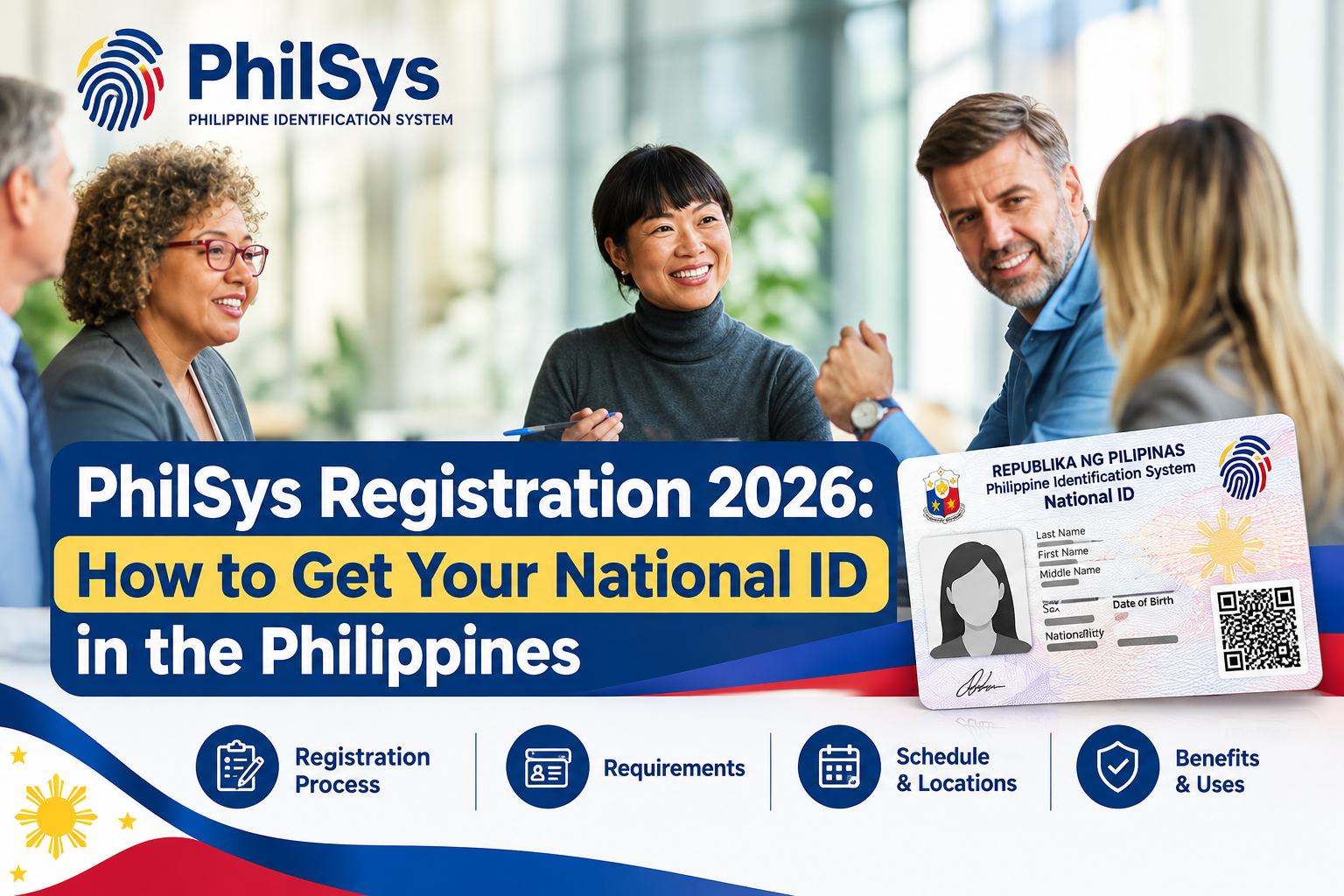
PhilSys Registration is an important process for Filipinos who want to obtain a government-recognized foundational identity that can be used for different government and private-sector transactions. The Philippine Identification System (PhilSys) is administered by the Philippine Statistics Authority (PSA) and provides a standardized way to establish and verify an individual’s identity.
The PhilSys Registration process requires applicants to provide supporting documents, submit demographic information, and complete biometric capture. Biometric information may include a photograph, fingerprints, and iris scans. Registration is free, and applicants should use official PSA channels whenever they need to check registration instructions or access National ID services.
If you are planning to complete PhilSys Registration 2026, it is important to prepare the correct supporting documents, visit an authorized registration location, and make sure that all information you provide is accurate. This guide explains the registration requirements and process, as well as how to access the Digital National ID and verify a National ID through its QR code.
What Is PhilSys Registration?
PhilSys Registration is the process of enrolling an eligible individual in the Philippine Identification System. During registration, the PSA collects the applicant’s demographic and biometric information and verifies the information against the supporting documents provided.
The system is designed to establish a foundational identity that can make identity verification more convenient for government and private-sector transactions. The PSA describes the National ID as a digital foundational identification system intended to support more convenient and secure transactions.
Why Should You Register for PhilSys?
A National ID can help establish your identity when accessing different services. Depending on the organization and type of transaction, it may be accepted for government services, financial transactions, and other situations where identity verification is required.
PhilSys also supports digital identity services. Registered individuals may access their Digital National ID, while authorized relying parties can use PSA verification services to authenticate National ID information.
Important: PhilSys Registration is free. Always use official government channels and be cautious of individuals or websites that ask you to pay a registration fee or promise faster National ID registration. Visit Homepage.
PhilSys Registration Requirements
Before visiting a PhilSys Registration Center, make sure you have an acceptable supporting document. The PSA provides primary and secondary document options, allowing applicants to choose an appropriate document based on what they currently have.
Primary Supporting Documents
The PSA currently lists several primary supporting documents that Filipino citizens may use for registration. These include:
| Supporting Document | Issuing Authority |
|---|---|
| PSA Certificate of Live Birth plus government-issued ID | PSA / Government |
| Philippine Passport or ePassport | DFA |
| UMID Card | GSIS or SSS |
| Student’s License Permit | LTO |
| Professional or Non-Professional Driver’s License | LTO |
If the information on your PSA-issued Certificate of Live Birth differs from the government ID you present, the current PSA supporting-document guidance states that the information appearing on the PSA birth certificate prevails.
Official PhilSys Supporting Documents:
https://philsys.gov.ph/supporting-documents/
Secondary Supporting Documents
Applicants who do not have one of the primary documents may have other options. The PSA accepts a range of secondary documents, subject to the applicable requirements.
Examples include:
- PRC ID
- IBP ID
- SSS ID
- PhilHealth ID
- Senior Citizen ID
- PWD ID
- Solo Parent ID
- Voter’s ID
- Voter’s Certification
- TIN ID
- NBI Clearance
- Police Clearance or ID
- Postal ID
- OWWA ID
- 4Ps ID
- School ID
- Employee ID
- Barangay ID or Barangay Clearance/Certificate
- City or Municipal ID
- Seaman’s Book
- MARINA Professional Identification Card
- Civil Service Commission Eligibility Card
Some secondary documents may have specific requirements. For example, certain IDs may need to display details such as your photograph, signature or thumbmark, full name, permanent address, and date of birth.
Therefore, do not assume that every old, damaged, or incomplete identification document will automatically be accepted. Review the latest PSA supporting-document requirements before visiting a registration center.
What If You Do Not Have a Supporting Document?
If you do not possess the normally required supporting documents, the revised PhilSys implementing rules provide mechanisms for certain applicants to complete registration through a qualified introducer, subject to the applicable guidelines.
Because document requirements can depend on your individual circumstances, it is best to confirm the latest instructions directly from the PSA instead of relying on an unofficial document checklist.
How to Register for PhilSys
The PhilSys Registration process consists of several stages, starting with preparing the correct supporting document and ending with reviewing and confirming your information. Applicants should bring an original and acceptable identification document, provide accurate demographic details, complete the required biometric capture, and carefully check all information before the registration is finalized. Following each step correctly can help prevent delays, errors, or duplicate registration issues.
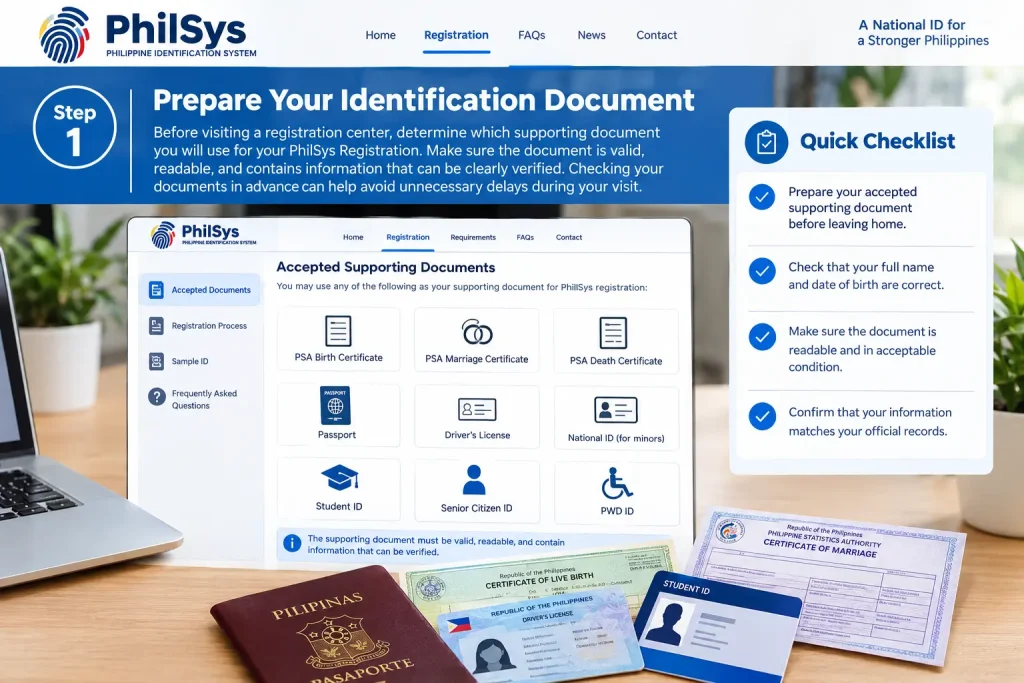
Step 1: Prepare Your Identification Document
Before visiting a registration center, determine which supporting document you will use for your PhilSys Registration. Make sure the document is valid, readable, and contains information that can be clearly verified. Checking your documents in advance can help avoid unnecessary delays during your visit.
- Prepare your accepted supporting document before leaving home.
- Check that your full name and date of birth are correct.
- Make sure the document is readable and in acceptable condition.
- Confirm that your information matches your official records.
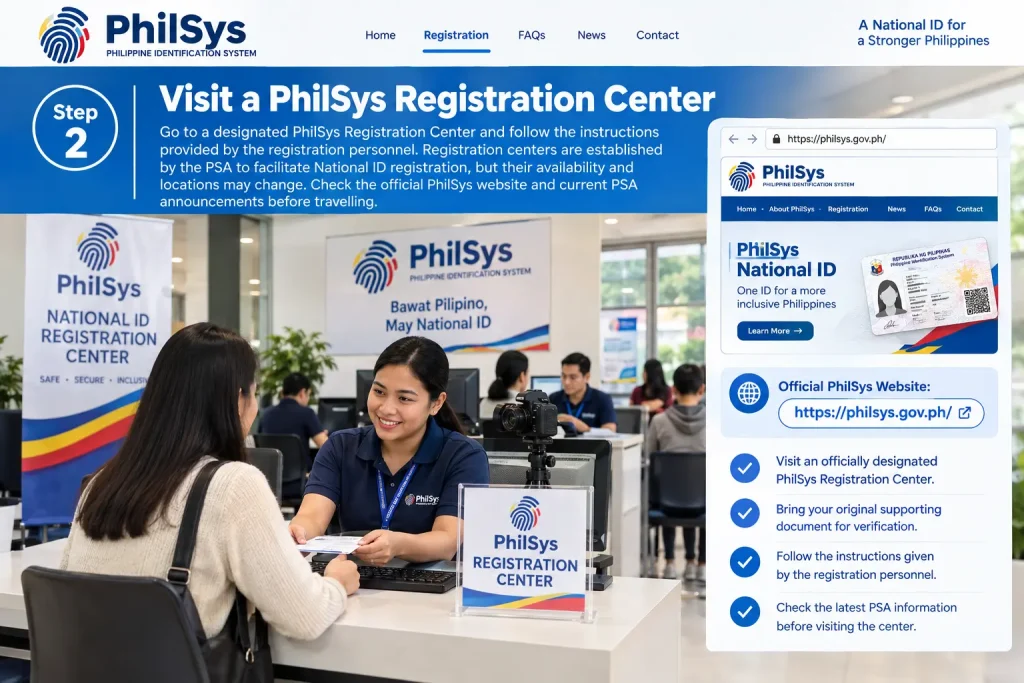
Step 2: Visit a PhilSys Registration Center
Go to a designated PhilSys Registration Center and follow the instructions provided by the registration personnel. Registration centers are established by the PSA to facilitate National ID registration, but their availability and locations may change. Check the official PhilSys website and current PSA announcements before travelling.
Official PhilSys Website:
https://philsys.gov.ph/
- Visit an officially designated PhilSys Registration Center.
- Bring your original supporting document for verification.
- Follow the instructions given by the registration personnel.
- Check the latest PSA information before visiting the center.
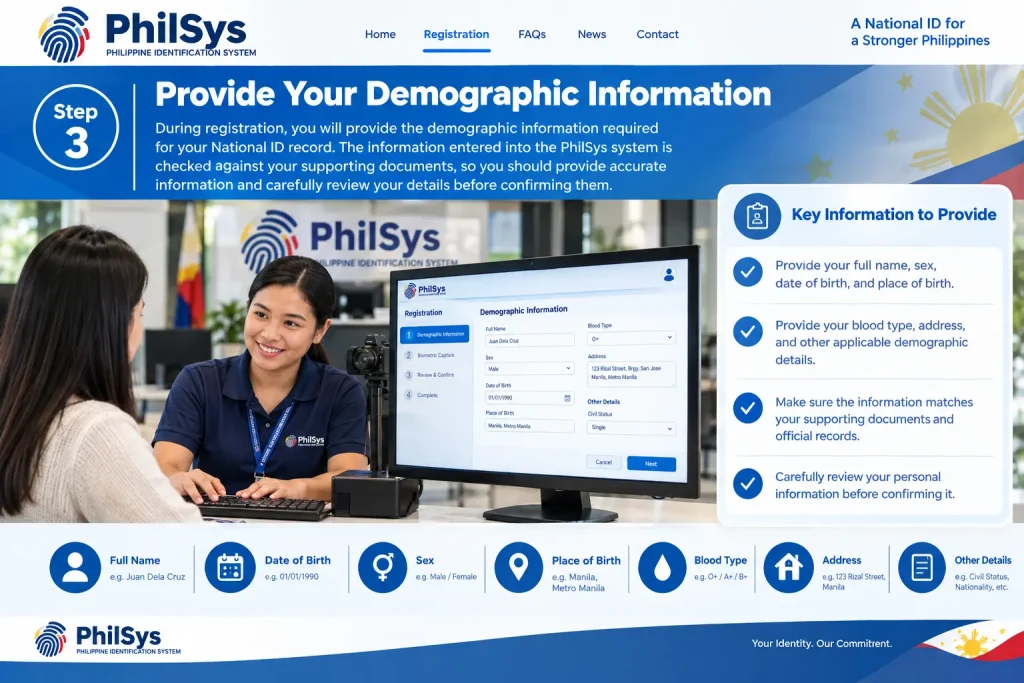
Step 3: Provide Your Demographic Information
During registration, you will provide the demographic information required for your National ID record. The information entered into the PhilSys system is checked against your supporting documents, so you should provide accurate information and carefully review your details before confirming them.
- Provide your full name, sex, date of birth, and place of birth.
- Provide your blood type, address, and other applicable demographic details.
- Make sure the information matches your supporting documents and official records.
- Carefully review your personal information before confirming it.
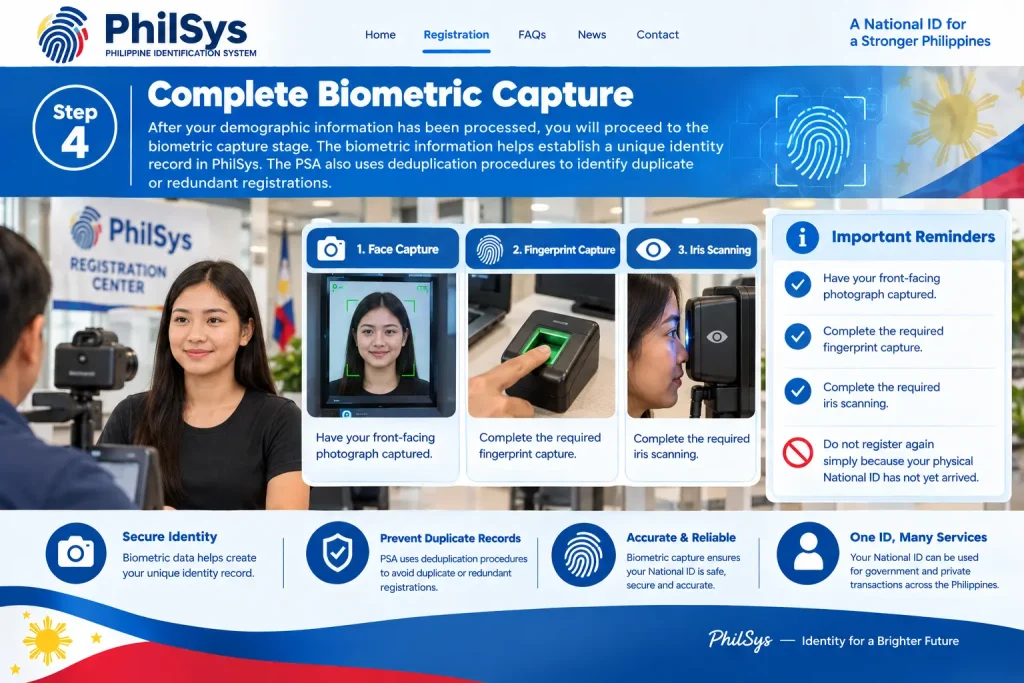
Step 4: Complete Biometric Capture
After your demographic information has been processed, you will proceed to the biometric capture stage. The biometric information helps establish a unique identity record in PhilSys. The PSA also uses deduplication procedures to identify duplicate or redundant registrations.
- Have your front-facing photograph captured.
- Complete the required fingerprint capture.
- Complete the required iris scanning.
- Do not register again simply because your physical National ID has not yet arrived.
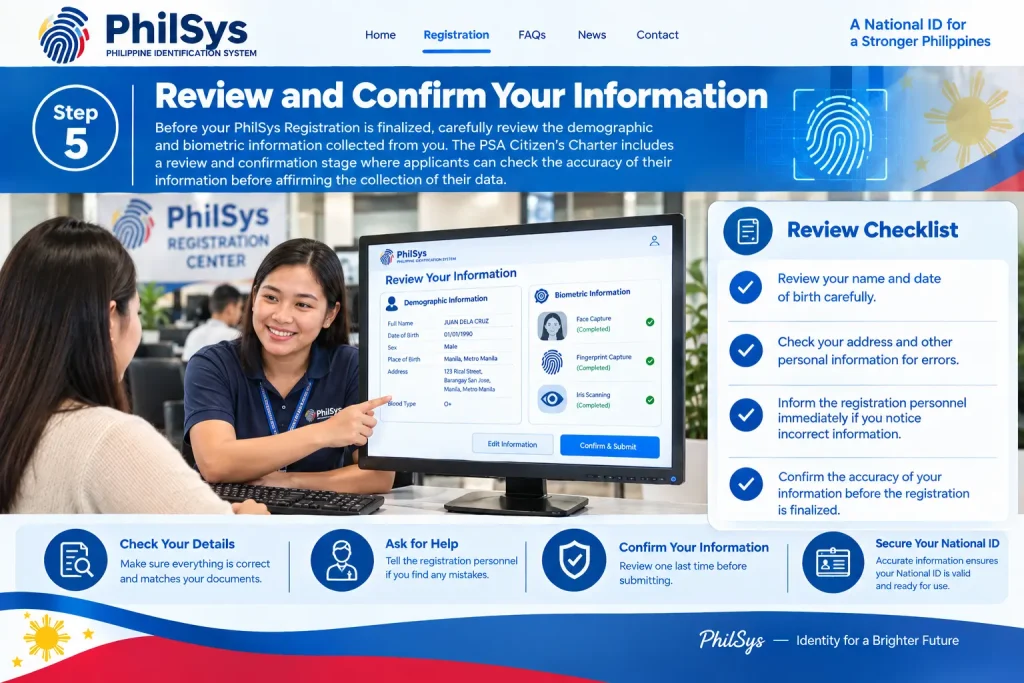
Step 5: Review and Confirm Your Information
Before your PhilSys Registration is finalized, carefully review the demographic and biometric information collected from you. The PSA Citizen’s Charter includes a review and confirmation stage where applicants can check the accuracy of their information before affirming the collection of their data.
- Review your name and date of birth carefully.
- Check your address and other personal information for errors.
- Inform the registration personnel immediately if you notice incorrect information.
- Confirm the accuracy of your information before the registration is finalized.
Step 6: Receive and Keep Your Transaction Slip
After the registration process has been completed, a Transaction Slip is printed as part of the registration process. Keep this document safe because it is associated with your registration transaction and may contain information useful for following up on your National ID registration. Avoid publicly sharing photographs of the slip or other registration information.
- Receive your PhilSys Transaction Slip after completing registration.
- Keep the Transaction Slip in a safe place.
- Use the information on it when necessary for registration follow-up.
- Do not post your registration details or Transaction Slip publicly online.
What Happens After PhilSys Registration?
After completing your PhilSys Registration, the next important step is to understand how to access and protect your National ID information. You should not submit another registration just because your physical National ID has not yet been delivered. The PSA has warned against duplicate registration and recommends using the appropriate official updating services whenever your registered information needs to be changed.
Your National ID information may be available through different formats, including the physical PhilID and the Digital National ID. The format available to you can depend on your registration status and the National ID services currently offered by the PSA.
How to Get Your National ID
Getting your National ID through PhilSys Registration involves completing the required registration process and providing the necessary personal and biometric information. Applicants should use official PSA channels, bring an accepted supporting document, carefully review their information, and keep their registration documents safe after completing the process.
Step 1: Prepare Your Required Document
Before starting your PhilSys Registration, prepare an accepted identification or supporting document. Make sure the document is available and that the personal information shown on it is accurate and readable.
- Prepare an accepted supporting document.
- Check your full name and date of birth.
- Make sure the document is readable and valid for the registration process.
- Bring the original document when required.
Step 2: Visit a PhilSys Registration Center
Go to an official PhilSys Registration Center to complete the registration process. Follow the instructions provided by registration personnel and check the latest PSA information before visiting because registration procedures and requirements may change.
- Visit an official PhilSys Registration Center.
- Bring your required supporting document.
- Follow the instructions of registration personnel.
- Confirm the latest registration information before your visit.
Step 3: Provide Your Personal Information
During registration, you will provide the demographic information required for your National ID record. Carefully provide accurate details and make sure they correspond with your supporting documents and official records.
- Provide your full name.
- Enter your date and place of birth.
- Provide your address and other required demographic information.
- Review the information before confirming it.
Step 4: Complete Biometric Registration
The PhilSys Registration process also includes biometric information collection. This may include your photograph, fingerprints, and iris scan, which are used as part of the National ID registration and identity system.
- Have your photograph captured.
- Provide your fingerprints when required.
- Complete the iris scan.
- Follow the instructions of the registration personnel during biometric capture.
Step 5: Review and Confirm Your Details
Before your registration is finalized, carefully review the information recorded during the process. If you notice an error or incorrect detail, inform the registration personnel so it can be addressed according to the applicable procedure.
- Check your name and date of birth.
- Review your address and other personal information.
- Report any incorrect information before final confirmation.
- Confirm your details after reviewing them carefully.
Step 6: Keep Your Transaction Slip Safe
After completing the registration process, keep the Transaction Slip provided to you in a safe place. It may be useful when following up on your PhilSys Registration, so avoid losing it or publicly sharing sensitive information printed on the slip.
- Receive your Transaction Slip after registration.
- Keep the slip in a secure place.
- Use it for applicable registration follow-up.
- Do not post sensitive registration information publicly.
Physical PhilID vs Digital National ID
The National ID system provides different ways for registered individuals to present their identity. Understanding the difference between the physical PhilID and Digital National ID can help prevent confusion when completing government or private transactions.
| Feature | Physical PhilID | Digital National ID |
|---|---|---|
| Format | Physical identification card | Digital credential |
| Access | Issued to registered individuals | Accessed through an official digital platform |
| Use | Physical identity presentation | Digital identity presentation |
| Security | Includes security features and QR technology | Protected through digital verification |
| Availability | Depends on card issuance and delivery | Available to eligible registered individuals after verification |
The PSA has stated that the Digital National ID may be presented as valid proof of identity and age, subject to the required authentication process.
Is the Digital National ID Valid?
Yes. The Digital National ID is an official National ID format issued through the PhilSys system. It provides registered individuals with another way to present their identity when a National ID is required.
However, individual organizations may have their own procedures for identity verification. If a government agency, bank, school, employer, or other institution requests identification, follow its current official requirements and use the applicable National ID authentication method.
How PhilSys QR Verification Works
PhilSys QR verification provides a way to check a National ID credential through an official verification service. A PhilID or another National ID format may include a QR code that can be checked to determine whether the presented credential corresponds with information recorded in the PhilSys system. For verification, users should rely only on the official PhilSys Check website and avoid unknown websites requesting National ID information.
Step 1: Prepare the National ID
Before starting the verification process, have the PhilID or applicable National ID format available for checking. The ID may contain a QR code that can be used through the official PhilSys verification service.
- Keep the National ID available for verification.
- Check whether the ID contains a QR code.
- Make sure the QR code is clear enough to scan.
- Do not share your National ID information unnecessarily.
Step 2: Open the Official PhilSys Check Website
Use the official PhilSys Check – Official Verification Portal for QR-based verification. The official website is provided by the Philippine Statistics Authority (PSA) for checking National ID credentials through the PhilSys system.
- Open the official PhilSys Check website.
- Use https://verify.philsys.gov.ph/
- Avoid unofficial verification websites.
- Do not enter National ID details on unknown websites.
Step 3: Start the Verification Process
Once the official PhilSys Check website is open, follow the available verification instructions. The process is designed to allow an authorized relying party to check the presented National ID credential against information recorded in the PhilSys system.
- Select the applicable verification option.
- Follow the instructions displayed on the official website.
- Allow the required camera access when prompted.
- Keep the National ID ready for QR scanning.
Step 4: Scan the PhilSys QR Code
Use the verification page to scan the QR code shown on the National ID. The camera can be used to capture the QR code so that the verification service can process the credential.
- Position the QR code inside the scanning area.
- Keep the ID steady while scanning.
- Make sure the QR code is clearly visible.
- Wait for the verification system to process the scan.
Step 5: Review the Verification Result
After the QR code has been scanned, wait for the verification result to appear. The authorized relying party can use the result to determine whether the presented credential corresponds with the information recorded in the PhilSys system.
- Wait until the verification process is completed.
- Review the information shown by the official service.
- Check whether the presented credential corresponds with the verification result.
- Follow any additional instructions provided by the official verification service.
Step 6: Protect Your National ID Information
After completing PhilSys QR verification, protect the information associated with your National ID. Avoid using third-party websites or services that request sensitive National ID information, especially when they are not part of the official PhilSys verification system.
- Use only the official PhilSys Check website for QR verification.
- Do not share your National ID information with unknown websites.
- Avoid uploading unnecessary copies or screenshots of your ID.
- Keep sensitive PhilSys information private after verification.
Basic QR Verification Process
Follow these general steps:
Step 1: Open the official PhilSys Check website.
Step 2: Select the appropriate verification option.
Step 3: Allow camera access if QR scanning is required.
Step 4: Position and scan the QR code displayed on the National ID.
Step 5: Wait while the verification system processes the information.
Step 6: Review the result and make sure the displayed information corresponds to the National ID being checked.
QR verification can be particularly useful for organizations that need to confirm the authenticity of a National ID during a transaction.
Can You Use PhilSys for Government Transactions?
The purpose of PhilSys Registration goes beyond simply obtaining an identification card. The National ID system is intended to provide a foundational identity that can support access to services and different types of transactions.
Depending on the organization and its specific requirements, a National ID may be useful for identity verification involving:
- Government services
- Banking and financial services
- School-related transactions
- Employment requirements
- Telecommunications services
- Other public and private transactions
However, the documents and identification requirements can differ from one organization to another. Having a National ID does not automatically mean that every institution will remove its other transaction requirements.
Tip: Before visiting an office for an important transaction, check the organization’s latest identification and document requirements.
PhilSys Registration Is Free
One of the most important things to remember is that the initial PhilSys Registration is free of charge.
You should never pay an individual who claims they can secure a PhilSys registration slot for you or speed up your National ID registration in exchange for money.
Be particularly cautious about social-media posts or websites advertising:
- Paid PhilSys registration
- Guaranteed National ID approval
- Faster registration for a fee
- Paid National ID verification
- Fake National ID services
- Requests for your PSN or other sensitive information
Whenever possible, use the official PSA and PhilSys websites to obtain registration and National ID information.
Protect Your PhilSys Number
Your PhilSys Number (PSN) is sensitive personal information. It should be protected and should not be treated like an ordinary reference number.
One common security mistake is posting a complete photograph of a National ID online without covering sensitive details. Doing this may expose personal information that could be misused.
Keep These Details Private
Avoid publicly sharing:
- Your PhilSys Number
- Personal registration information
- Copies of identity documents
- Unnecessary screenshots of your Digital National ID
- Login or verification information
When an organization needs to verify your identity, use the official authentication process instead of sending sensitive information through unsecured or unofficial channels.
PSN and PCN Are Different
It is important to understand the difference between these two numbers.
PSN — PhilSys Number
The PhilSys Number (PSN) is the permanent number assigned to a registered individual. It is treated as sensitive personal information and should be kept private.
PCN — PhilSys Card Number
The PhilSys Card Number (PCN) is associated with the physical National ID card and is printed on the card.
Do not confuse the PSN and PCN when completing forms or responding to identity-verification requests.
What to Do If Your Personal Information Changes
Your PhilSys record may need to be updated if certain personal information changes or if you discover an error in your registration record.
For example, you may eventually need to report a change in personal information or request a correction to an existing record.
The PSA provides updating services for registered individuals. The correct procedure depends on the specific information that needs to be changed.
PhilSys Official Website – Updating Information:
https://philsys.gov.ph/
Important: Do not submit a new registration simply to correct information from your original registration. The PSA has warned against duplicate registration. Instead, use the appropriate official updating procedure.
Common PhilSys Registration Problems
Although the PhilSys Registration process is generally straightforward, applicants may experience different issues. Knowing what to check can make it easier to resolve common problems.
1. Your Information Does Not Match
A mismatch between your supporting document and the information you provide may require additional verification.
Check important details such as:
- Full name
- Date of birth
- Place of birth
- Address
- Other identifying information
If the error appears on an official document, follow the applicable correction procedure rather than changing your information simply to make two documents look identical.
2. You Do Not Have the Preferred Document
Not having a passport, birth certificate, or another primary document does not necessarily mean that you cannot complete registration.
The PSA provides a list of accepted supporting documents as well as procedures for certain applicants who do not have standard documents.
Before travelling to a registration center, check the latest official requirements.
PhilSys Supporting Documents:
https://philsys.gov.ph/supporting-documents/
3. You Have Already Registered
Do not submit another registration just because you are still waiting for your National ID.
PhilSys uses biometric information as part of its identity system, and duplicate registrations can create unnecessary complications. If you have already completed registration, use the available official status, authentication, or updating services instead.
4. Your Digital National ID Cannot Be Accessed
If you cannot access your Digital National ID, first make sure you are using the official National ID portal.
Check that the personal information you enter matches the information associated with your PhilSys record. You should also make sure that your device’s camera is working if facial verification is required.
Never give your personal information to unofficial individuals who claim they can access your Digital National ID on your behalf.
PhilSys Registration Checklist
Before starting your PhilSys Registration, use the following checklist to make sure you are prepared.
Before Registration
- Prepare an accepted supporting document.
- Check that your personal information is accurate.
- Locate an official registration center.
- Bring the required original document.
- Avoid unofficial paid registration services.
During Registration
- Provide accurate demographic information.
- Review your information carefully.
- Complete photograph capture.
- Complete fingerprint capture.
- Complete iris scanning.
- Confirm your information before finalizing the registration.
- Keep your Transaction Slip in a safe place.
After Registration
- Do not register a second time.
- Keep your PhilSys information private.
- Use official National ID services when needed.
- Access your Digital National ID through the official portal if it is available to you.
- Use official QR verification services.
- Follow PSA procedures when your information needs to be updated.
Important Safety Tips for National ID Holders
Your National ID is an important identity credential. Treat it with the same level of care as other official identification documents.
Never:
- Post your complete National ID online without protecting sensitive information.
- Give your PSN to unknown individuals.
- Pay someone simply to “speed up” PhilSys services.
- Register repeatedly.
- Use unofficial National ID websites.
- Download National ID files from suspicious links.
Instead:
- Use official PSA websites.
- Carefully check website URLs.
- Keep your registration information private.
- Use official verification services.
- Follow PSA instructions when correcting or updating your information.
PhilSys Registration: Key Facts at a Glance
| Question | Answer |
|---|---|
| Who manages PhilSys? | Philippine Statistics Authority (PSA) |
| Is registration free? | Yes, initial PhilSys Registration is free |
| What information is collected? | Demographic and biometric information |
| Are biometrics captured? | Yes |
| Is there a Digital National ID? | Yes |
| Can the National ID be authenticated? | Yes, through official verification services |
| Should you register twice? | No |
| Should you share your PSN publicly? | No |
| Where should you check requirements? | Official PhilSys and PSA sources |
The key message is simple: register only once, protect your personal information, and use official PhilSys and PSA services whenever you need to verify, access, or update your National ID information.
Frequently Asked Questions About PhilSys Registration
1. Is PhilSys ID mandatory?
Yes. Under the Philippine Identification System Act (Republic Act No. 11055), registration with PhilSys is mandatory for Filipino citizens and resident aliens who are covered by the law. The initial PhilSys Registration and issuance of the National ID are free of charge.
2. Can I register my National ID online?
No. A new applicant cannot complete the initial PhilSys Registration entirely online because the process requires biometric capture, including a photograph, fingerprints, and iris scan. Applicants need to visit an official PhilSys Registration Center to complete the required registration steps. However, registered individuals can access their Digital National ID online.
3. How many days does it take to get a PhilSys ID?
The time required to receive the physical PhilID can vary. The Digital National ID may become available after the registration data has been processed and verified, while the physical card may take considerably longer to arrive. Applicants should use official PSA channels for the latest information about National ID availability and delivery.
4. How do you know if you are registered with PhilSys?
You can check your PhilSys registration status using the information provided on your registration documents, including your Transaction Reference Number (TRN), where applicable. The TRN can help you follow up on your registration and check the status of your National ID through the appropriate official service.
5. Can I get a National ID online without a valid ID?
If you have already completed your initial PhilSys Registration, you may be able to access your Digital National ID online without presenting a physical valid ID during the digital access process. You may need to complete an online demographic check and facial verification to confirm your identity.
6. How do I check my National ID status?
You can check the delivery status of your physical National ID using the 29-digit Transaction Reference Number (TRN) provided on your registration transaction slip. The TRN can be entered into the appropriate official delivery-tracking service to check the status of your National ID.
7. How much does PhilSys Registration cost?
Initial PhilSys Registration is free of charge. Applicants should not pay unofficial individuals or websites claiming to offer faster registration, guaranteed approval, or paid National ID processing. Use official PhilSys and PSA channels for registration and related services.
8. Can I use my Digital National ID if I have not received my physical card?
Yes. If your Digital National ID is available after successful registration and verification, it can be used as a National ID format for applicable identity-related transactions. The organization or service provider may still have its own authentication or document requirements, so check the requirements for your specific transaction.
Conclusion
Completing PhilSys Registration is an important step toward establishing a secure and government-recognized identity in the Philippines. The process involves preparing an accepted supporting document, providing accurate demographic information, completing biometric capture, reviewing your details, and keeping your Transaction Slip safe after registration.
Remember that initial PhilSys Registration is free, and you should use only official PSA and PhilSys channels for registration, Digital National ID access, QR verification, and information updates. Avoid duplicate registration, protect your PSN and other personal information, and be cautious of websites or individuals promising faster registration or paid National ID services.