UMID Card Philippines 2026: Application, Requirements, Replacement & Complete User Guide
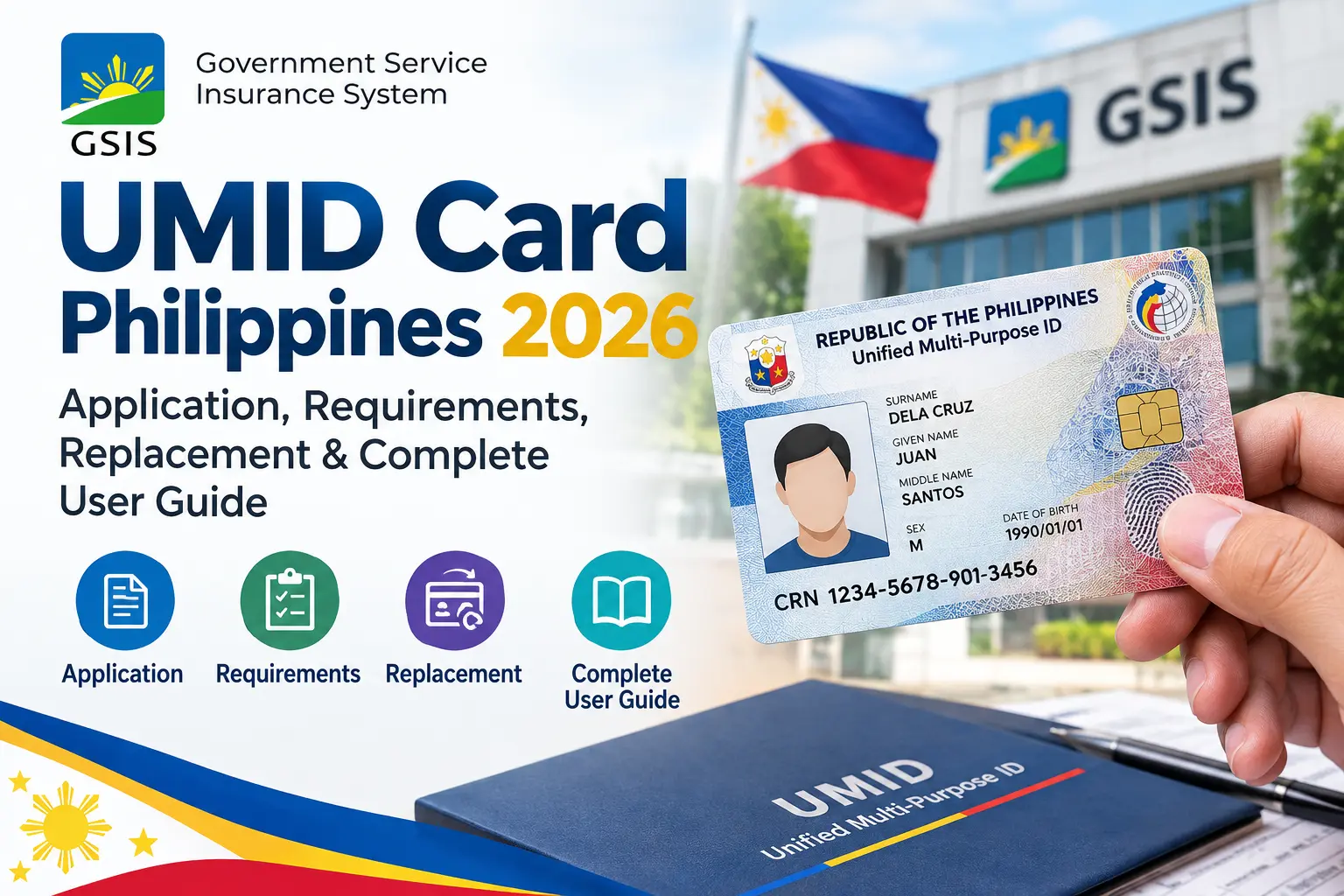
The UMID Card Philippines 2026 guide helps government employees and eligible pensioners understand how to apply for a Unified Multi-Purpose Identification Card through the Government Service Insurance System (GSIS). The GSIS UMID Card is an important identification and payment card that allows qualified members and pensioners to access several GSIS-related services. It can also function as an ATM and debit card, depending on the card and its linked banking arrangements.
If you are a newly hired government employee, an old-age pensioner, a disability pensioner, or a survivorship pensioner, understanding the UMID Card application process can help you prepare the necessary documents and avoid unnecessary visits to a GSIS office. This guide explains eligibility, requirements, enrollment, card claiming, activation, replacement, and common application problems.
The official GSIS UMID Card gsis information is available through the GSIS UMID Card official page. Always check the latest official instructions before submitting an application because eligibility rules, processing arrangements, and card issuance procedures may change.
What Is a UMID Card in the Philippines?
The Unified Multi-Purpose Identification (UMID) Card is an official government identification card available to eligible GSIS members and pensioners in the Philippines. It features an embedded electronic chip that stores relevant information and helps facilitate access to selected Government Service Insurance System (GSIS) services. The card provides a convenient way for qualified individuals to verify their identity and manage certain government-related transactions.
Depending on the card type and its associated banking arrangement, the GSIS UMID Card may also be used to receive eligible GSIS benefits and loan proceeds, withdraw money from supported ATMs, and make debit-card purchases at participating merchants. It can also provide access to selected services through GSIS Wireless Automated Processing System (GW@PS) kiosks, where eligible cardholders can complete specific transactions using biometric verification.
Main Benefits of the UMID Card
- Government identification: Provides an identification credential for eligible GSIS members and pensioners.
- GSIS benefit payments: Qualifying GSIS proceeds may be credited to the card-linked account.
- ATM access: Eligible cardholders can withdraw available funds through supported ATM networks.
- Debit transactions: Certain cards support purchases at participating merchants.
- Convenient GSIS services: The card can be used for selected transactions at compatible GW@PS kiosks.
- Identity verification: Embedded card technology and biometric features help support secure transactions.
The specific functions available to you depend on your card type and banking arrangement. A UMID Card, a temporary eCard, and an eCard Plus are not necessarily interchangeable, so confirm your card’s features with GSIS or the servicing bank.
Who Is Eligible to Apply for a UMID Card?
Before starting your UMID Card application, check whether your membership or pension category qualifies under the current GSIS guidelines. Visit Homepage.
According to the official GSIS UMID Card information, eligible categories include:
- Active GSIS members whose employment and contribution arrangements meet the applicable requirements.
- Old-age pensioners receiving qualifying GSIS pension benefits.
- Disability pensioners who qualify under the relevant GSIS rules.
- Survivorship pensioners, subject to the applicable card and issuance arrangements.
Active membership categories can include various permanent, elected, appointed, contractual, casual, and other eligible government employment arrangements. However, not every person working for a government office automatically qualifies. Your membership status and applicable contribution requirements must be verified.
If you are newly hired, ask your agency’s personnel or administrative office to confirm that your GSIS membership records have been properly submitted. Pensioners should verify that their pension records and personal information are up to date.
UMID Card Requirements in the Philippines
Preparing the necessary documents before visiting your assigned GSIS branch can help make your UMID Card application process easier. Requirements may vary depending on your membership category, application type, and the instructions provided by GSIS.
| Requirement | Details |
|---|---|
| GSIS Business Partner (BP) Number | Prepare your valid GSIS BP Number for membership verification. |
| Date of Birth | Provide your correct date of birth and other personal information. |
| Active Mobile Number | Ensure your mobile number is active and registered or updated in your GSIS records. |
| UMID-eCARD Enrollment Form | Prepare the prescribed GSIS UMID-eCARD Enrollment Form when required. |
| Valid Government-Issued IDs | Bring two valid government-issued identification documents for verification or card claiming, as instructed by GSIS. |
| Employee or Pensioner Records | Provide relevant employment or pension records if requested by your handling GSIS branch. |
| Original Documents | Bring original identification documents whenever required for verification. |
| Photocopies | Carry photocopies of your documents if requested by the branch. |
Important: This table serves as a practical preparation checklist. Not every document may be required in every case, so confirm the latest requirements with your handling GSIS branch before visiting.
How to Apply for a New UMID Card Online or at a GSIS Branch
The UMID Card application form process generally involves confirming eligibility, enrolling through the appropriate GSIS channel, completing identity verification, and waiting for notification that the card is ready.
The official GSIS instructions direct applicants to their handling GSIS branch for enrollment. Do not assume that the entire application can be completed online.
Step 1: Verify Your GSIS Membership Information
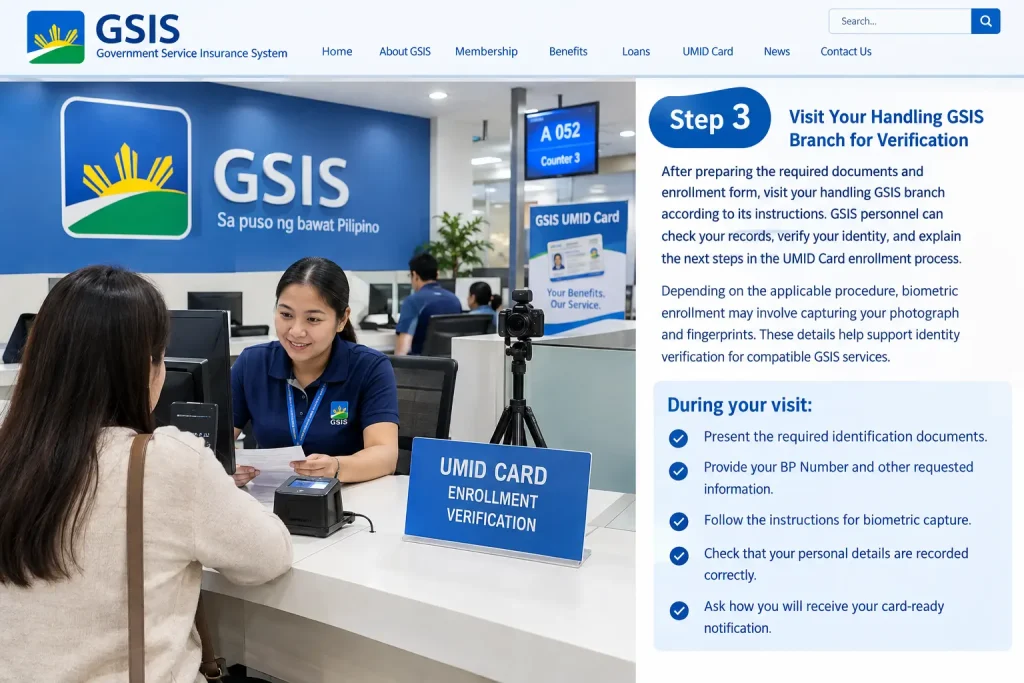
Before applying for a UMID Card, confirm that your GSIS membership status and personal information are correct.
Check the following details:
- Your BP Number.
- Your complete legal name.
- Your date of birth.
- Your current mobile number.
- Your employment or pension status.
If you recently joined government service, confirm with your agency that your membership records have been submitted correctly. If your mobile number or other contact details have changed, ask GSIS how to update them.
Step 2: Obtain the UMID-eCARD Enrollment Form
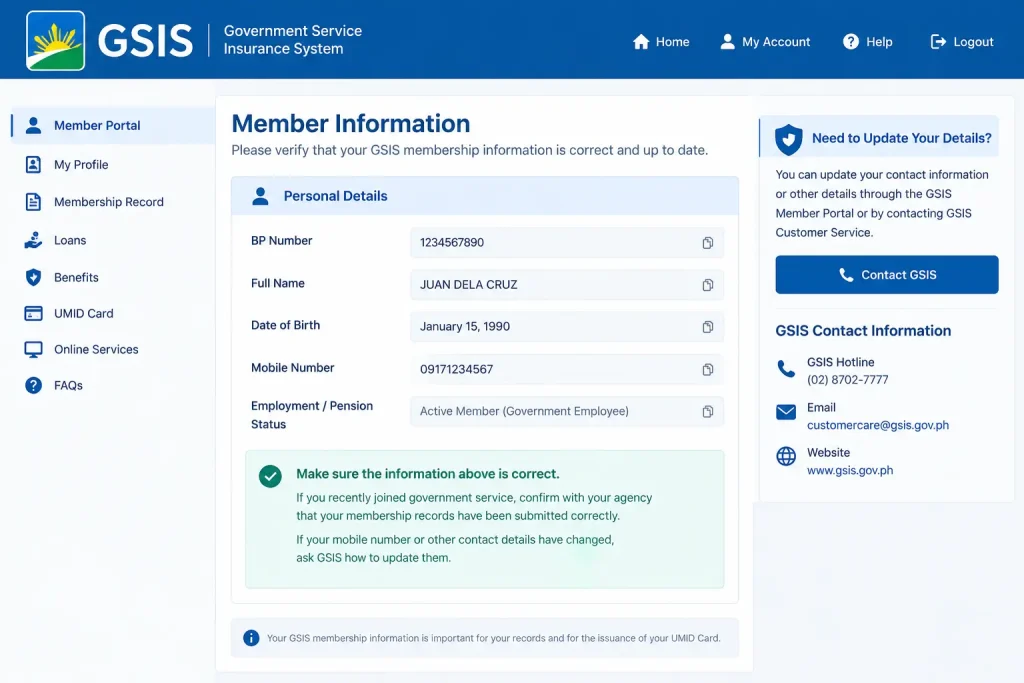
Once you have verified your eligibility, contact your handling GSIS branch to confirm how to obtain and submit the current enrollment form.
Depending on the instructions applicable to your case, the form may be provided at the branch or through an authorized channel coordinated with your government agency.
When completing the UMID Card enrollment form:
- Enter your name exactly as it appears on your supporting identification.
- Provide your correct BP Number and contact details.
- Review all information before signing.
- Follow the instructions concerning your servicing partner bank, if applicable.
- Ask the GSIS personnel whether additional documentation is required.
Do not use an unofficial website or an unverified third-party form to submit sensitive personal information.
Step 3: Visit Your Handling GSIS Branch for Verification
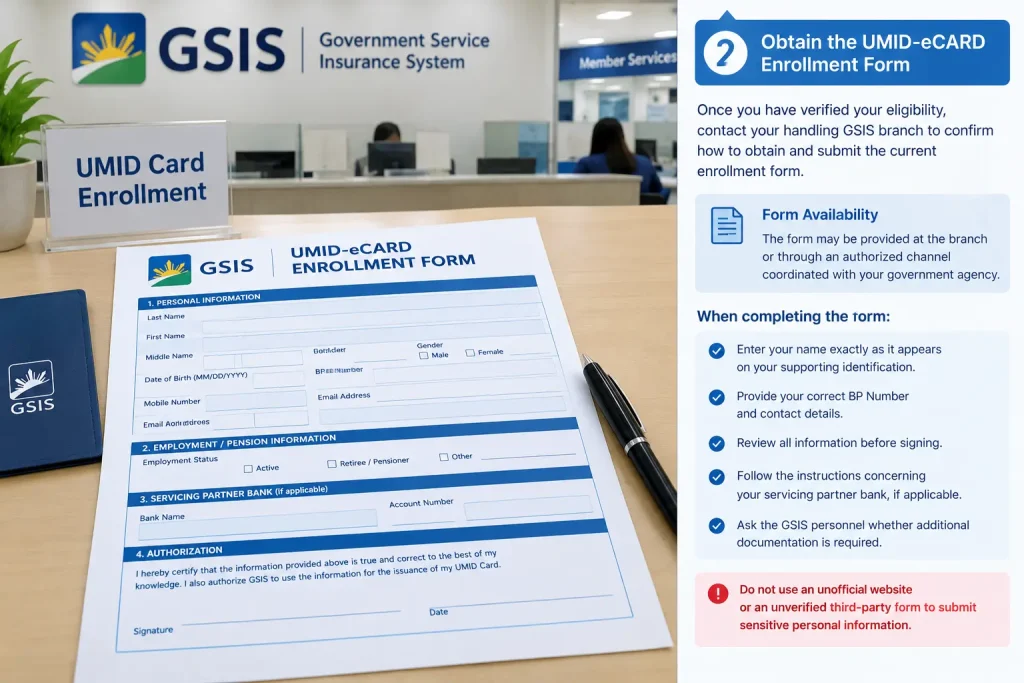
After preparing the required documents and enrollment form, visit your handling GSIS branch according to its instructions. GSIS personnel can check your records, verify your identity, and explain the next steps in the UMID Card enrollment process.
Depending on the applicable procedure, biometric enrollment may involve capturing your photograph and fingerprints. These details help support identity verification for compatible GSIS services.
During your visit:
- Present the required identification documents.
- Provide your BP Number and other requested information.
- Follow the instructions for biometric capture.
- Check that your personal details are recorded correctly.
- Ask how you will receive your card-ready notification.
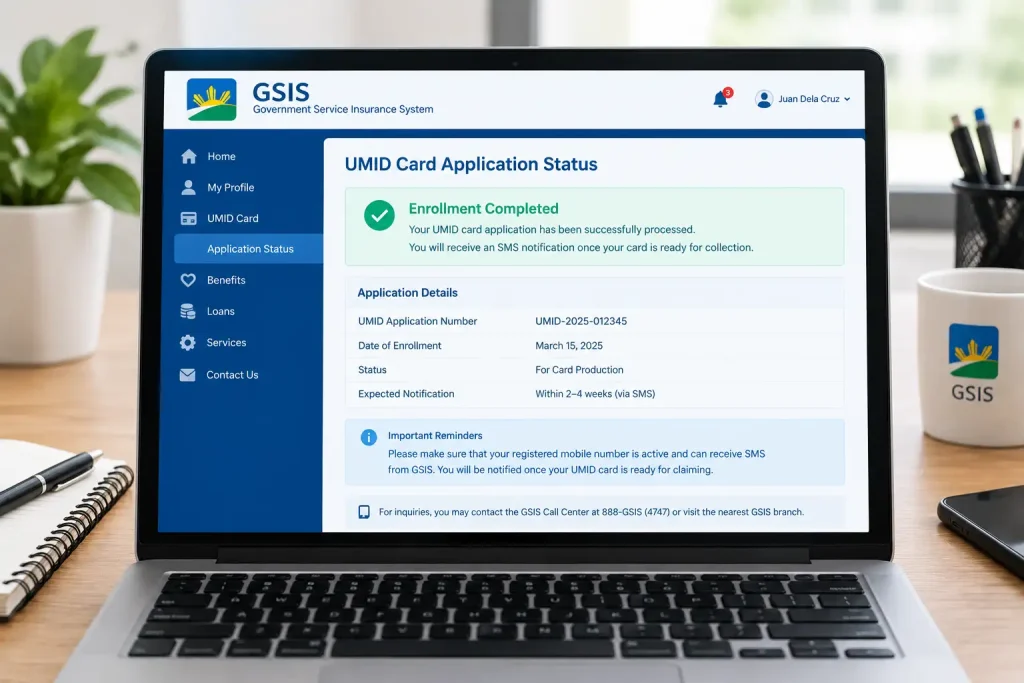
Step 4: Wait for the UMID Card Notification
After completing the required enrollment procedures, wait for the official notification from GSIS regarding your UMID Card. GSIS indicates that applicants should wait for an SMS explaining when to claim their card. Make sure your registered mobile number is active and that you can receive messages.
Before visiting the branch to claim your UMID Card, confirm:
- Whether your card is ready for collection.
- The designated claiming location.
- The acceptable identification documents.
- Whether personal appearance is required.
- Any additional instructions for your membership category.
Do not assume that submitting an enrollment form means the UMID Card will be available immediately. Processing and release times may vary.
Step 5: Claim and Activate Your UMID Card
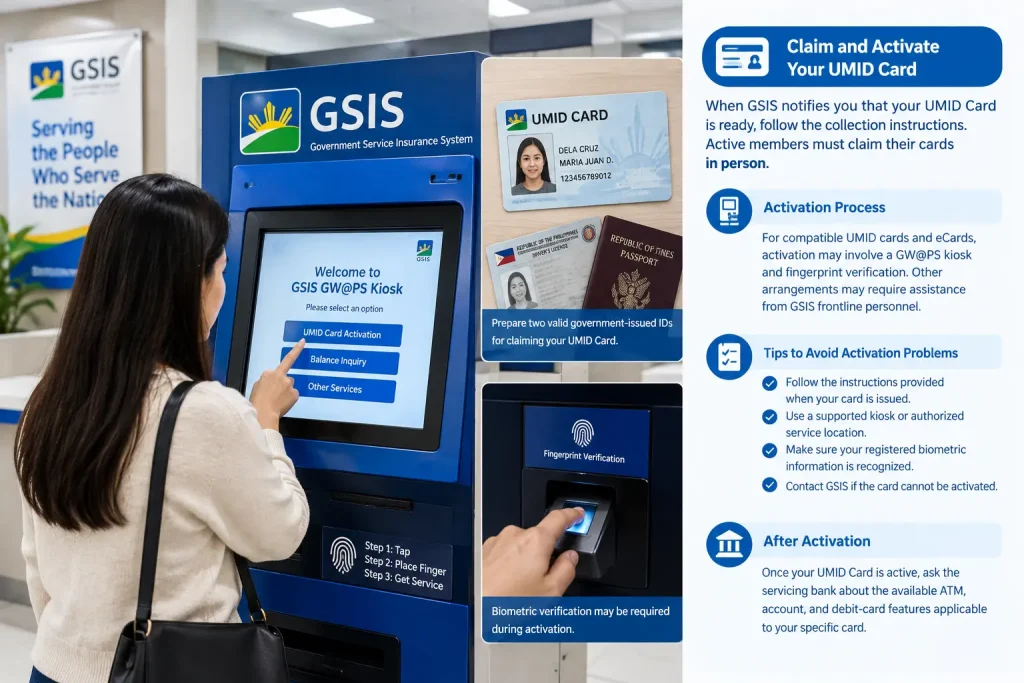
When GSIS notifies you that your UMID Card is ready, follow the collection instructions in the notification. The official GSIS page states that active members must claim their cards in person.
Prepare two valid government-issued IDs for claiming, as instructed by GSIS. Keep your card secure after receiving it.
Activation procedures depend on the card type and issuance arrangement. For compatible UMID cards and eCards, activation may involve a GW@PS kiosk and fingerprint verification. Other arrangements may require assistance from GSIS frontline personnel.
To avoid activation problems:
- Follow the instructions provided when your card is issued.
- Use a supported kiosk or authorized service location.
- Make sure your registered biometric information is recognized.
- Contact GSIS if the card cannot be activated.
Once your UMID Card is active, ask the servicing bank about the available ATM, account, and debit-card features applicable to your specific card.
How to Replace a UMID Card in the Philippines
If your UMID Card has been lost, stolen, damaged, or become unusable, you should contact GSIS or your servicing partner bank to determine the correct replacement procedure. The requirements may differ depending on whether your card is an older GSIS eCard, an ATM-enabled UMID card, or another card issued under a specific program.
Before starting a replacement request, confirm which office or bank handles your card. Do not assume that every UMID Card replacement follows the same process, because banking arrangements and current GSIS policies may differ.
Step 1: Report a Lost or Stolen UMID Card
If your UMID Card is lost or stolen, report the incident as soon as possible. If your card is connected to a bank account, contact the servicing bank through its official customer-service channel to ask whether the card or associated account needs to be blocked.
You should:
- Contact your servicing bank if the card has ATM or debit functionality.
- Ask GSIS how to report the missing card in its records.
- Check recent account transactions for suspicious activity.
- Keep the reference number for your report or blocking request.
- Follow the bank’s instructions for securing your account.
You can find official information through the GSIS website. If your card is linked to UnionBank or Land Bank, use the bank’s official website to locate the appropriate support channel.
Step 2: Prepare an Affidavit of Loss
For a lost UMID Card, an Affidavit of Loss may be required as part of the replacement process. Confirm this requirement with the office or servicing bank responsible for your particular card before obtaining the document.
Depending on the instructions provided, it may include:
- Your complete legal name.
- Relevant card or identification details.
- The approximate date and circumstances of the loss.
- A statement explaining that the card cannot be located.
- Your signature and the required notarization.
Keep a copy of your affidavit and any associated report for your records. An affidavit alone does not automatically authorize a replacement, so you must still complete the applicable GSIS or bank procedure.
Step 3: Obtain and Complete the Replacement Form
Contact your handling GSIS branch or servicing bank to obtain the appropriate UMID Card or eCard replacement form.
Before submitting the form, confirm whether you need to apply through GSIS, the bank, or both. This is particularly important when your card also serves as a payment or withdrawal card.
Complete the form carefully and check that the following details are accurate:
- Your full legal name.
- Your BP Number, where applicable.
- Your registered contact information.
- Your reason for requesting a replacement.
- Any additional card or account information requested by the receiving office.
If you are replacing a damaged card, ask whether you must surrender the original card. If your card was lost, follow the instructions concerning your Affidavit of Loss.
Step 4: Submit Supporting Documents
The documents required for a UMID Card replacement depend on the reason for the request.
The following table provides a practical checklist to discuss with GSIS or your servicing bank.
| Replacement reason | Documents to prepare |
|---|---|
| Lost UMID Card | Valid identification, replacement form, and Affidavit of Loss if required |
| Stolen UMID Card | Valid identification, replacement form, and loss or incident documentation if requested |
| Damaged card | Original damaged card, valid identification, and replacement form |
| Name correction | Valid identification, replacement form, and supporting legal documents |
| Other personal-data correction | Valid identification and official records supporting the correction |
For a legal name change, a PSA-issued marriage certificate or another applicable civil registry document may be needed. The receiving office determines which supporting documents are acceptable.
Do not assume that the same documents apply to every case. Confirm the latest requirements before submitting your UMID Card application form.
Step 5: Pay Applicable Fees and Track Your Request
Some card replacement arrangements may involve a processing fee. However, the amount and payment procedure depend on the card type and the applicable policy.
Before paying, ask the receiving office to confirm:
- Whether a replacement fee applies.
- The current amount.
- The authorized payment method.
- Whether an official receipt will be issued.
- How you will receive your replacement-card notification.
After submission, retain your transaction reference, receipt, and contact details for follow-up. Wait for official instructions before visiting the designated collection location.
How to Correct Personal Information on a UMID Card
If the name, date of birth, or another personal detail on your UMID Card is incorrect, contact GSIS before requesting a replacement.
A correction to your GSIS membership records may be necessary before a new card can be issued. The process depends on the information that needs to be corrected and the supporting documents available.
Name Change After Marriage
If your legal name has changed after marriage, ask GSIS which documents are required to update your membership record.
You may need to prepare:
- A valid government-issued ID.
- A completed correction or replacement form.
- A PSA-issued marriage certificate, where applicable.
- Additional civil registry documents if requested.
Follow the instructions of the handling GSIS branch. Do not rely on a new identification document alone to assume that your GSIS records have already been updated.
Incorrect Date of Birth or Other Details
For an incorrect date of birth or another demographic detail, prepare an official document that establishes the correct information.
Depending on the case, GSIS may require a PSA-issued birth certificate or another acceptable supporting record.
Explain the discrepancy to the handling branch and ask whether the correction must be completed before card replacement. This can help prevent a new UMID Card from being produced with the same incorrect information.
Benefits of the UMID Card Philippines 2026
The UMID Card offers several benefits to eligible government employees and GSIS pensioners. It provides convenient identification and may support access to selected GSIS services and banking functions, depending on the type of card issued.
- Government Identification: The UMID Card serves as an identification credential for eligible GSIS members and pensioners.
- Convenient Benefit Disbursement: Eligible cardholders may receive GSIS pension benefits or other qualifying payments through a linked account, depending on their card arrangement.
- ATM Withdrawals: Cards with enabled ATM functionality can provide convenient access to available funds through supported ATM networks.
- Debit Card Transactions: Eligible ATM-enabled cards may support cashless purchases at participating merchants.
- Access to Selected GSIS Services: Compatible cards may be used at GSIS GW@PS kiosks for supported transactions.
- Biometric Verification: Supported services can use fingerprint verification to help confirm a cardholder’s identity.
- Convenient Pension Access: Eligible pensioners can benefit from an established payment arrangement without relying exclusively on manual payment procedures.
- Digital Service Options: Eligible users can explore GSIS Touch and available digital identification features for supported services.
- Secure Account Management: Reporting a lost card and following the appropriate blocking procedure can help reduce the risk of unauthorized transactions.
- Simplified Identification: Keeping your UMID Card available can make certain eligible identification and service transactions more convenient.
Is There a Digital Alternative to the UMID Card?
GSIS offers digital services through its official GSIS Touch mobile application. Eligible users may be able to access a GSIS Digital ID or other digital services depending on their account status, application version, and current GSIS policies.
A digital credential can be convenient when you need to review your information or access an eligible service while waiting for assistance with a physical card. However, you should not assume that a digital ID can replace the physical UMID Card for every transaction.
Step 1: Download the Official GSIS Touch App
Open the Google Play Store on an Android device or the Apple App Store on an iPhone.
Search for the official GSIS Touch application and check the developer information before installing it. Avoid unofficial applications that imitate government services.
You can also begin from the official GSIS website to locate current app information.
Step 2: Register or Sign In
Open the application and follow the current registration instructions.
Depending on the service and your account status, you may be asked to provide information such as your BP Number, date of birth, registered mobile number, or other identity-verification details.
If the application sends an OTP, enter it only into the official app or authorized verification screen.
If registration fails, confirm that your membership information is correct and that your mobile number is current in the GSIS records.
Step 3: Find the Digital ID Feature
After successfully signing in, review the available features in the GSIS Touch application.
If the GSIS Digital ID feature is available to your account, follow the on-screen instructions to access it.
Check that your displayed details are correct. If information is missing or incorrect, contact GSIS through an official support channel rather than attempting to change official records through an unverified service.
Step 4: Understand the Digital ID’s Limitations
Before relying on a digital credential, confirm whether the organization or transaction you intend to use it for accepts it.
A digital ID may support certain verification or digital services, but it may not provide the same ATM, debit-card, or physical identification functions as a compatible physical card.
If you need a UMID Card for a bank transaction, card replacement, or another specific purpose, ask the relevant institution which form of identification it accepts.
How to get Your UMID Card Use Safely
After receiving your UMID Card, take steps to protect your personal information and any associated bank account.
- Keep the physical card in a secure location.
- Memorize your PIN rather than writing it on the card.
- Never share an OTP or online banking password.
- Check your bank statements for unfamiliar transactions.
- Report a lost or stolen card promptly.
- Keep your registered mobile number updated.
- Use official GSIS and bank channels for account-related concerns.
If your UMID Card is ATM-enabled, remember that access to funds depends on the linked account, available balance, banking arrangements, and any applicable transaction restrictions.
Common UMID Card Problems and Solutions
Applicants may encounter delays or verification issues during enrollment, claiming, activation, or replacement. The following table outlines practical steps for resolving common problems.
| Common problem | Possible solution |
|---|---|
| BP Number is not recognized | Verify your number and ask GSIS to check your membership records. |
| Mobile number is outdated | Contact GSIS through an official channel to update your contact information. |
| Enrollment form contains an error | Ask the handling branch how to correct the form before processing continues. |
| No card-ready SMS received | Confirm your registered number and contact the responsible GSIS branch for a status update. |
| Card cannot be activated | Follow the instructions for your specific card and seek help from GSIS or the servicing bank. |
| Fingerprint verification fails | Ask authorized personnel to assist with the biometric verification process. |
| UMID Card is lost | Report it promptly and contact the servicing bank if a linked account is involved. |
| Replacement request is delayed | Use your transaction reference to follow up with the receiving office. |
| Name on the card is incorrect | Ask GSIS how to correct your membership records and which supporting documents are needed. |
| Digital ID is unavailable | Check your account eligibility, app version, and current GSIS instructions. |
What to Do If Your Application Is Delayed
If your UMID Card application takes longer than expected, first check whether you have received a reference number, acknowledgment, or additional document request.
Contact your handling GSIS branch and provide the information needed to locate your application. Ask whether the request is pending verification, card production, or collection instructions.
Processing times can vary, so avoid relying on unofficial claims that your card will be released within a guaranteed number of days.
If the delay concerns a linked bank account or ATM card, contact the servicing bank separately to determine whether there is a banking issue that requires attention.
UMID Card Philippines 2026: Quick Reference Checklist
Before applying for a new UMID Card or requesting a replacement, review the following table to identify the documents and service channels you may need. Requirements depend on your membership category, card type, and the current GSIS procedure.
| Transaction | Documents or information to prepare | Where to inquire |
|---|---|---|
| New UMID Card enrollment | BP Number, enrollment form, valid IDs, and personal information | Handling GSIS branch |
| Identity verification | Valid government-issued IDs and membership records | GSIS branch |
| Card claiming | Card-ready notification and required identification | Designated GSIS claiming location |
| Lost card replacement | Valid ID, replacement form, and Affidavit of Loss if required | GSIS and servicing bank, as applicable |
| Damaged card replacement | Damaged card, valid ID, and replacement form | Responsible GSIS office or servicing bank |
| Name correction | Valid ID and applicable civil registry documents | Handling GSIS branch |
| Digital ID access | GSIS Touch app and required account-verification details | Official GSIS digital services |
| Card activation | Physical card and instructions applicable to the issued card | Authorized kiosk, GSIS, or servicing bank |
Use this checklist as a preparation guide rather than a definitive list of mandatory documents. Confirm the requirements directly with GSIS before visiting an office or paying a fee.
Important Tips for UMID Card Applicants and Cardholders
The UMID Card offers several benefits to eligible goverCardholders
Follow these practical tips to help make your UMID Card application, activation, or replacement process smoother.
- Verify Your Eligibility First: Confirm your GSIS membership or pension status before beginning the application.
- Keep Your BP Number Ready: Check that your Business Partner Number is correct and matches your GSIS records.
- Prepare Valid Identification: Bring the identification documents requested by your handling GSIS branch.
- Check Your Personal Information: Review your full name, date of birth, and other details before submitting the enrollment form.
- Keep Your Mobile Number Updated: An active registered number can help you receive important application and claiming notifications.
- Confirm Before Visiting a Branch: Ask about office procedures, appointments, documents, and card-claiming arrangements before traveling.
- Wait for Official Claiming Instructions: Do not assume your card is ready immediately after submitting an application.
- Follow the Correct Activation Process: Use the instructions provided for your specific card and authorized activation channel.
- Report a Lost or Stolen Card Immediately: Contact your servicing bank if your card is linked to an ATM or debit account, and ask GSIS about the replacement procedure.
- Ask About Replacement Fees: Confirm whether a fee applies and obtain an official receipt for any authorized payment.
- Protect Your PIN and OTP: Never disclose your PIN, password, or one-time verification code to another person.
- Keep Supporting Documents Safe: Retain application references, receipts, affidavits, and other documents related to your request.
Frequently Asked Questions About the UMID Card Philippines
Final Thoughts on the UMID Card Philippines 2026
The UMID Card Philippines 2026 application process becomes easier to manage when you understand your eligibility, prepare the correct identification documents, and follow the instructions provided by the Government Service Insurance System. Whether you are applying for your first UMID Card, claiming a newly issued card, correcting personal information, or requesting a replacement, verifying your requirements in advance can help reduce unnecessary delays.
Start by reviewing the official GSIS UMID Card information page, checking your membership details, and contacting your handling GSIS branch when clarification is needed. If your card is lost or stolen, promptly contact your servicing bank when a linked account is involved. You can also explore the official GSIS Touch application to determine whether digital services are available for your account.
Remember that requirements, fees, card functions, and processing arrangements can change. Always prioritize current official GSIS and servicing-bank instructions over unofficial claims. With the right preparation and accurate records, you can navigate your UMID Card enrollment or replacement request with greater confidence.